



Photoshop Express iOS 26.34.1 — “Send To → Lightroom” option is missing
believe the Send To → Lightroom integration is missing from the current version of Photoshop Express for iOS.
Product: Photoshop Express
Version: 26.34.1
Device: iPhone 17 Pro
iOS: iOS 26.6.1
Related app: Lightroom for iOS
EXPECTED BEHAVIOR
Photoshop Express documentation currently describes a SEND TO section in the Save & Share screen, including an option to send an edited image to Lightroom.
This was also part of my previous Photoshop Express workflow.
ACTUAL BEHAVIOR
In Photoshop Express 26.34.1, the SEND TO section is completely missing from the Save & Share screen.
I only see the normal iOS sharing destinations under OPEN WITH, such as Instagram and WhatsApp.
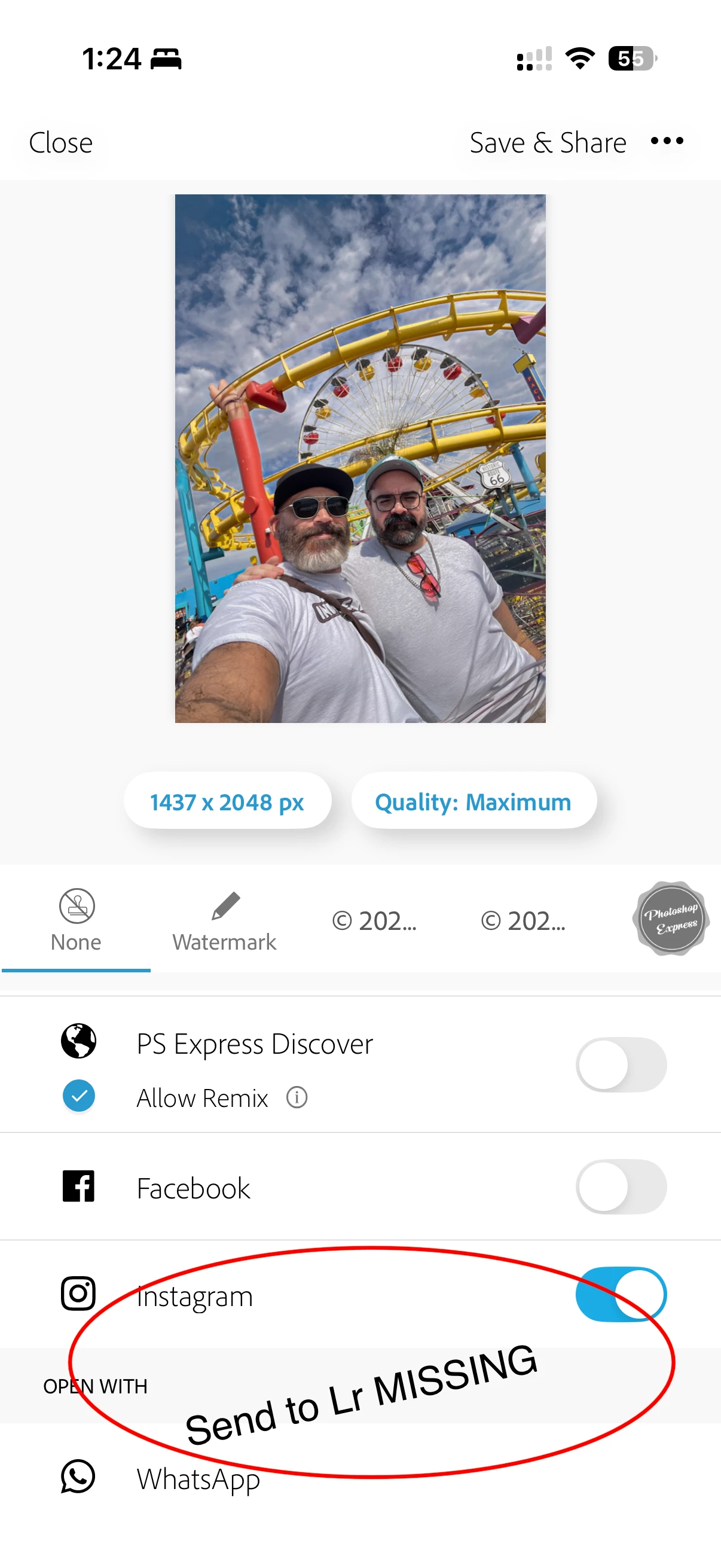
I have attached a screenshot of the current Save & Share screen showing that there is no SEND TO → Lightroom option.
WORKAROUND I DISCOVERED
I can select Lightroom from the normal iOS Share Sheet instead.
However, when I do this, Lightroom displays a dialog titled “Open in Lightroom” containing what appear to be internal/untranslated UI strings:
AlertMessageOneCompletedOne-Failed
AlertButtonTitleGott
AlertButtonTitleLaunch
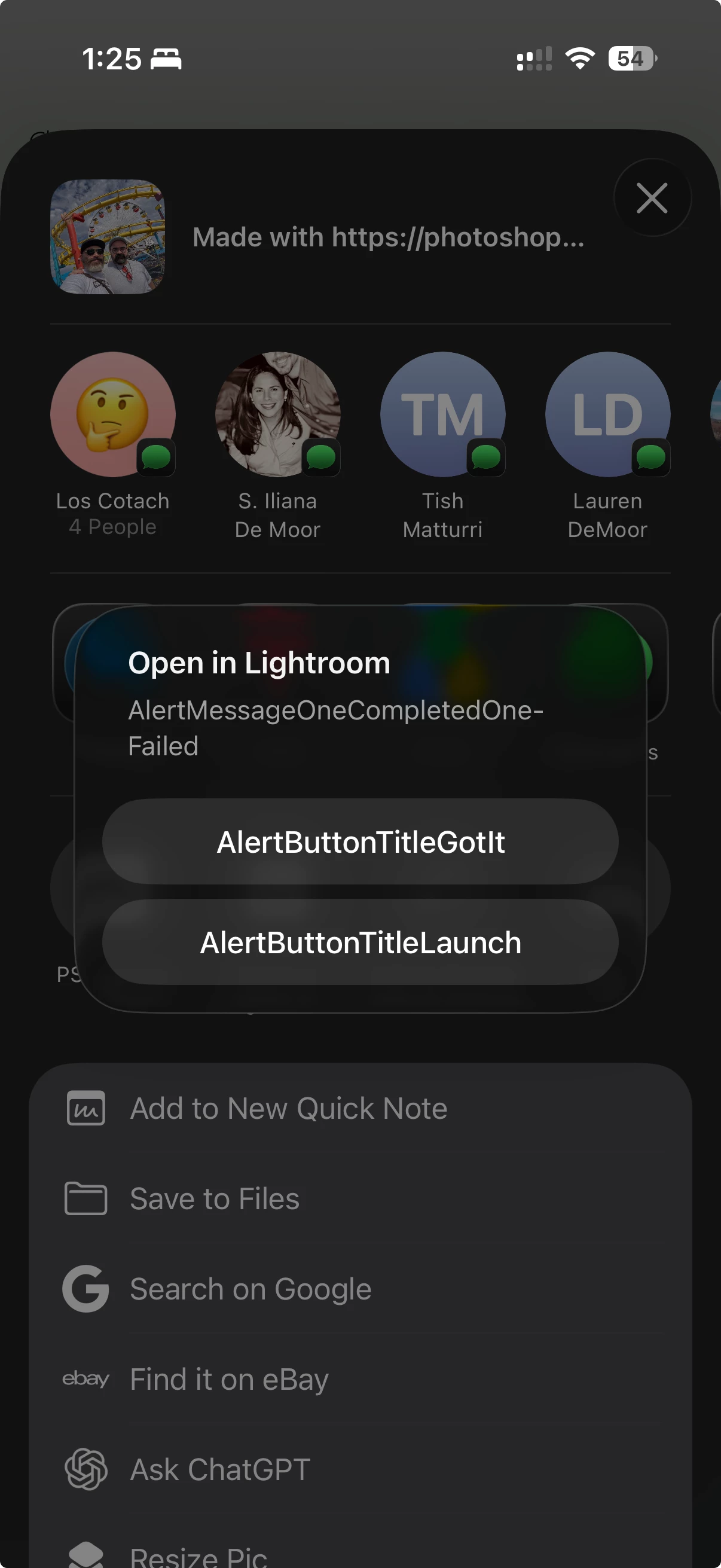
The bottom button does successfully open Lightroom and import the image, so the underlying Share Sheet → Lightroom functionality appears to work.
However, the dialog clearly appears to be displaying internal resource/localization strings rather than normal user-facing text.
I have attached a second screenshot showing this behavior.
QUESTIONS
Could Adobe please confirm:
1. Was SEND TO → Lightroom intentionally removed from Photoshop Express for iOS?
2. If not, is this a regression/bug in version 26.34.1?
3. Why does Lightroom display the internal strings AlertButtonTitleGott and AlertButtonTitleLaunch when receiving the image through the iOS Share Sheet?
Adobe’s current Photoshop Express documentation still describes the SEND TO → Lightroom workflow, so I’m trying to determine whether this is an intentional product change or a bug.
Thank you.
 AdChoices