
Participating Frequently
May 23, 2024
Question

PS Express Syncing isn’t turned on.

  • May 23, 2024
  • 1 reply
  • 302 views

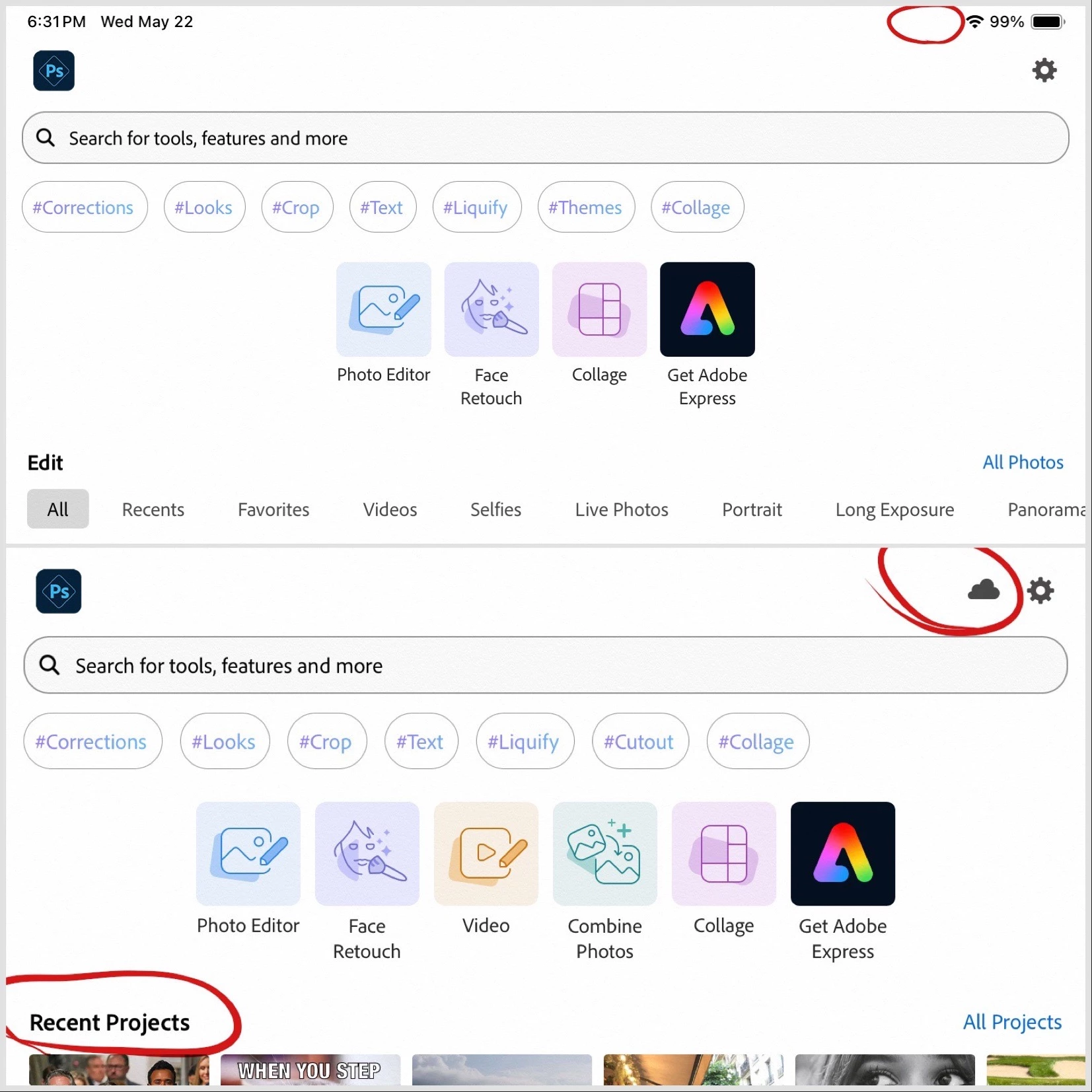
I see this cloud icon on my iPad mini and it shows recent projects but I recently bought an iPad Ai with M2 and installed Photoshop Express and the cloud icon is missing and I don't see recent projects.


The cloud icon is visible on the Adobe Creative Cloud app Adobe Fresco on my iPad Air... but it's not there on PS Express. 

The operating system is iPadOS 17.5.1... and the problem is in PS Express, not Adobe Express.
This topic has been closed for replies.

1 reply

Neelamk
Legend
June 5, 2024

Hi Greg Roth,

Apologies for the late response. We are sorry to hear you are experiencing issues with the app. Please share the device details and the application version installed on your new device with us. Can you click on the cloud icon in Photoshop Express application to see what happens. You could try signing out and signing back into your account. Let me know if this makes any difference.


We are here to help you.


Thank you,

Neelam

Greg RothAuthor
Participating Frequently
June 5, 2024

Hi Neelam,


I clicked on the cloud icon and it says that my work is synced. I did sign out of Creative cloud in PS Epsress account and restarted my iPad and resigned back in and still I am not seeing combine photos nor video.

Neelamk
Legend
June 10, 2024

Hi @Greg Roth,


Thank you for the information. I have informed the development team about this issue, and they are working on it. I will keep you posted with the latest update I receive from them.


I appreciate your patience.


Thank you,

Neelam