
Inspiring
September 16, 2022
Question

2019 Premier slideshow Music

  • September 16, 2022
  • 2 replies
  • 277 views

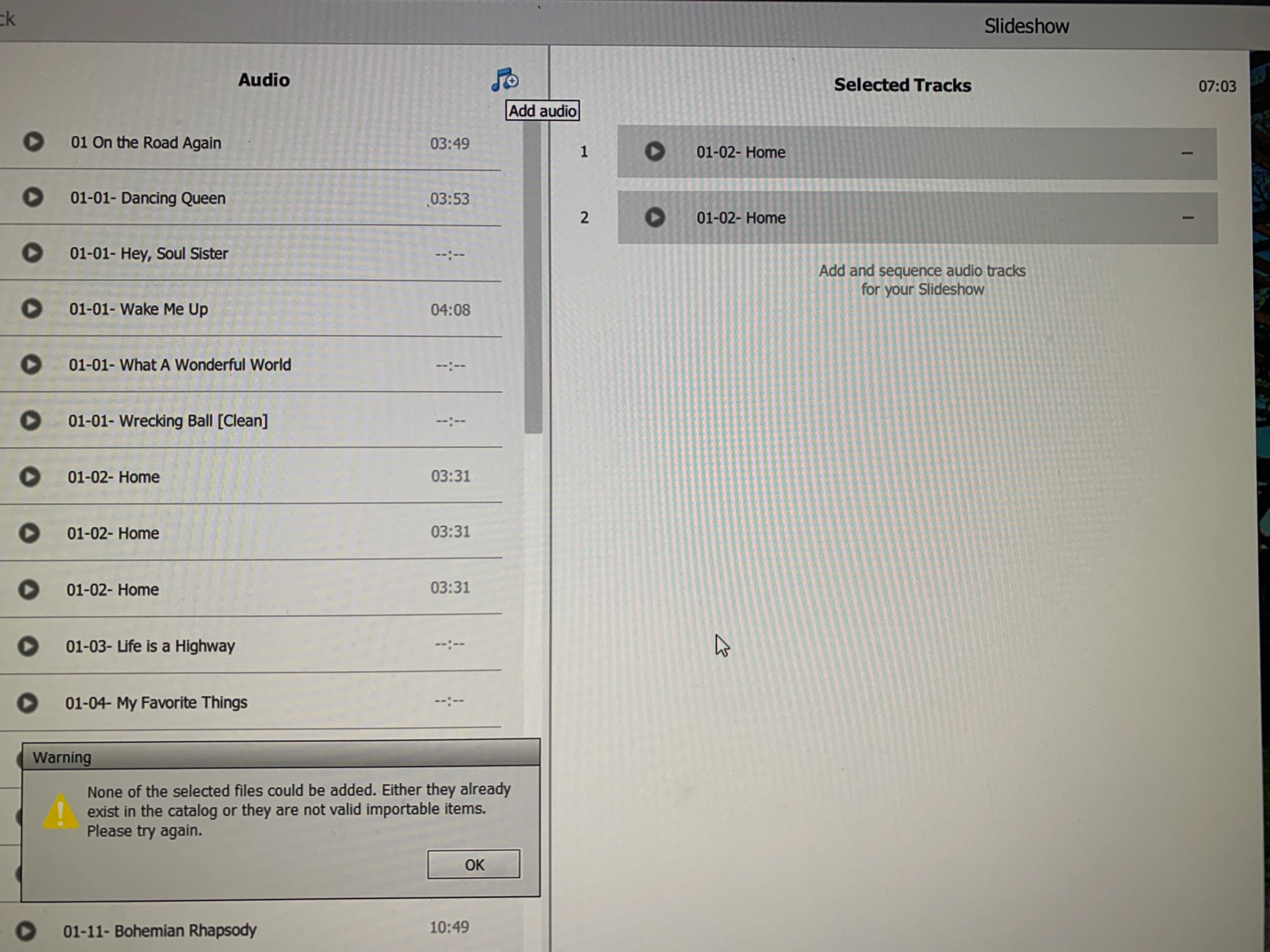
See screenshot attached.  Music files corrupted in oranizer but are not when I use editor.  Also, so time when saving or exporting  a slideshow, phantom music is added.

Questions:

1  How to fix corrupted music in organizer slide show

2  Why is music selection OK in Editor, not in Organizer

3  How to delete phantom music in Editor, which was auto added to organizer slidshow
 

This topic has been closed for replies.

2 replies

2213dadAuthor
Inspiring
September 17, 2022

I just repurchased another version of the song and use Premier editor

Legend
September 18, 2022

I don't understand what you are saying.


What method are you using to create your slideshow and add your music? There are several ways to create a slideshow with the program.

2213dadAuthor
Inspiring
September 19, 2022

Initially used Organizer to create show.  Music file showed corruption of some selections.  Trying to select music from my Documents/Music file worked, but not with Organizer show music selection that showed corruption.

My solution was  to just buy another version of the song.

I also imported saved Organizer show via Premier Editor and was able to select any song. (did not show corruption as in Organizer

Legend
September 16, 2022

Have you tried a complete uninstall/reinstall? You won't lose any work in progress.