
Inspiring
February 1, 2023
Answered

Adding "06FormalGeneralListRIght" motion title text

  • February 1, 2023
  • 1 reply
  • 798 views

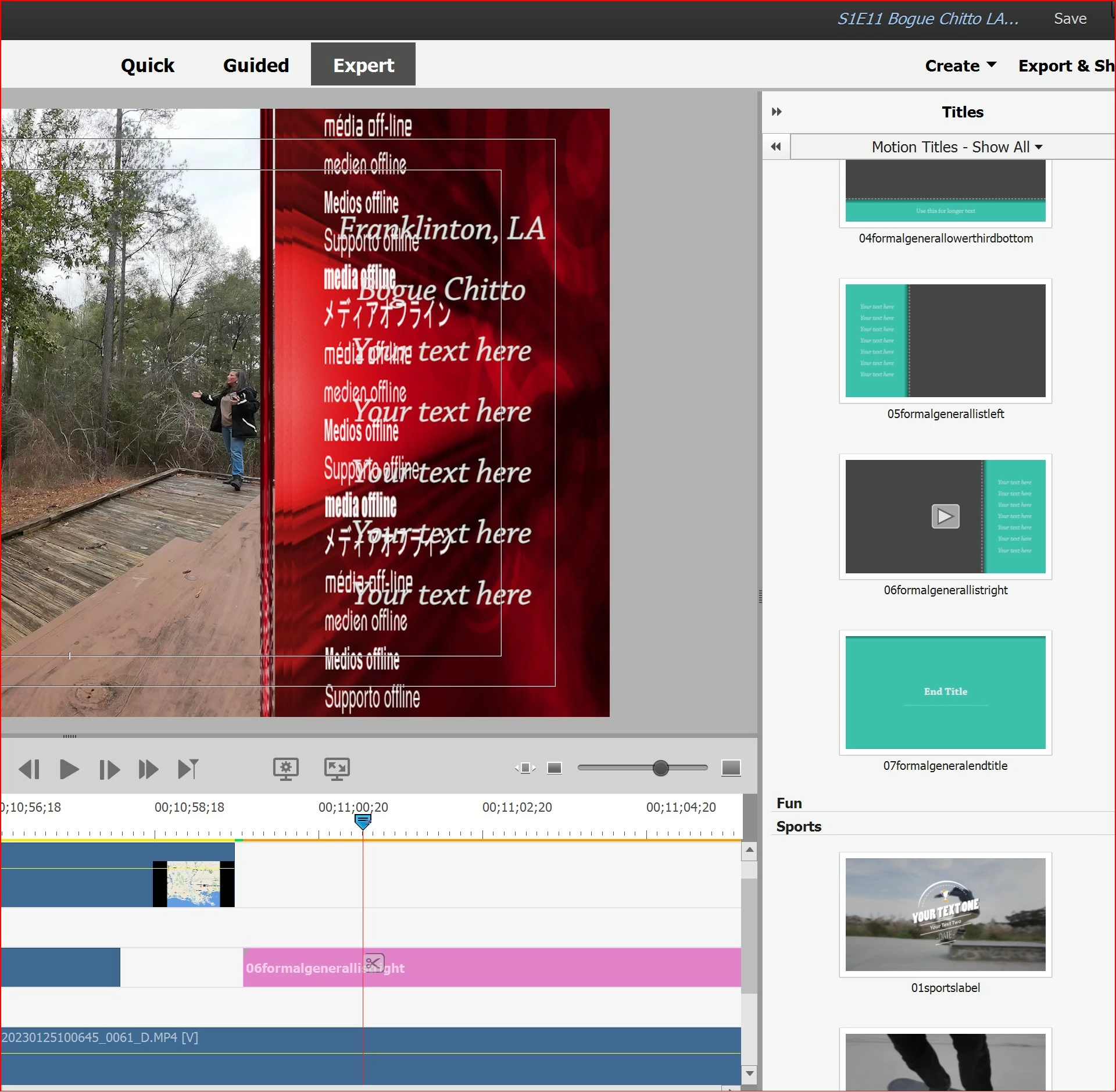
I have Adobe Premiere Elements 2023. I'm trying to use a Text named "06FormalGeneralListRight" 
I DID figure out how to change the texts but I can NOT figure out how to work with the background. I right and left clicked all over that graphic trying to get the Background field to open up. I don't want that red crap. I want green or brown or something else. Oh and I can't get the "media offline" deleted either. If you know or know of a video I can watch, please share. I'm lost. 😞

Please someone help... I know it's me. 


gail
 

This topic has been closed for replies.
Correct answer GailMarlin

Can you try a complete uninstall and reinstall?  If not, as a new buyer, you can get tech help in a "chat" with Adobe staff. 


https://helpx.adobe.com/contact.html?rghtup=autoOpen


Thank you 😊 I'll try the chat. Thank you again! 

1 reply

Community Expert
February 1, 2023

That title is one of the many that are not initially installed to conserve space on your maching.   It is an 11MB file.   My guess is that you're using  the free trial and the more complex motion titles don't work.  They have to be downloaded and to do that you need an Adobe account.  There is a 30 day money back if you don't like it.


If you are on the paid version, I'm wrong and I can try to duplicate the issue.  The "rec crap" is the indcator that the title is not yet on your computer.  You on an Mac or a PC?

Inspiring
February 1, 2023

Thank you so much for trying to help me.
I have the paid version of 2023, and I’m using a Windows PC with the newest
OS version.

John T Smith
Community Expert
Community Expert
February 1, 2023

Have you done as Bill said and downloaded that title?

This is about version 2021 but should be the same for 2023

-some titles are built in, ones with a 'bar' in the upper right corner download to be able to use