


Inspiring
April 25, 2018
解決済み

Adjust acceleration of fade in / fade out in Premiere Elements 2018?

  • April 25, 2018
  • 返信数 1.
  • 2454 ビュー

I've added a fade in and fade out to a clip.

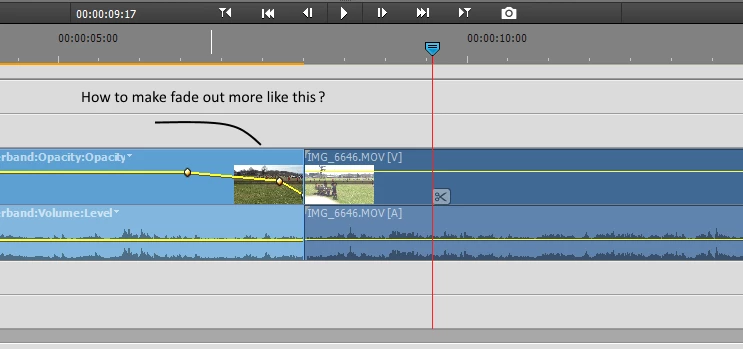
But the fade out is just liner from normal to black.  Looks weak.

I want to make it a more gradual fade at first, then accelerate.

Anybody know how?

Thanks
    このトピックへの返信は締め切られました。
    解決に役立った回答 Steve Grisetti

    If you open the Opacity keyframe controller in the Applied Effects panel, you can interpolate the keyframes by right-clicking on them and selecting the interpolation option.

    Interpolating changes the transition from keyframe to keyframe from a constant, linear speed to various speed changes, as you're trying to do.

    返信数 1

    Legend
    April 25, 2018

    If you open the Opacity keyframe controller in the Applied Effects panel, you can interpolate the keyframes by right-clicking on them and selecting the interpolation option.

    Interpolating changes the transition from keyframe to keyframe from a constant, linear speed to various speed changes, as you're trying to do.

    CBecks作成者
    Inspiring
    April 26, 2018

    Thanks!  I had absolutely now idea what you meant at first, but I figured it out based on your description.

    Here's a picture explaining it in case it helps anyone else (or me later...) : )

    Participant
    March 12, 2021

    Thanks so much for this.  Perfect.