
Answered
Adobe Premiere Elements 11, Clip looks negative
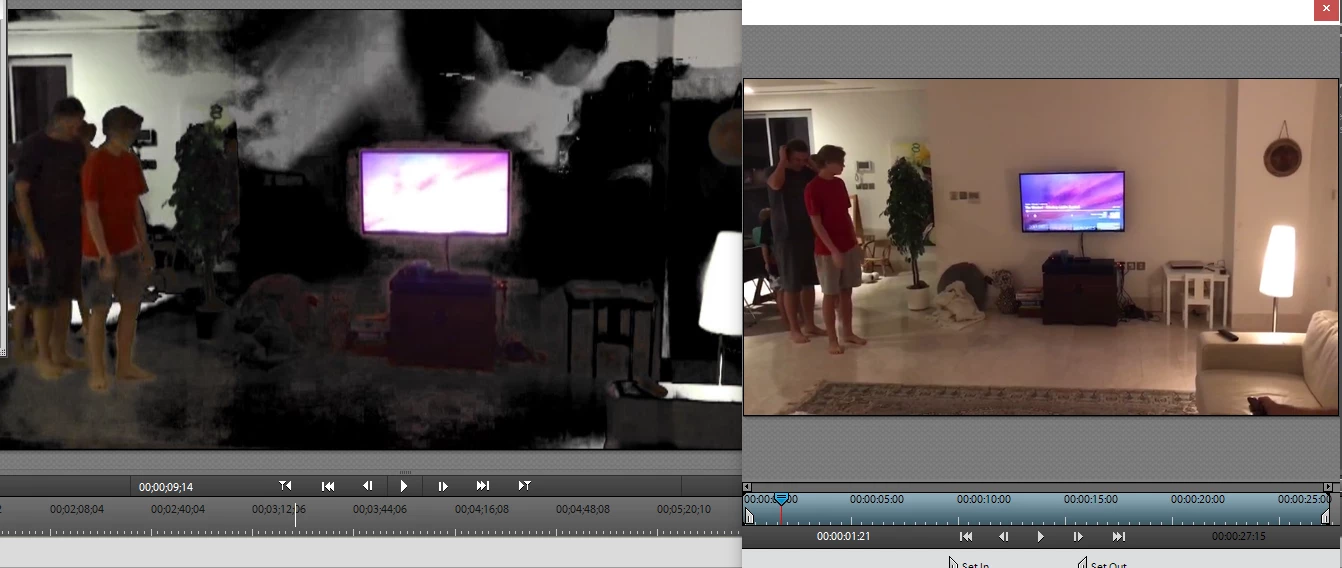
My clip looks good (right side) when viewed in the monitor window or double clicked from media assets but once it is on the timeline the colors go negative (left side). How do I fix this?

My clip looks good (right side) when viewed in the monitor window or double clicked from media assets but once it is on the timeline the colors go negative (left side). How do I fix this?
Select the clip on the timeline and open Applied Effects. It looks like you've applied Videomerge to the clip.
Already have an account? Login
Enter your E-mail address. We'll send you an e-mail with instructions to reset your password.
 AdChoices