


Participant
June 16, 2020
Question

Adobe Premiere Elements 2020 bug on full screen!!!!!!!

  • June 16, 2020
  • 2 replies
  • 1210 views

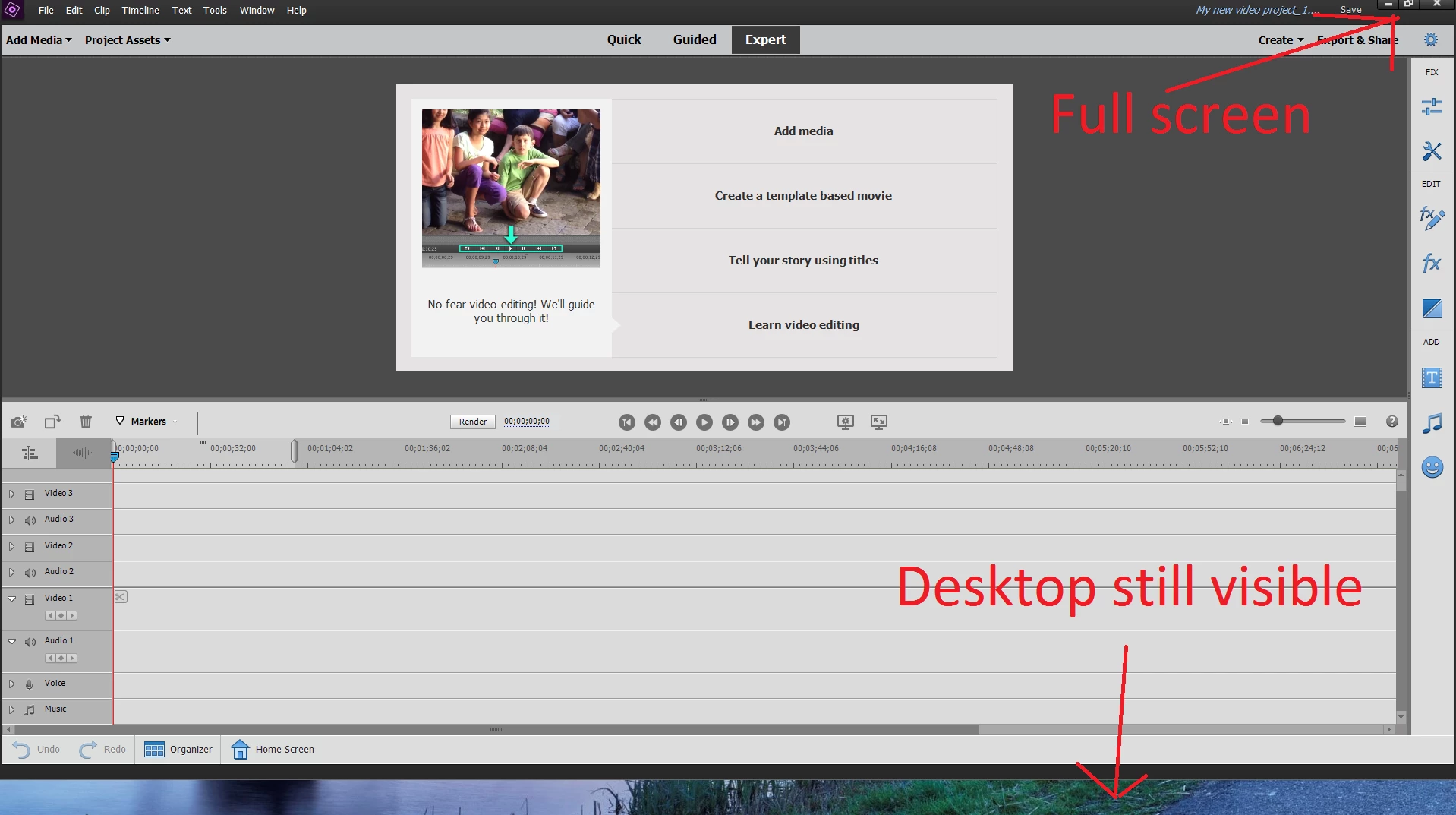
Hi, I am working on 2 screens and when I move Adobe Premiere 2020 Elements on the second screen and I click on 'Full screen' to enlarge the window, it does not go on full screen and as per picture desktop is still visible!!!!


I have tried to increase manually the window insthead of the 'full screen' button but when I reach the desktop area that is not covered during full scree, the window goes automatically on the first monitor instead of covering the area.


Can you please tell me how to fix this?

It looks like a really bad bug, I am quite surprised that this is happening on an Adobe software..
 

2 replies

Participant
November 14, 2022

This seems ridiculous to me. I just downloaded the free trial and the first time I tried to use it, I ran into this issue. For me, when I drag the window onto my external monitor and click to make it full screen, the window completely disappears & I can't get it back unless I shut the program down & try again. It seems ridiculous that I would be forced to work on my tiny laptop screen when I have a second, much larger monitor to work with.  Is this really a limitation of the program? I definitely won't be paying for the product if this is how it's supposed to work.

bigdavedogdad
Participant
August 22, 2025

This is still happening years later (2025) with Premiere Elements 2024. Good grief...

Legend
June 17, 2020

There really is no fix for this that I know of. Premiere Elements will fill the screen on your primary monitor.

Participant
August 2, 2022

+1 to the OP. Very strange behaviours, especially when using extended twin monitor set with a laptop. It means I have two great eye level monitors, but have to do all my video editing hunched over my laptop screen. The only application I have that has this issue. All other applications respect the Windows multi monitor support (win+arrow, maximise etc)