

Answered
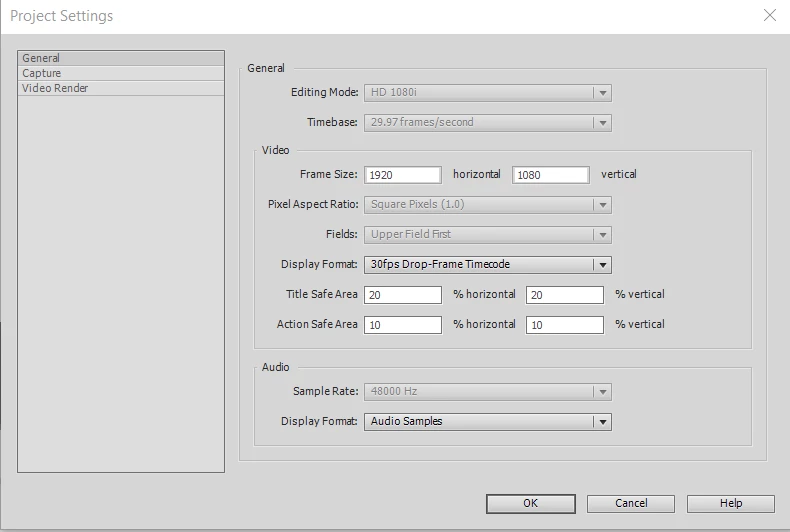
Adobe Premiere Elements 2020 Project Settings Greyed out
Hi
I'm running Windows 10 (latest), i9 Processor with NVidia 1070 graphics card, latest driver.
How can I changed the greyed out areas?
Thanks...

Hi
I'm running Windows 10 (latest), i9 Processor with NVidia 1070 graphics card, latest driver.
How can I changed the greyed out areas?
Thanks...
Already have an account? Login
Enter your E-mail address. We'll send you an e-mail with instructions to reset your password.
 AdChoices