
Participant
February 10, 2023
Question

Adobe premiere elements 2023 help page doesn't work

  • February 10, 2023
  • 2 replies
  • 679 views

When I press F1 or click on help then I don't get the help page.

The URL is:
http://192.147.130.58/chcservices/services/redirect?u=http://help.adobe.com&p=PremiereElements_2023&l=nl_NL&id=AH_HOME


And de website page shows:
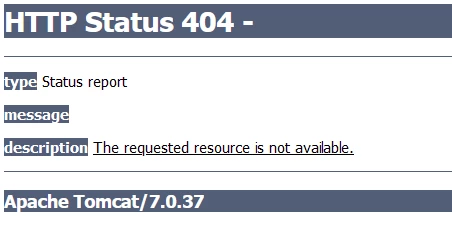
 

How to solve this issue, because help page is really necesarry for the program.

This topic has been closed for replies.

2 replies

Participant
April 14, 2023

I do have the exact same problem and I cannot get any help on Premiere Elements 2023.

I am on Windows 11 with Edge as default browser and I have a legal copy of PrE 2023 upgrade from PrE 2019, which is still installed.


Community Expert
April 14, 2023

F1 also works on my computer.  I don't know why it won't on yours.  Since it doesn't go to the same site Steve suggested above....  https://helpx.adobe.com/support/premiere-elements.html

Participant
April 14, 2023

I know the URL to reach the support site but what I want is the F1 key to work. It is much faster/more convenient!

I have deinstalled PRE23 and PRE19, cleaned up (i.e. deleted) all Premiere Elements directories/files/register entries and performed a clean reinstallation of PRE23 without any improvement.

I have the Creative Cloud installed with Lightroom Classic, Photoshop, etc. I wonder if the problem is not there because the "http://help.adobe.com" in "

"http://192.147.130.58/chcservices/services/redirect?u=http://help.adobe.com&p=PremiereElements_2023&l=nl_NL&id=AH_HOME" is the same "baseURL" as found in the Lightroom_CC_1.0.helpcfg and Lightroom_12.0.helpcfg files on my PC.

All my Adobe products are in French. 

Legend
February 10, 2023

When I press F1 on my Windows version, I get this link.

https://helpx.adobe.com/support/premiere-elements.html