

Teresa25342344sh6g
Participant
January 29, 2023
Question

adobe premiere elements 2023 won't open previously made PREL files because of "menu markers"

  • January 29, 2023
  • 3 replies
  • 1296 views


Ever since my recent upgrade from 2022 to 2023 adobe premiere elements, I cannot open 50+ .prel files from previous versions of Adobe Premiere Elements.


This is maddening since I can no longer go revisit older .prel files to re-edit and re-release the videos.  Nor can I access any of the "templates" I made to speed up my vlog editing.


Anyone have any suggestions on how to fix this issue, or how to access my previously-created .prel files? 

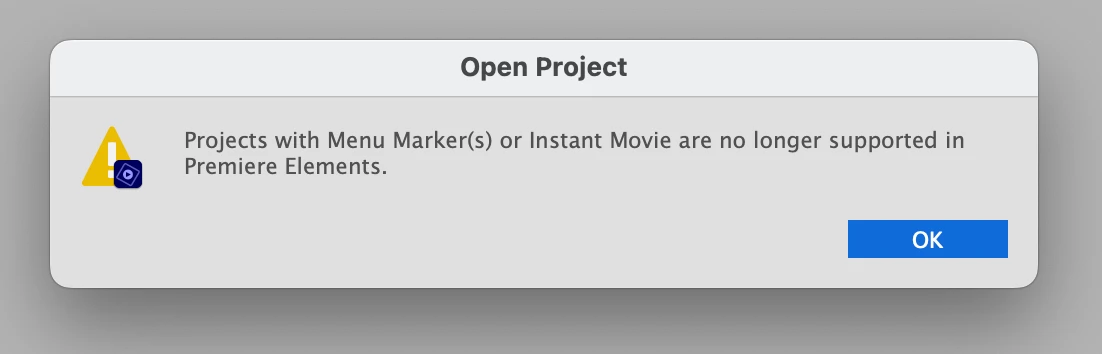
The files begin to open and then I get the error message I attached here.  The Elements open a new file as if I was opening the app for the first time. 😞

Thanks!
 

    This topic has been closed for replies.

    3 replies

    Participant
    May 24, 2023

    I have the same problem, so thanks for already asking the question.  Looks like I'll be reinstalling 2022.  

    Participant
    June 15, 2023

    I just installed 2023 and the project I had with 2022 opened with tons of errors. Luckily, I have it installed with 2022, so I switched back to that one.

    Weird thing - the "upgrade" to 2023 was more expensive than buying 2023 as full software... by like $30. They make no sense. 

    Peru Bob
    Community Expert
    Community Expert
    June 15, 2023
    quote

    Weird thing - the "upgrade" to 2023 was more expensive than buying 2023 as full software... by like $30. They make no sense. 


    By @ecgak2023


    That's just a marketing tool.

    Peru Bob
    Community Expert
    Community Expert
    January 29, 2023

    Premiere Elements has never been backwards compatible.

    It is best to revisit a project in the version in which it was created.

    Do you still have 2022 installed?

    Legend
    January 29, 2023

    I second Bob's point. You can't open a project created with an older version of the program in a newer version of the program without running into problems.


    In this case, the feature you used in the older version -- Menu Markers -- is no longer available in the 2023 version.

    kglad
    Community Expert
    Community Expert
    January 29, 2023

    in the future, to find the best place to post your message, use the list here, https://community.adobe.com/


    p.s. i don't think the adobe website, and forums in particular, are easy to navigate, so don't spend a lot of time searching that forum list. do your best and we'll move the post if it helps you get responses.


    <moved from using the community>

    Teresa25342344sh6g
    Participant
    February 1, 2023

    Thank you.  I thought I was posting there.  It took me twenty minutes to find a place to make this post.  At least I got lucky and two people commented. 🙂


    I will bookmark the link you gave and post there next time.