



Animated still image resolution very poor
I am trying to animate a high resolution still (2160x3840) in the timeline. All the animation is working fine but the rendered output both in the timeline and in exported video is awful. I have tried every setting I can find and whacked up the quality to max to no avail. The following image shows what it looks like in the editor (and it's the same in the export):
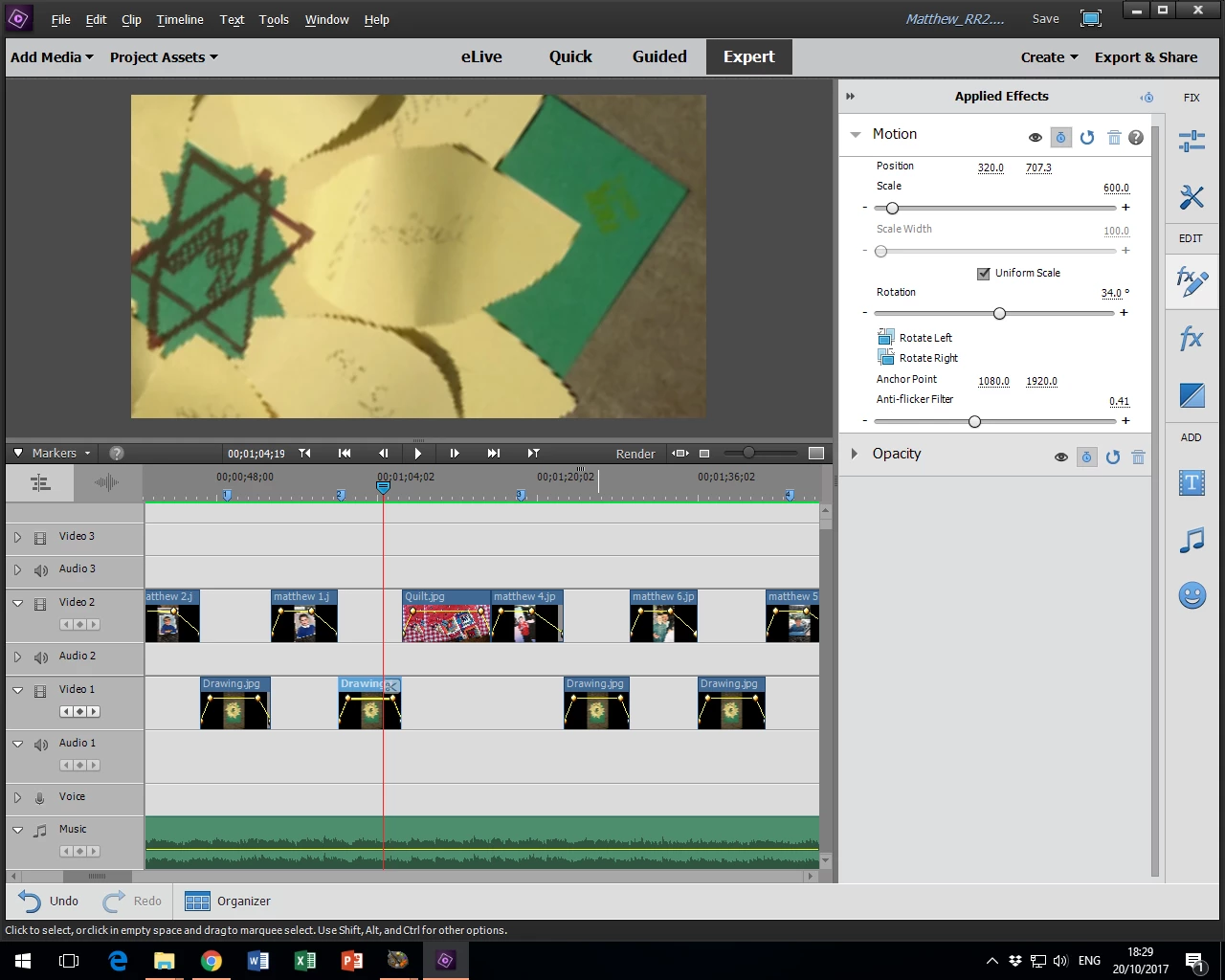
You can see the jagged edges on the paper and the writing is illegible.
Now here is the bizarre bit. If I tweak the setting for Anti-Flicker Filter (almost any value will do) the preview suddenly goes lovely and crisp:
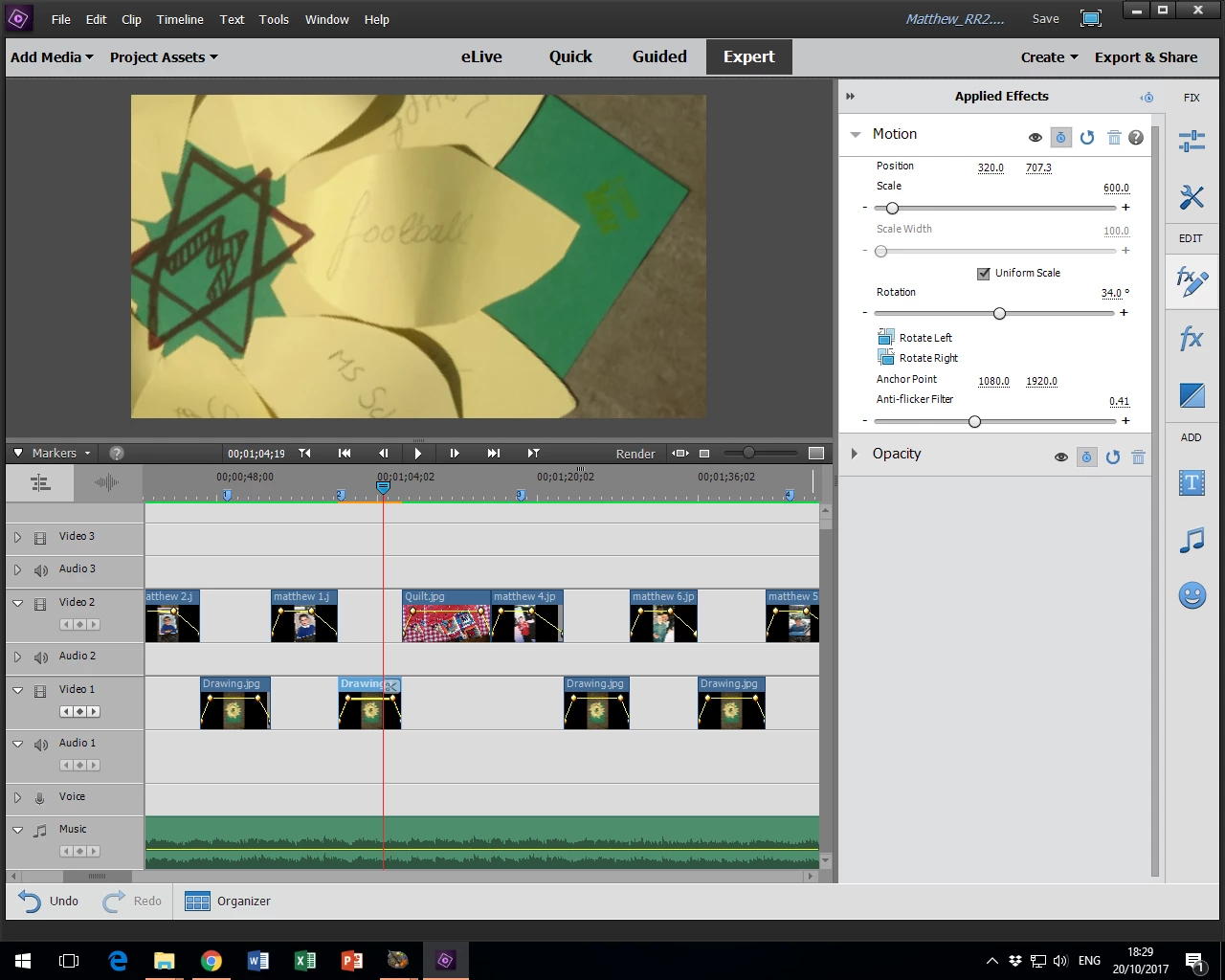
You can see here that the timeline indicator has gone orange and the preview is exactly what I want. In this state I can drag the cursor along the timeline and the image will animate in real time at high resolution. If I play the timeline it goes back to being pixelated until I stop when it shows high resolution still.
This tells me:
- The image is good enough to be scaled how I want it
- Premiere is actually capable of rendering it correctly when it wants to
I have however failed miserably to export the video with the crispness I can see in the second image.
I did various searches before posting this and people seem to have had this issue for many years. They got helpful suggestions like 'don't scale images above 100%' (pardon?). This just seems like a bug to me... There was some suggestion that changing the 'fields' on the project setting might help but this option doesn't seem to be available to me on the existing project and I don't really want to edit the whole project again (it has very complex animation!). Does anyone know what is going on?
Any help welcome....
Premiere Elements 15, Windows 10. HP Z400 Workstation (12Gb)
 AdChoices