

Question
Applied Effects Offline (filter unavailable)
Premiere Elements 2021 version 19.0 running on Windows 10, running in Expert mode.
- Beginning a new project, I applied an audio effect (a compressor) to a 30 minute clip, then began editing the clip to remove pauses, 'uhs', etc.
- I disconnected my network connection because I was having a problem with playback stopping by itself frequently enough to be irritating. A forum post suggested trying that. It seemed to help, at least after a few minutes.
- I closed the project to take a break.
- When I reopened the project (internet still disconnected), the audio sounded low. I checked for the compressor, and under 'Applied Effects', the box where the compressor effect should be read Offline (filter unavailable)
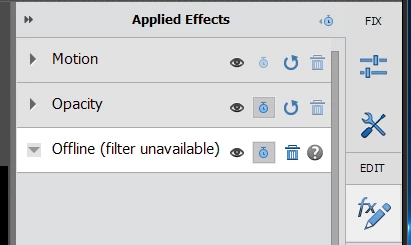
- Hmmm, OK the internet was disconnected. Was this effect looking for a network connection for some reason?
- I reconnected the network cable, half expecting the effect to magically reappear.
- It didn't.
- I closed the project, reopened it... still Offline (effect unavailable)
- I rebooted the PC. No help.
- I searched the forum for the keywords "Applied Effects" "Offline (filter unavailable)".
- I didn't find anything specifically germane, but one post mentioned something about that issue, and noted that the user reapplied an effect, but when they closed the project and reopened it, the effect was Offline again.
- I deleted that 'effect' with the trash icon, and reapplied the effect.
- I closed the project, and reopened it.
- The effect was Offline again for me, too.
- I opened an early version of the project from the Auto-Save folder.
- This version was very early, after I had applied the compressor effect to the long clip, and before I began editing it.
- The effect was Offline here, too.
- Next, I created a completely new project.
- I applied my compressor effect
- I closed the project, and reopened it
- The effect was Offline!!
- I applied a video effect (a blur)
- Close, reopen..
- the blur is still there
- It occured to me that I was using a 'My Presets' saved effect.
- So I deleted the 'offline' effect (I'm still in the 'new' project)
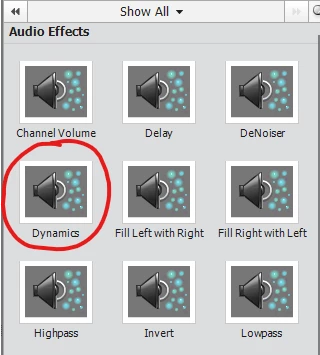
- and applied the 'original' version of the effect from the FX panel
- Close, reopen the project (close Premiere Elements completely, not just reselecting a project)
- The 'new' effect was Offline!! (OK, that surprised me)
- I deleted the Offline compressor, and applied a lowpass filter, just to try a different effect.
- confidence level: low
- Offline!! (low confidence justified)
- Opened an 'old' project (from a week ago) that used the same compressor effect (ALL my projects use that compressor effect, if they have any audio in them)
- You're guessing 'Offline', but nope, the compressor was there!
10:30 PM. Wife wants me to come watch TV. So over to you guys.... I'll get back to beating my head against this tomorrow. (BTW, and for the record, I'm a retired video editor with 45 years experience, with nonlinear editing starting with Avid Media Composer (I mistyped 'Composter' at first and almost left it) in 1995, and Premiere Pro since 2005, so I know what crappy, buggy software is and does. Premiere Pro started getting pretty reliable, but I can't do the monthly subscription for simple home/free projects. I was hoping Elements would be a good product (because 2021), but it's turning out to be pretty crappy. I don't think Adobe cares much about it.


 AdChoices