


AdrianNEWINGTON
Participant
September 1, 2020
Answered

Audio out of Sync with Video

  • September 1, 2020
  • 1 reply
  • 959 views

Hello,

I recorded some video using "Windows Camera", from my Logitech HD525Webcam.


The video plays as it should in any video player, but after importing to Adobe Premiere Elements 14, I have to unlink the audio and slide it across by about 500mSec to regain sync.


I'd appreciate your advice on how the problem might be able to be resolved.

Cheers,

Adrian


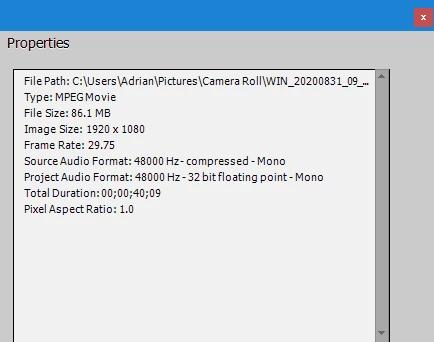
File properties as shown with Elements:
 

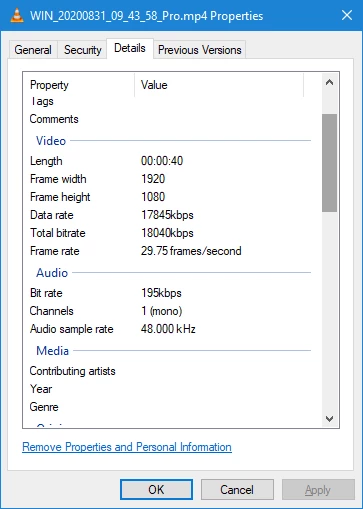
File properties as shown by Windows Explorer:
 

My OS details:

Microsoft Windows 10 Home 64 bit

Version 10.0.19041 Build 19041

HP All-In-One PC: Model 23-r115a

Processor AMD A6-6310 APU with AMD Radeon R4 Graphics, 1800 Mhz,

4 Core(s), 4 Logical Processor(s)

Installed Physical Memory (RAM) 16.0 GB


This topic has been closed for replies.
Correct answer Steve Grisetti

If the video plays in sync in a player like VLC Media Player but gets out of sync while editing, the easiest solution is to convert the video to an editable file using the free download Handbrake. Whatever software you're using to record the video from your webcam is saving it with a codec that is challenging your video editor.

1 reply

Steve GrisettiCorrect answer
Legend
September 1, 2020

If the video plays in sync in a player like VLC Media Player but gets out of sync while editing, the easiest solution is to convert the video to an editable file using the free download Handbrake. Whatever software you're using to record the video from your webcam is saving it with a codec that is challenging your video editor.