


Participant
December 24, 2018
Answered

Bouton "Play"

  • December 24, 2018
  • 2 replies
  • 599 views

Bjr,

Dans Premiere element 2019 (version 17) sous Windows 10, le  "play " de la fenêtre de prévisualisation et le "play" de la fenêtre " du moniteur " sont inopérants. 

Ils sont "sensibles, s'enfoncent" mais la lecture ne démarre pas. Ceci est valable en mode expert comme en mode rapide.

La touche retour et avance "pas a pas" fonctionne, de même le déplacement "atteindre ..." du curseur " ou en agissant sur le curseur de la "timeline"...

Quelqu'un a-t'il une idée de ce qui se passe, ou plutôt qui ne se passe pas ?

Merci

Jack
This topic has been closed for replies.
Correct answer Bill Sprague

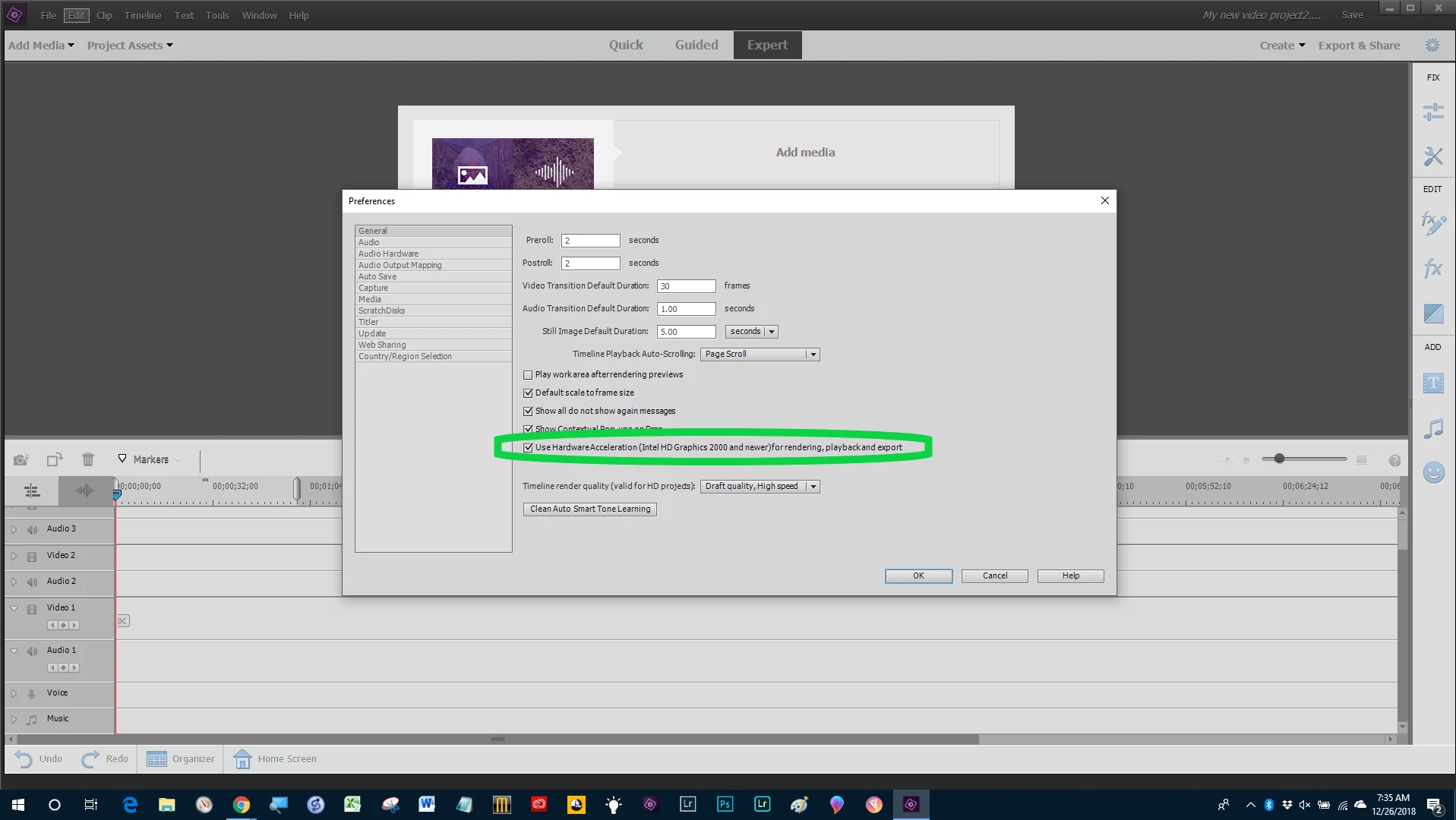
Try changing the selection for "use hardware acceleration" in the Preferences > General Page.

2 replies

Participant
December 26, 2018

Many thanks whsprague.It's all right, now !

williebegoode
Participating Frequently
December 24, 2018

Hello Jacques,

When the 'Play' button does not work, if you drag the timeline slider to the left and right, that will sometimes 're-set' those buttons. This often happens right after you have added a transition effect.

Bill

Participant
December 26, 2018

Hello Bill

Thank you for this first answer. Alas, it did not correct the problem.

Regards

Jack

Bill SpragueCommunity ExpertCorrect answer
Community Expert
December 26, 2018

Try changing the selection for "use hardware acceleration" in the Preferences > General Page.