Participant
September 23, 2018
Question

Bug: video imports into Premiere Elements 15 as 'transparent'

  • September 23, 2018
  • 3 replies
  • 179 views

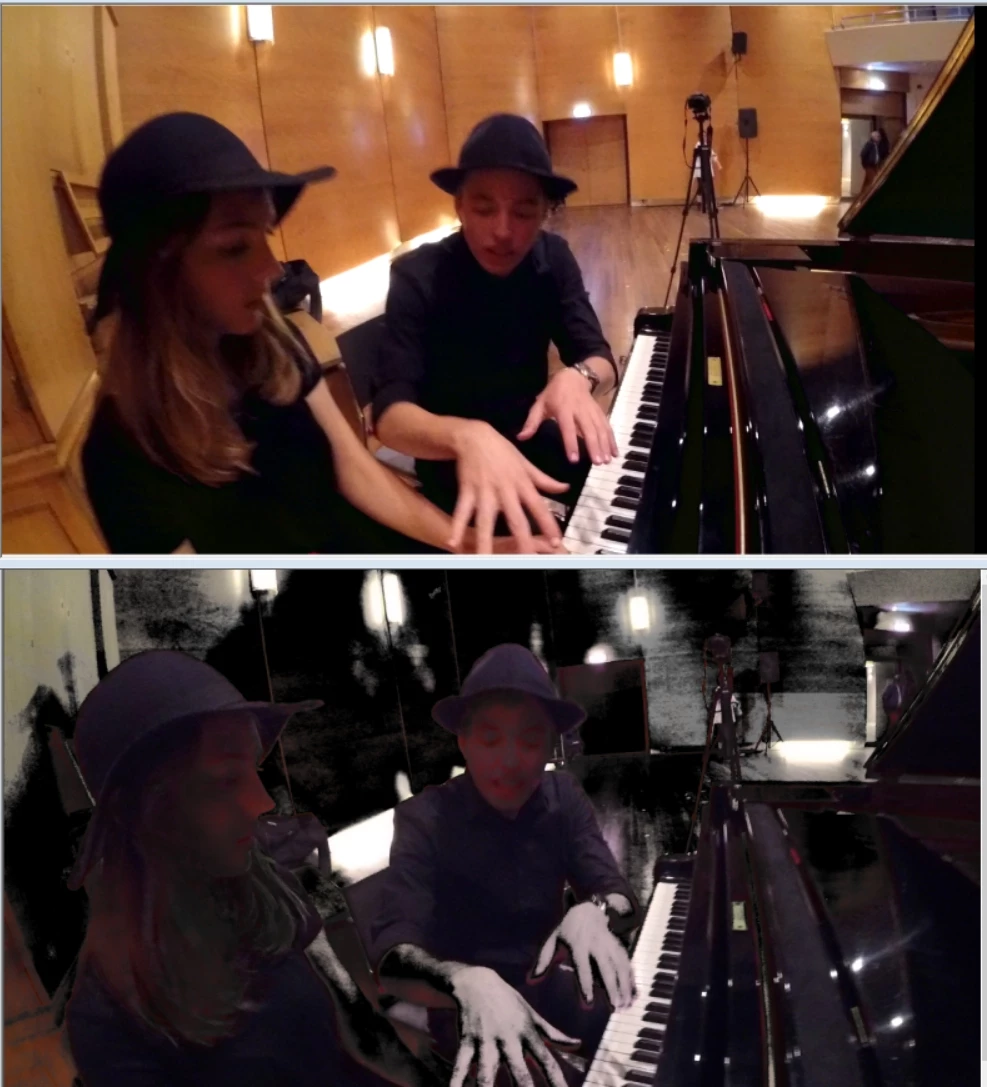
See picture

Top is my video. But premiere elements imports it as bottom: Parts (some colors?) of the video have become transparent.
How to get rid of this?  I have this with some video's, and when it happens it is not always consistant. Sometimes, order of importing makes a difference.

Thanks for your help,
Simon

This topic has been closed for replies.

3 replies

Legend
September 24, 2018

Just as I thought.

Please mark this question as correctly answered.

Participant
September 23, 2018

I just found the answer myself by downloading Premiere Elements 18. When I imported the same clip it asked me "solid background color detected, apply videomerge?"   What my Premiere Elements 15 was doing apparently is "apply videomerge" automatically without asking me.  The solution was to go into the right-click menu "clip => remove video effects", and the video appeared normal. 

Legend
September 23, 2018

It's hard to say for sure without knowing the source of your video or its specs.

But it sure looks like Videomerge or Chroma Key has been applied. What do you see if you select the clip on the timeline and then open the Applied Effects panel?