


Participant
February 11, 2017
Answered

Can't adjust motion titles background

  • February 11, 2017
  • 3 replies
  • 3105 views

Hello,

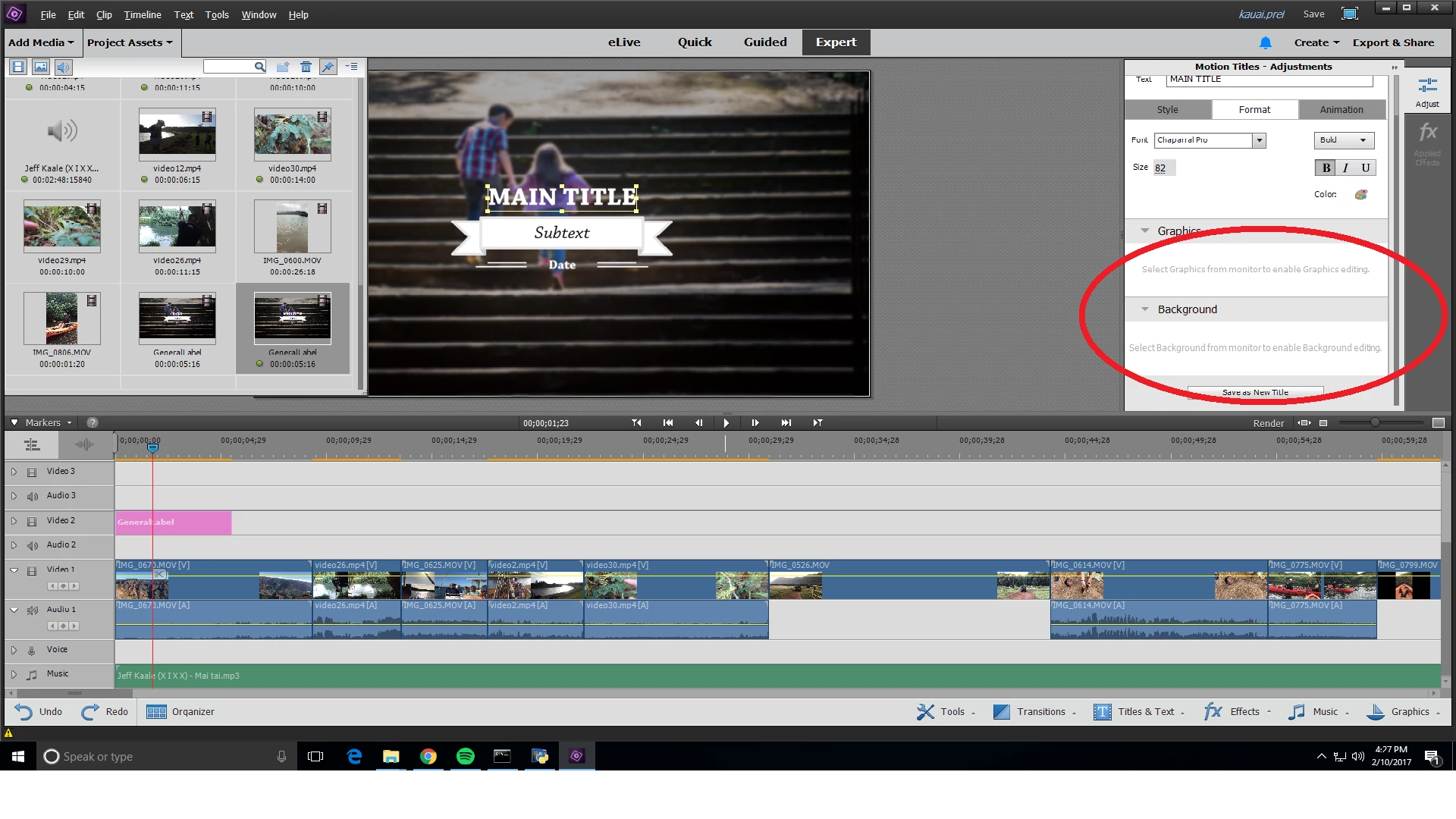
When I'm trying to set the motion title's background to a different opacity, I only see "select Background from monitor to enable Background editing."

It's the same when trying to change the Graphics. What does this mean and how can I fix this? Thanks for your help!
This topic has been closed for replies.
Correct answer Steve Grisetti

You currently have the block of text the says "Main Title" selected in the Monitor panel to the left of the Title Adjustments.

Click on the background image of the boy and girl walking up the stairs in order to make adjustments to the background, to replace it or to make it transparent.

3 replies

Legend
October 18, 2018

Yes. Select the Freeze Frame background option.

Inspiring
October 19, 2018

i did all all i get is a black screen background i refresh same thing

Inspiring
October 18, 2018

hi do you know how to use freeze frame to add to the background i tried and all i get is a black screen?

Steve GrisettiCorrect answer
Legend
February 11, 2017

You currently have the block of text the says "Main Title" selected in the Monitor panel to the left of the Title Adjustments.

Click on the background image of the boy and girl walking up the stairs in order to make adjustments to the background, to replace it or to make it transparent.

kloned23Author
Participant
February 11, 2017

Thanks!