
Participant
Jan 13, 2017 1:33 AM UTC
Question

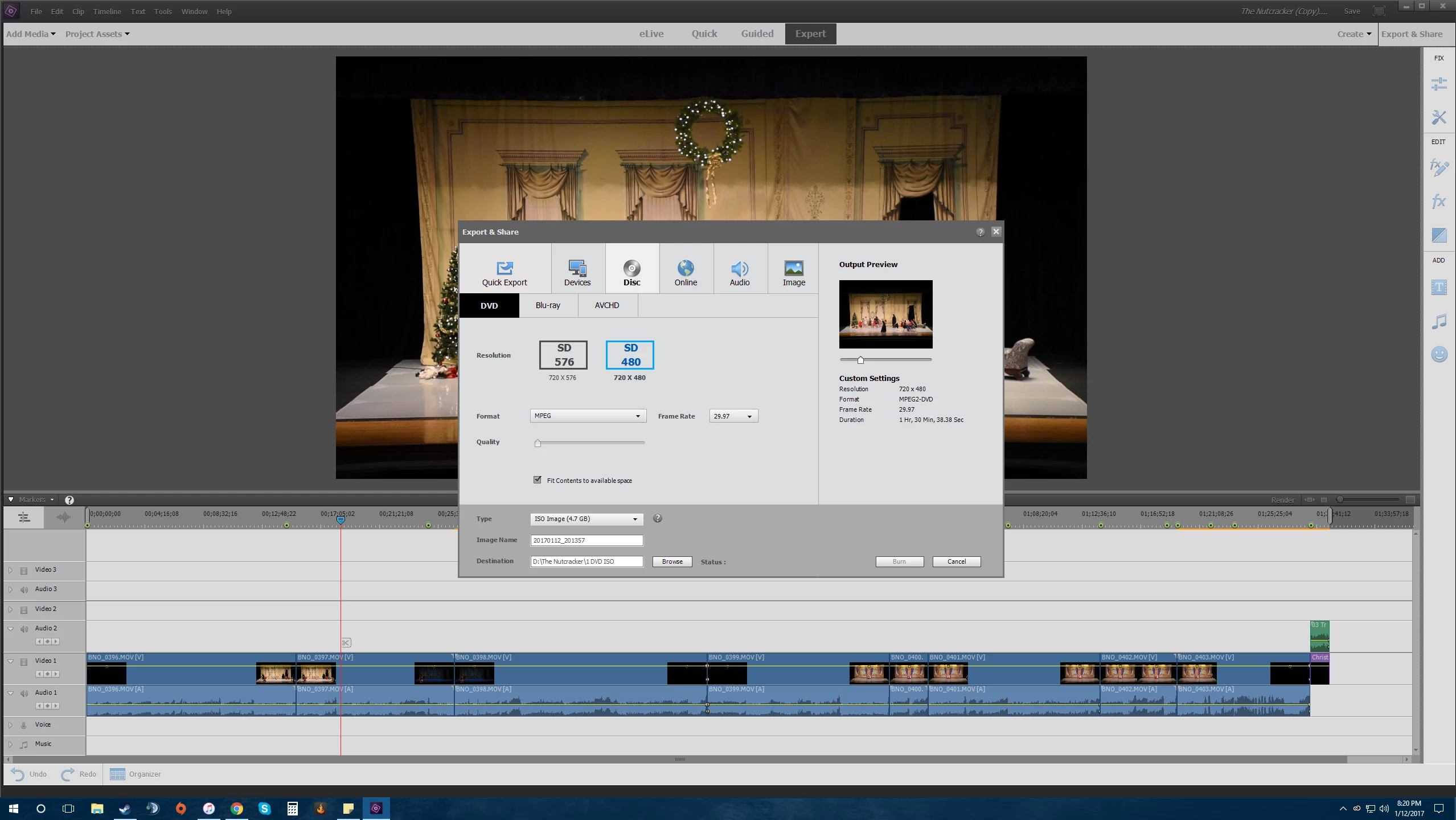
Can't Burn to ISO Image PE15

How can I burn a DVD? I'm trying to burn a DVD to an ISO image and the "Burn" button is grayed out no matter what settings I change, I have tried to burn to a disc on two different disc drives but the button stays grayed out, I've also tried burning an ISO file to multiple internal and external drives to no avail. But for some reason I can Burn a Blu-Ray No problem. I would really appreciate any help, thanks!

I'm using Windows 10 and Premiere Elements 15
This topic is closed to new replies. Start a new post to keep the conversation going.

6 replies

Legend
Jan 14, 2017 3:08 AM UTC

Very strange.

Does it change anything if you use a different Movie Menu template?

Translate
Legend
Jan 13, 2017 5:30 PM UTC

Check two more things:

1) Go to the Edit menu and select Preferences. On the General page, uncheck the option to use GPU acceleration and see if that makes a difference.

2) If it doesn't, can you confirm that this is the only project you're having this problem with?

Translate
Participant
Jan 13, 2017 6:06 PM UTC

I tried turning the GPU acceleration on and off and it didn't make a difference, I did open another project and I wasn't having the same problem, it seems to be isolated to this project

Translate
Adobe Employee
Mar 9, 2017 2:04 PM UTC

Hi,

Can you please save a copy of this project and try to burn to DVD ISO?

Is that does not work then please check whether "Adobe Premiere Elements DVD burn.exe" is running in task manager or not?

Thanks,

Pankaj Gauba

Translate
Legend
Jan 13, 2017 1:26 PM UTC

Is your D drive a drive you can add files to? On many Windows computers, the D drive is a Recovery Image.

But assuming it is, try setting your Burn To folder to a directory folder that has no other files in it.

And, if that doesn't work, trying setting your Burn To folder to an empty directory on your C drive and see if that makes a difference.

Translate
Participant
Jan 13, 2017 3:56 PM UTC

Thanks for the reply, the D drive is a secondary internal hard drive so it can be written to and the program allowed me to burn a Blu-Ray ISO to it just fine, strangely enough.

I've also tried burning directly to a DVD disc but even after it recognizes the disc the button is still not clickable.

Unfortunately, attempting to burn to an empty folder on my C drive doesn't work either.

Is there something else that I might be doing wrong or is this a glitch?

Translate