


Participating Frequently
May 30, 2018
Answered

Can you correct a skewed aspect ratio video?

  • May 30, 2018
  • 1 reply
  • 1076 views

I have a video that plays as a 4:3 but you can see it's skewed and really should be 16:9. In VLC, in the options I'm able to change the aspect ratio to 16:9 and it looks right. How can I either edit the file to open properly in 16:9, or do I need to run it threw a video editor and export it properly? Can this be done in Premiere Elements?
This topic has been closed for replies.
Correct answer Bill Sprague

Moved to Premiere Elements​ forum


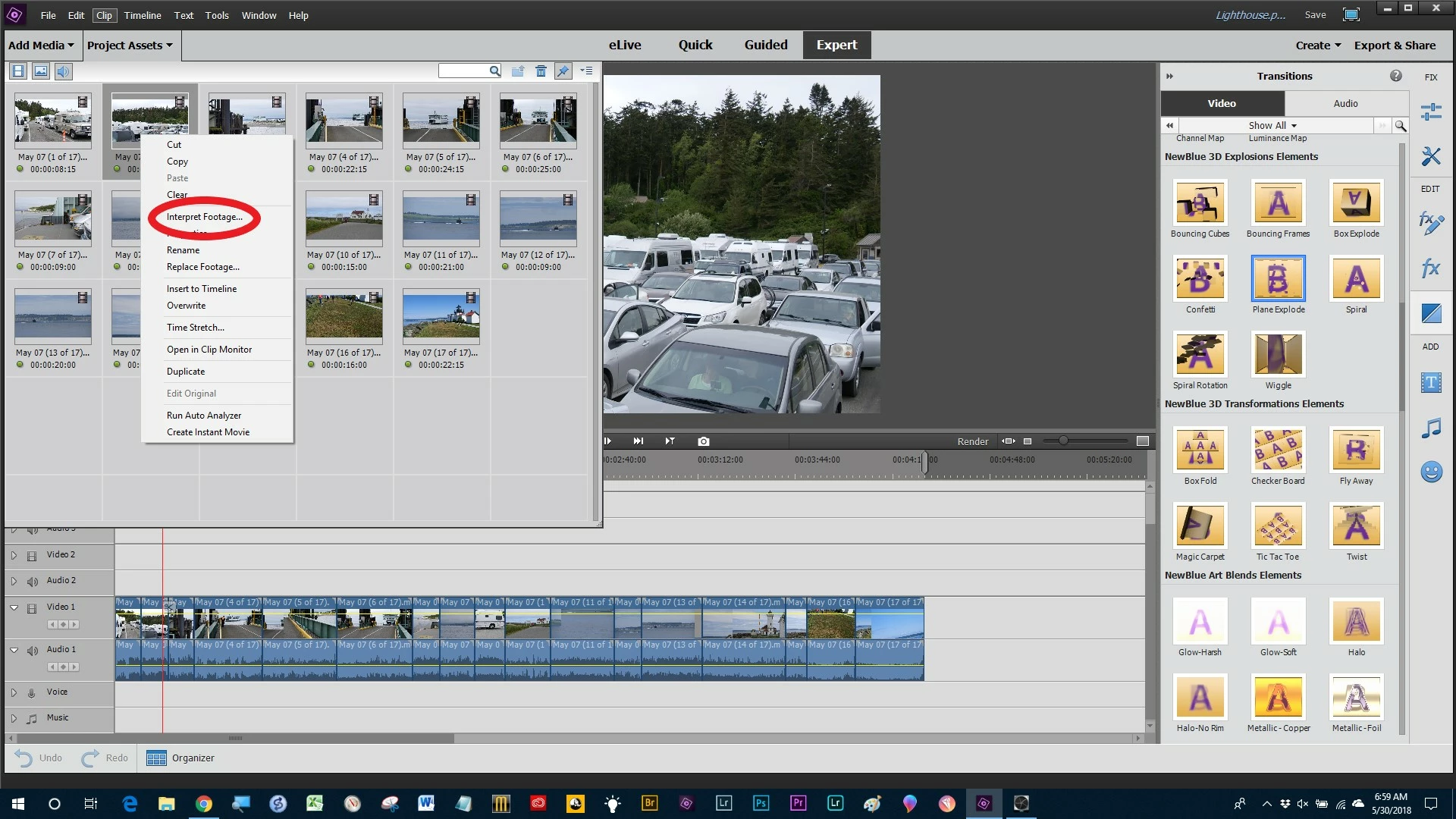
Right click on the clip in Project Assets.

1 reply

Mo Alani
Community Expert
Community Expert
May 30, 2018

open premiere element

Import the video

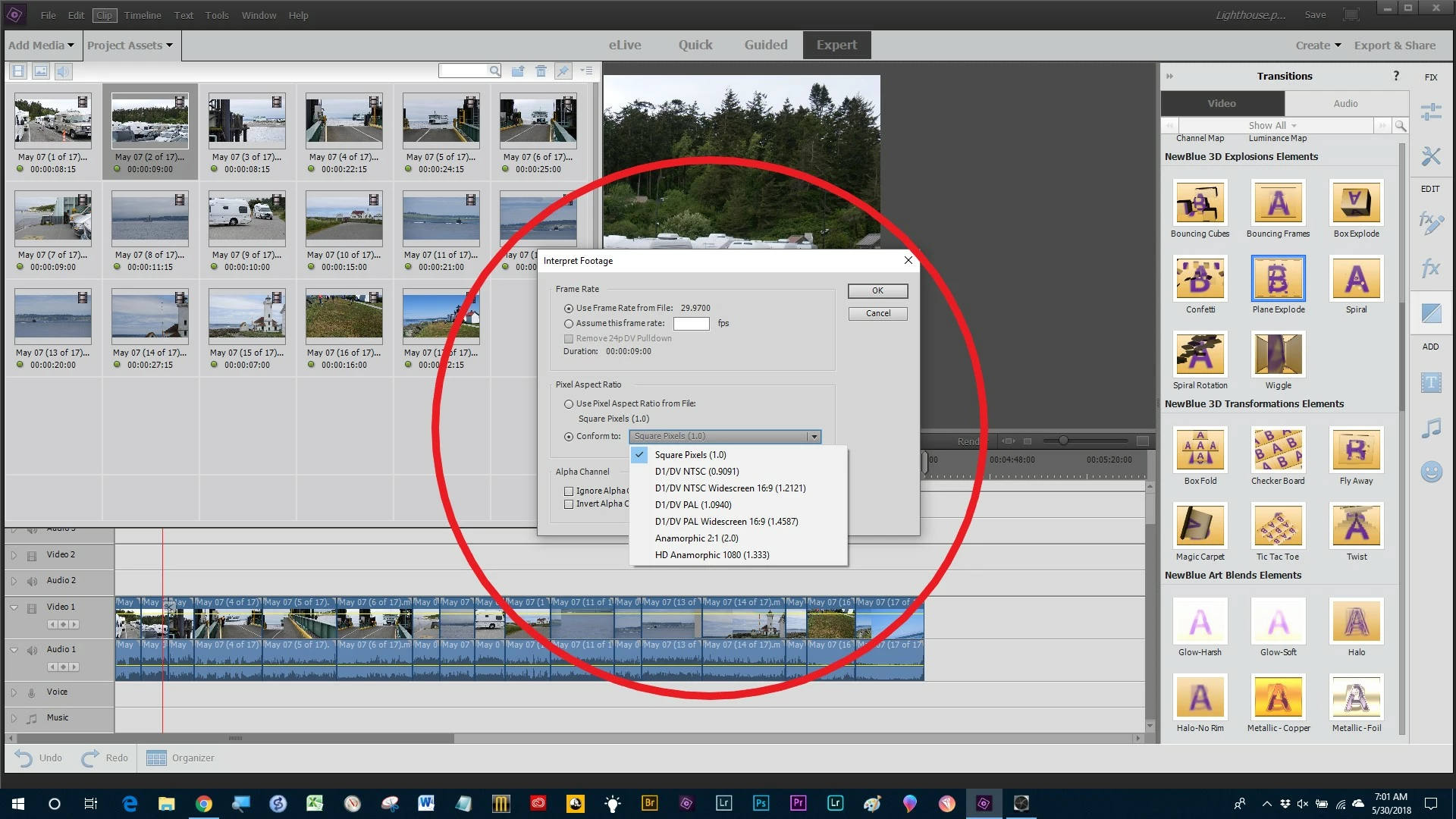
- Right Click on the video and select Modify > interpret Footage

then select : Confirm to:  D1/DV NTSC Widescreen 16:9

Participating Frequently
May 30, 2018

I don't see this option, Is this possible with Premiere Elements 15? I right click the video and don't see any such option.

Legend
May 30, 2018

You're posting in the Premiere Pro forum.  Premiere Elements has it's own, separate forum.