

Answered
Candid Moments
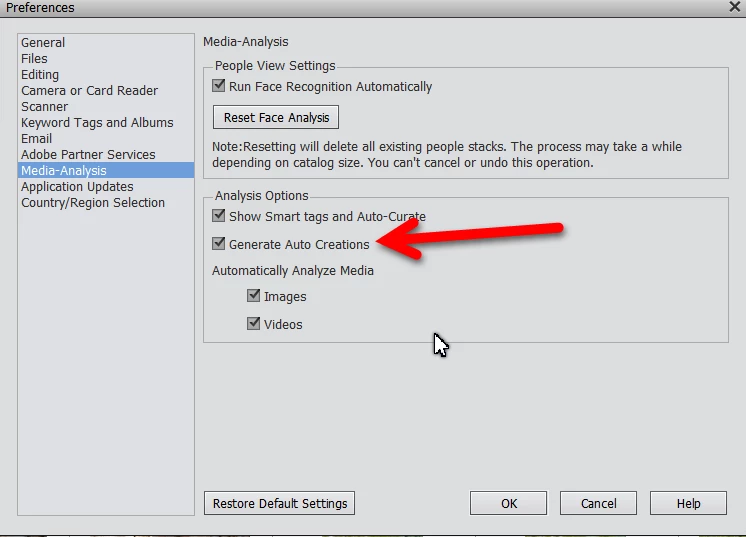
Somehow, by default my Premier Elements 19 decided to start creating "Candid Moments" and apparently offering it to me even if the app is not running. I don't appreciate this feature and want to turn it off.. but where?

Somehow, by default my Premier Elements 19 decided to start creating "Candid Moments" and apparently offering it to me even if the app is not running. I don't appreciate this feature and want to turn it off.. but where?
Already have an account? Login
Enter your E-mail address. We'll send you an e-mail with instructions to reset your password.

 AdChoices