Participating Frequently
April 1, 2025
Answered

Cannot edit photo from timeline in monitor panel

  • April 1, 2025
  • 2 replies
  • 622 views

I can select the photo in the timeline, but when I click on it in the monitor panel, it flicks back to the text... What am I doing wrong?

Cheers,


Chris

(PE 2025)

Correct answer Ann Bens

Ah - I didn't know that, thank you. (My ignorance knows no bounds... alas.) I also assume the prel file is all you need? If so, it's attached. Thanks again Ann.


OK, nothing wrong with the project.

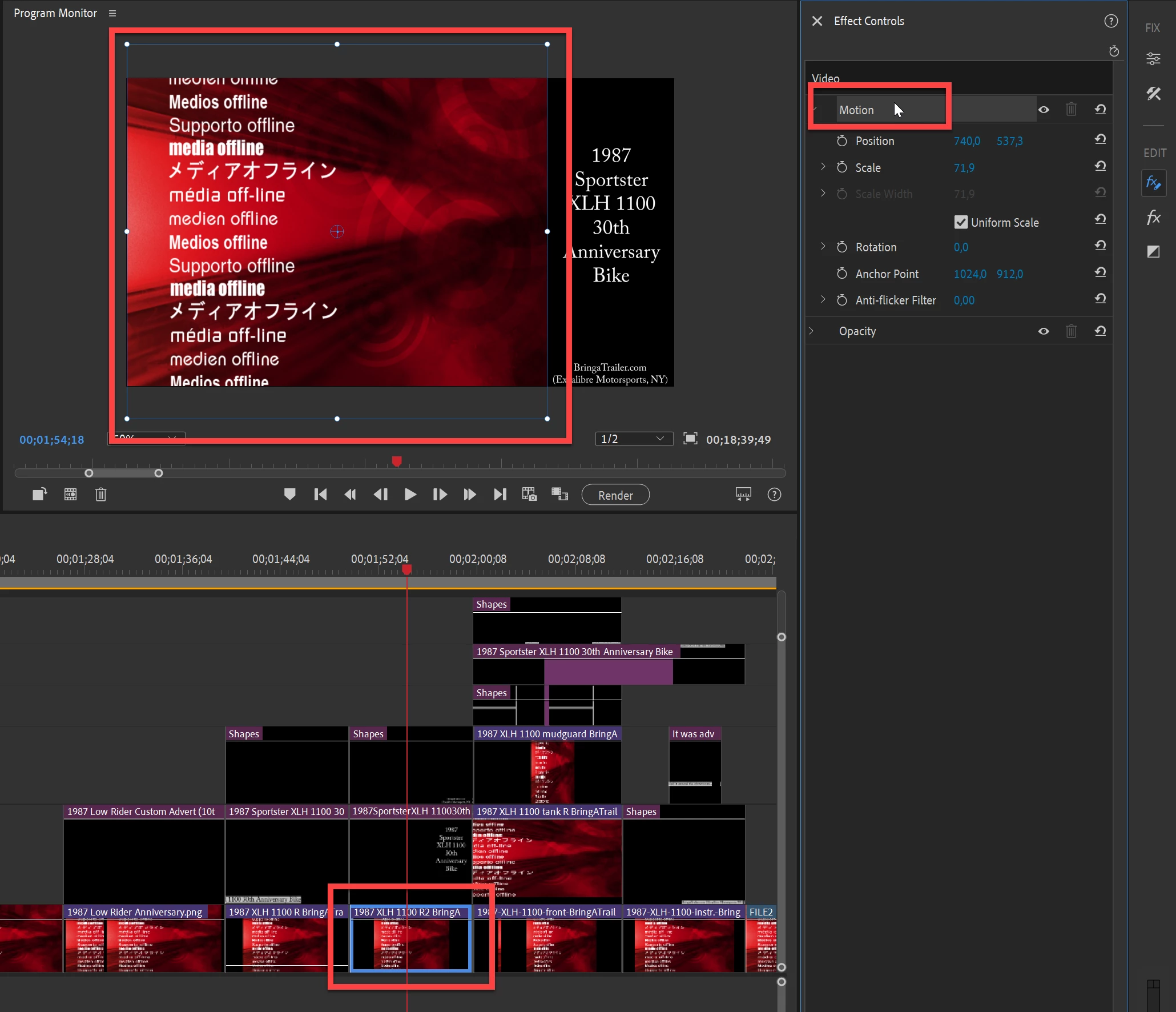
Select image on the timeline.

Open Effect Controls and click on the word MOTION.

A bounding box will appear in the Program Monitor.

Now you can edit the image.

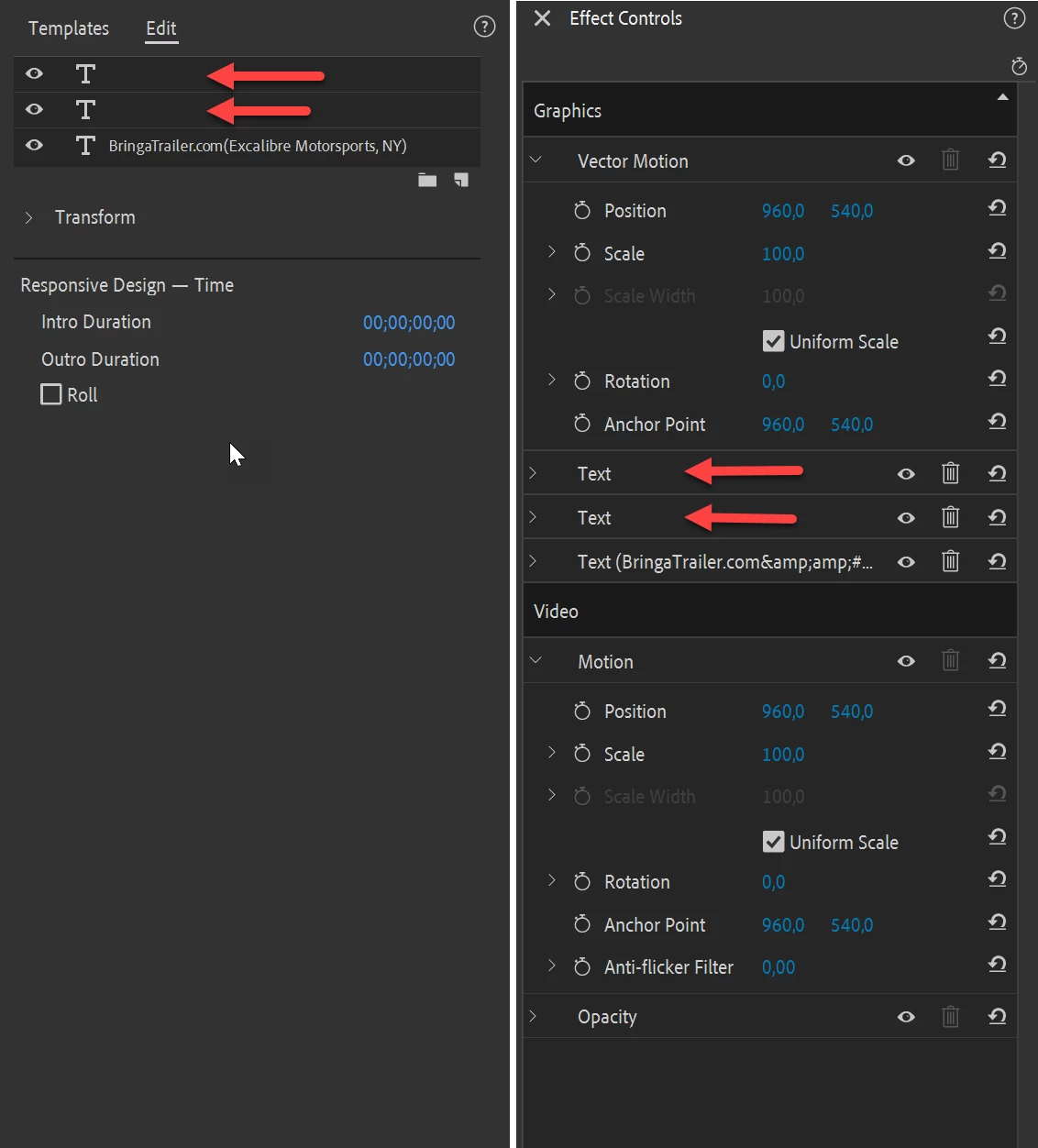
On a side note: a lot of images have empty text boxes

This happens when you click with the texttool on the Program Monitor and don't start typing right away.

You can delete those without any issue.

2 replies

Ann Bens
Community Expert
Community Expert
April 1, 2025

Please show screenshot timeline and Program monitor with text.

Participating Frequently
April 2, 2025

Thanks for the reply Ann - give me a while to work out how to do that here!


Cheers,

Chris

John T Smith
Community Expert
Community Expert
April 1, 2025

Do you have BOTH Premiere Elements (video editing) and Photoshop Elements (photo editing) installed?

Participating Frequently
April 2, 2025

Yes, I bought the Premier/Photoshop pack. (I'm wondering if this is a layers thing...? I'm coming from PE 2019, which had a right-click option to select either text or photo - or whatever was in Video1/2/etc.)

Thank you for replying John,

Chris