

Question
changing default transition in Premiere Elements 2024
how I can change the duration, type and alignment of the default transtition ?
My preference is Cross Dissolve - 1 second - aligment : Left clip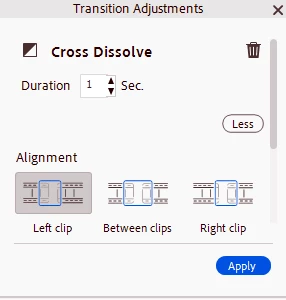

how I can change the duration, type and alignment of the default transtition ?
My preference is Cross Dissolve - 1 second - aligment : Left clip
Already have an account? Login
Enter your E-mail address. We'll send you an e-mail with instructions to reset your password.
 AdChoices