


November 26, 2025
Question

Clips Become Wavy and Distorted in Editor and When Exported

  • November 26, 2025
  • 5 replies
  • 302 views

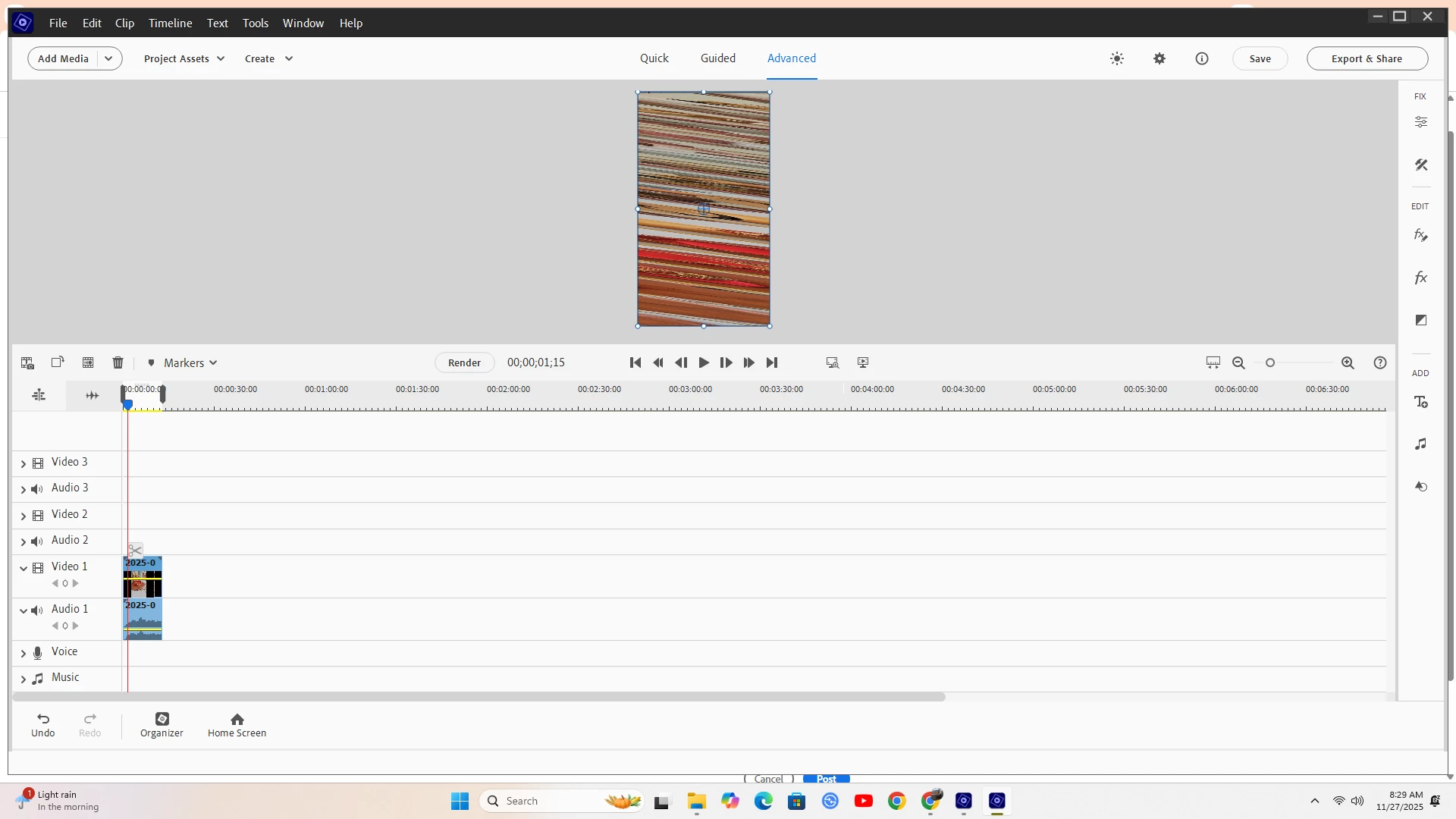
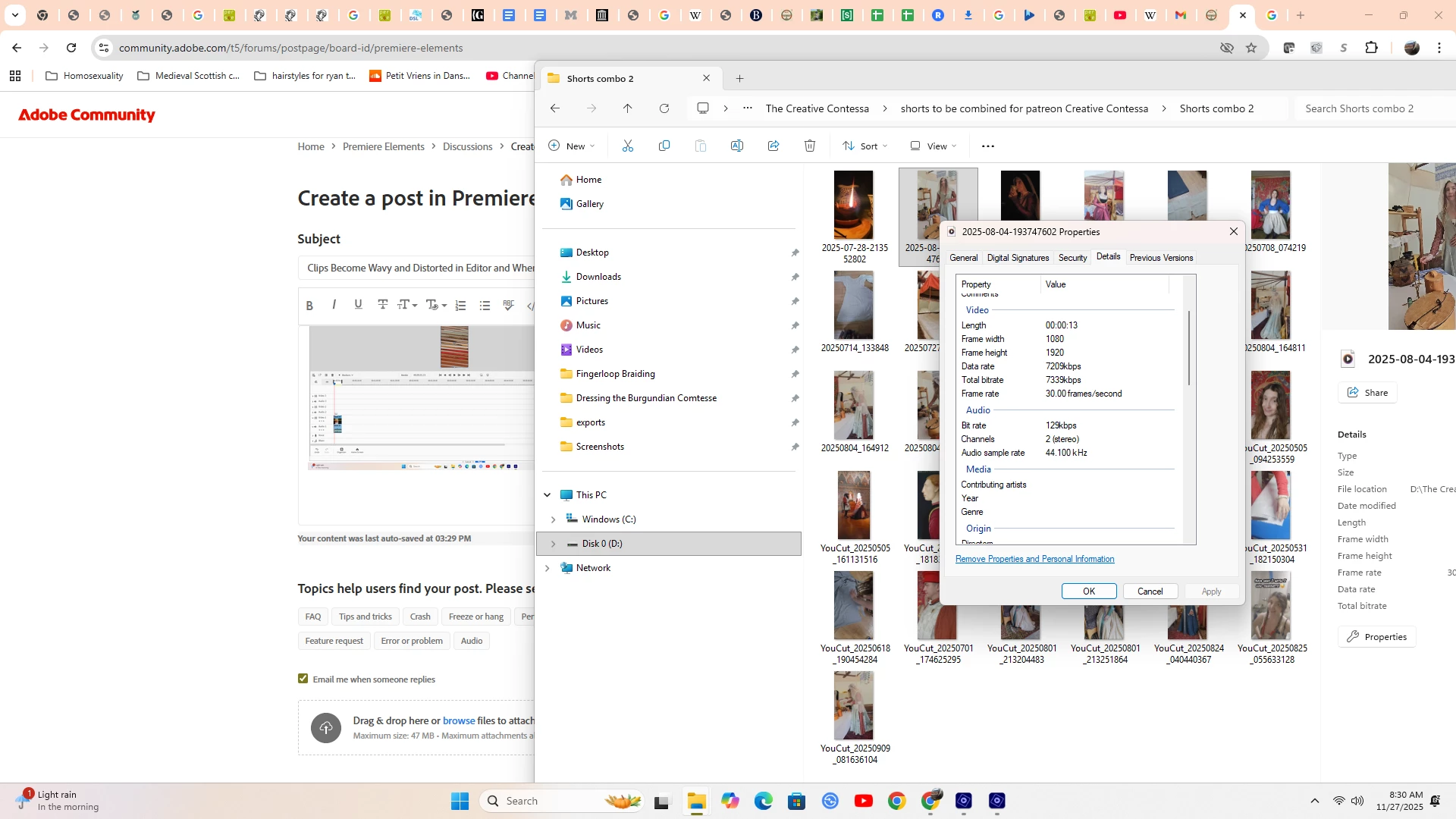
I have multiple horizontal clips I filmed on my Samsung S23 Ultra that when imported into Premiere Elements 2024 editor become a psychedelic mess, a mess that perseveres after export. Any ideas how to fix it? Below is a shot of how it looks and the properties of the video. Appreciate any assistance!


5 replies

November 29, 2025

SOLVED: It was indeed the variable frame rate, which has become the bane of my existence. This is a problem I have only started having in the last month, so it seems that some update to my phone has caused a new set of defaults to be put in place. The answer is to ensure that fixed frame rate is always selected and that it is filmingin H.264 instead of HVEC. 

Community Expert
November 27, 2025

I have a Samsung S23.  It works fine as long as you set the phone to record in H.264 with a fixed frame rate.   H.265 or "HEVC" and variable frame rates will frequently cause havoc! 

Participant
November 28, 2025

Thanks for the tip! I have had this phone for two years, and suddenly I am having all sorts of issues with clips because of the variable frame rate. I am wondering if on one of the many recent involuntary updates some setting was changed. I will go and ensure that it is set to a fixed frame rate! (handbrake fixed this issue because it was indeed the variable frame rate...)

John T Smith
Community Expert
Community Expert
November 27, 2025

Do not count on Windows to be fully up to date when it comes to device drivers
Go to the vendor site to be sure you have an updated driver for your graphic adapter

Premiere Elements Updates
https://helpx.adobe.com/premiere-elements/release-note/update.html

Also check (copied link) https://www.tomshardware.com/reviews/gpu-hierarchy,4388.html
.
https://helpx.adobe.com/premiere-pro/kb/gpu-and-gpu-driver-requirements-for-premiere-pro.html
.
nVidia Driver Downloads https://www.nvidia.com/Download/index.aspx?lang=en-us
-for all Adobe programs use the STUDIO driver, not the GAMING driver
-To achieve the highest level of reliability, Studio Drivers undergo extensive
-testing against multi-app creator workflows and multiple revisions of the top
-creative applications from Adobe to Autodesk and beyond
.
If you have a laptop you MAY also need to check for a laptop specific nVidia driver
-SOME laptops require an approved driver from the laptop company, not nVidia
.
AMD/ATI Driver https://www.amd.com/en/support
.
Intel https://downloadcenter.intel.com/product/211969/Intel-HD-Graphics-Family
https://www.askwoody.com/newsletter/free-edition-working-with-the-intel-driver-support-assistant/

Peru Bob
Community Expert
Community Expert
November 27, 2025

Try updating or rolling back your graphics driver directly from the video card manufacturer’s site. If NVIDIA, do a clean installation of the latest Studio Driver (NOT the Game Driver).

November 29, 2025

Thanks for the reply! Turns out it was the variable frame rate, a new setting my phone attained during an update...

Peru Bob
Community Expert
Community Expert
November 29, 2025

You're welcome. icon_smile.gif

Peru Bob
Community Expert
Community Expert
November 27, 2025

Please use the free MediaInfo and post a screenshot of the properties of your media in tree view:
https://mediaarea.net/en/MediaInfo

Many users are having issues with VFR. If the file is variable frame rate, use Handbrake to convert to constant frame rate before importing into Premiere Pro:
https://handbrake.fr/downloads.php
Here is a tutorial:
https://www.youtube.com/watch?time_continue=34&v=xlvxgVREX-Y

Shutter Encoder may also be used to convert to Constant Frame Rate:
https://www.shutterencoder.com/en/