
jasons54130757
Participant
January 12, 2022
Question

Colors not displaying correctly, Premiere Elements 2022

  • January 12, 2022
  • 3 replies
  • 329 views

I recently installed Premiere Elements 2022. On the initial install, the colors were not displaying correctly on my imported media. After reading a similiar community post, I updated and installed a new GPU driver. This fixed the problem at the time. I was able to import, edit, and export normally.


I go back into the program today, and the same problem comes back. I searched for updates on the GPU, and my driver was up-to-date. I restarted the computer, and still no fix.


IOS Windows 10 21H1

GPU Intel UHD Graphics 620

Video shot on iphone
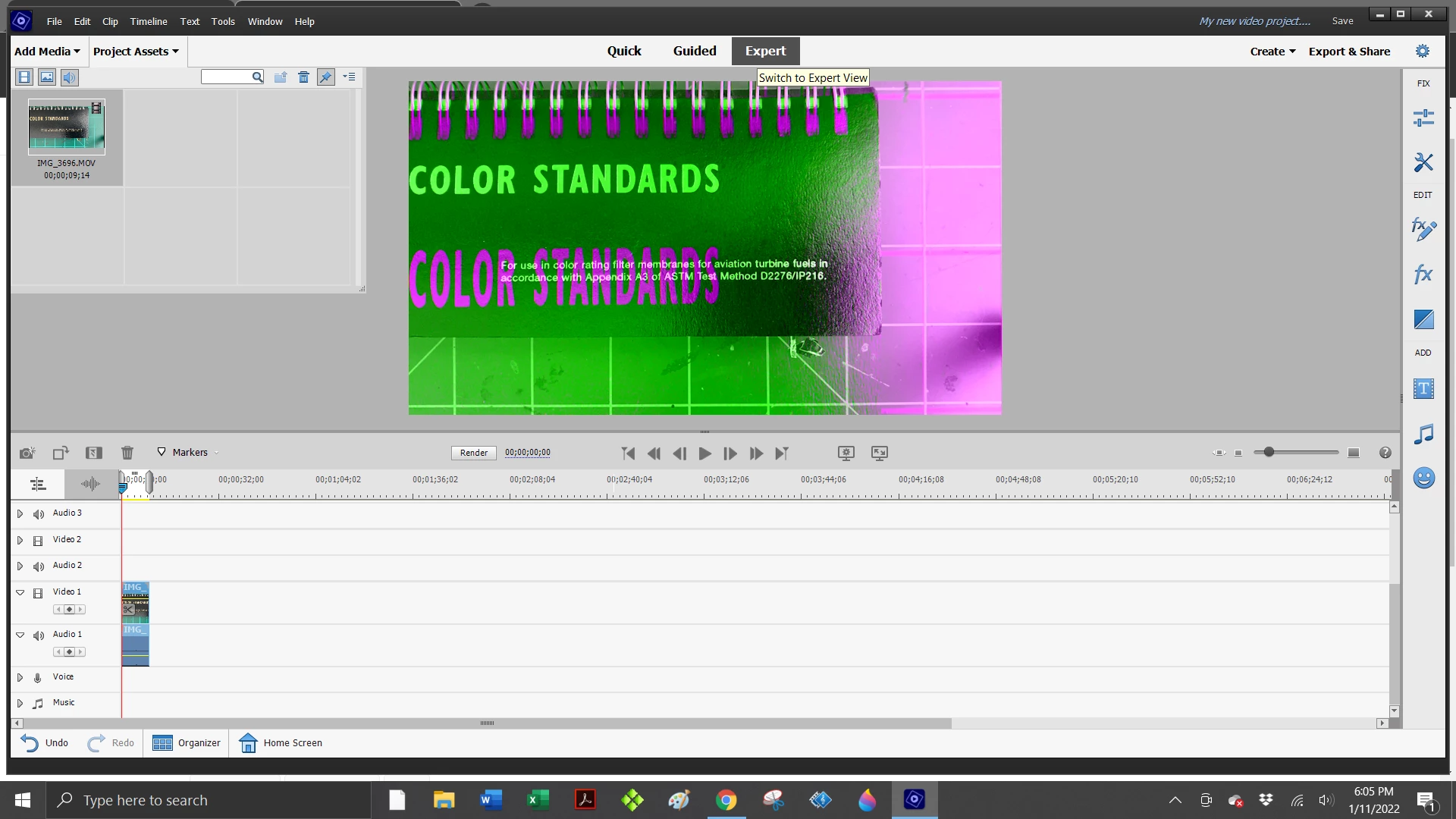
 

This topic has been closed for replies.

3 replies

Participating Frequently
February 5, 2022

I just installed Premier Elements 2022 today and have the same color issues.

I updated the laptop drivers NVIDIA 1060 6gb ram

cpu intel 8750 32 GB RAM 1TB SSD and 2TB HDD

I was running the  2019 version fine with no color issues. 


John T Smith
Community Expert
Community Expert
January 12, 2022

One more idea "Video shot on iphone"


Convert the video and see if the converted video plays properly https://handbrake.fr/ open source transcoder/converter


If that doesn't work, I don't have any other ideas... I have an nvidia MSI GeForce GTX 1650 video card so the Intel video function inside my i9 CPU is disabled

John T Smith
Community Expert
Community Expert
January 12, 2022

Has Win10 updated between working and not working?


Did you go to Intel to check for a driver update?

https://downloadcenter.intel.com/product/211969/Intel-HD-Graphics-Family

jasons54130757
Participant
January 12, 2022

No, windows 10 did not update in between.


I did go to the link you provided, and there were 2 updates not related to graphics. I installed them anyway, and restarted the computer. Still no fix. I verified that the media is not corrupted; the file plays normally in Windows Media Player.