
Participant
Oct 6, 2020 7:07 AM UTC
Question

Cropped video gets cropped further when exported


I am trying to create a video with an on-screen countdown timer made up of a separate countdown video. In the editor, I get the effect I want, like below:
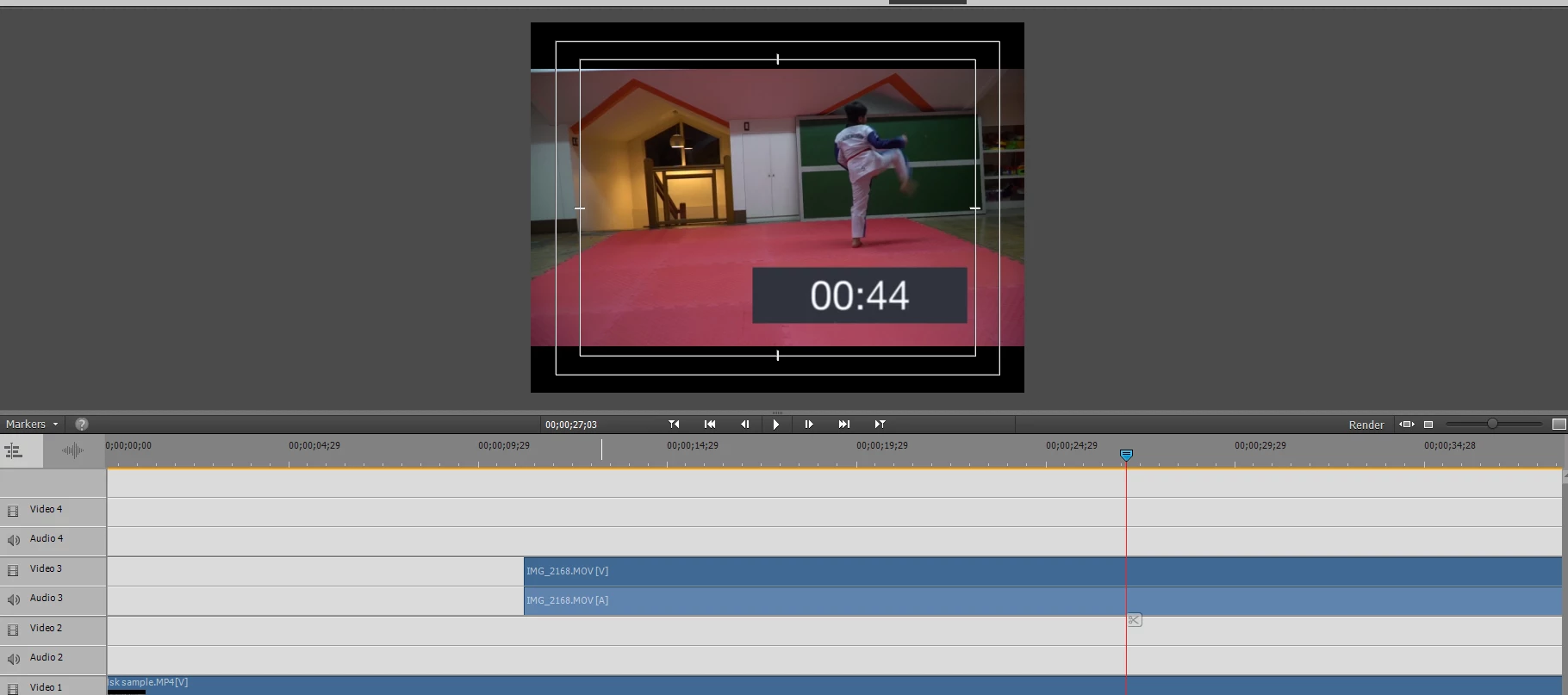


However, when I export the video, the timer gets cropped, like below. I tried experimenting with the size of the timer and the cropping settings, but it still gets cropped. Any suggestions?
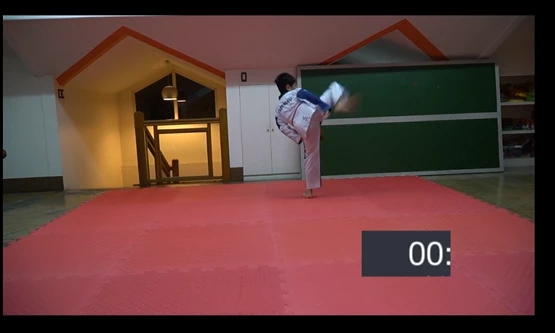


This topic is closed to new replies. Start a new post to keep the conversation going.

5 replies

DATC035Author
Participant
Oct 7, 2020 2:42 AM UTC

I solved it by making a standalone cropped video of the timer alone, then I exported that. The exported timer is what I added to the kicking video and that did not appear cropped anymore when I exported the final video.

Translate
Inspiring
Oct 6, 2020 2:20 PM UTC

Did you apply crop effect to  that separate countdown video?

Translate
DATC035Author
Participant
Oct 7, 2020 1:17 AM UTC

Yes I did.


Translate
Legend
Oct 6, 2020 12:05 PM UTC

What is the source and format of your karate video and your countdown video?

Are these two separate videos that you've overlayed?

Translate
DATC035Author
Participant
Oct 7, 2020 1:15 AM UTC

The kicking video is from my sony camera, mp4 format, 1280 x 720 ratio, 29.97 fps. The timer is a screen recording from my iphone, .mov format, 220 x 480 (not sure if that is the cropped or original image size), 30 fps.

Translate