


Participant
April 2, 2019
Question

Cropping in Premiere Elements 2018

  • April 2, 2019
  • 1 reply
  • 310 views

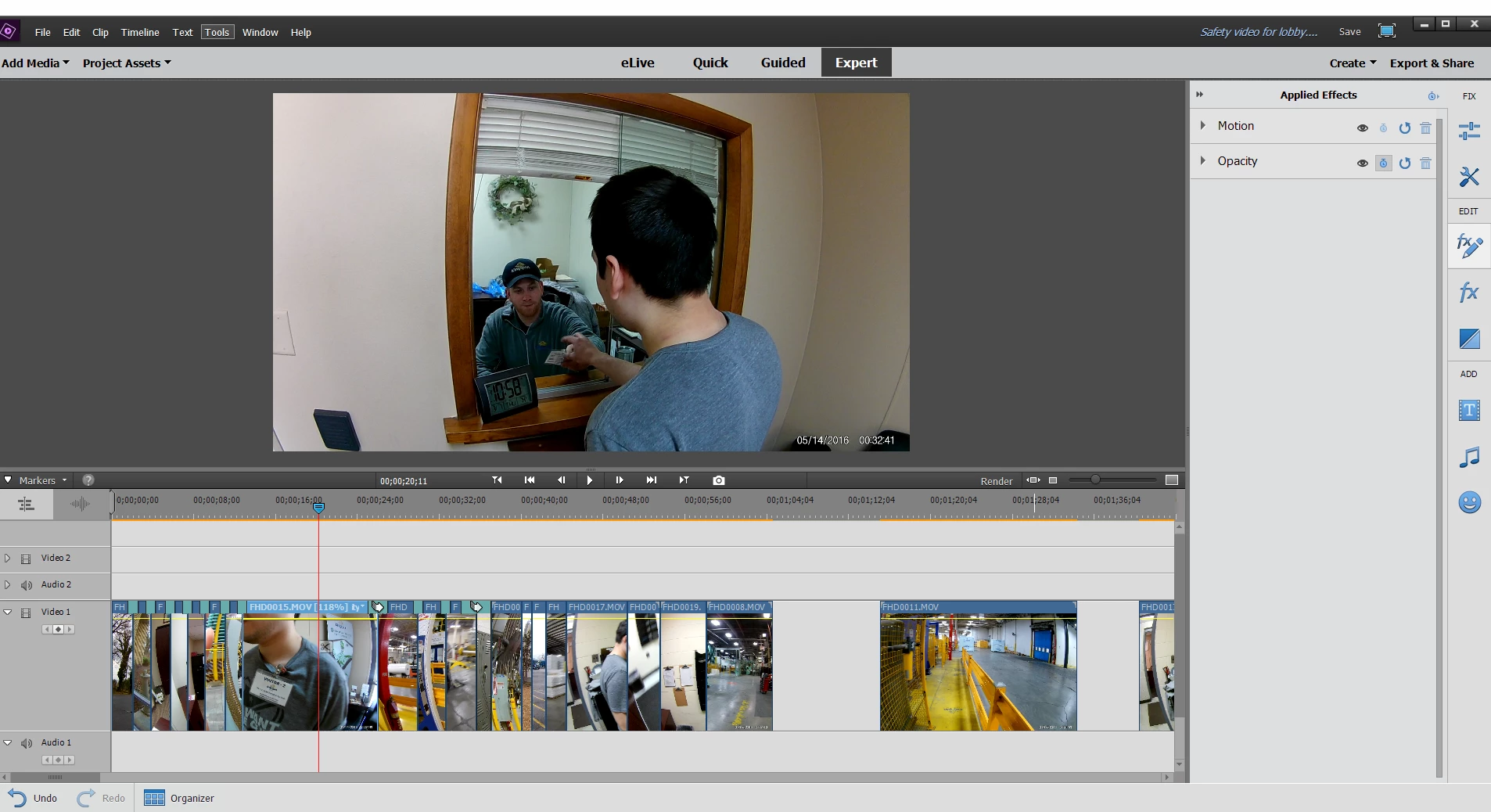
I am in expert view and still cannot see the cropping tool. I have read everything I can find and can't find an answer. Here is what I see. No effects or fx to click on in the bottom toolbar. Clicking on it in the side toolbar only gives me motion and opacity. Help!!! Please and thank you!
    This topic has been closed for replies.

    1 reply

    Community Expert
    April 2, 2019

    Click on the clip in the timeline to select it.  Click again somewhere in the preview screen.  Little dots show up that you can grab and slide.

    Community Expert
    April 2, 2019

    Or you use this slider. 

    1.  Click the "fx pencil" button.

    2.  Drop down the panel

    3.  Slide the slider adjustment.

    Community Expert
    April 2, 2019

    Once you have the clip enlarged with one of the two methods, you can grab it in the middle on the preview screen with the mouse to move and position what you want to be centered.