Participating Frequently
November 9, 2018
Question

Datensuche nach restore mac
  • November 9, 2018
  • 4 replies
  • 577 views

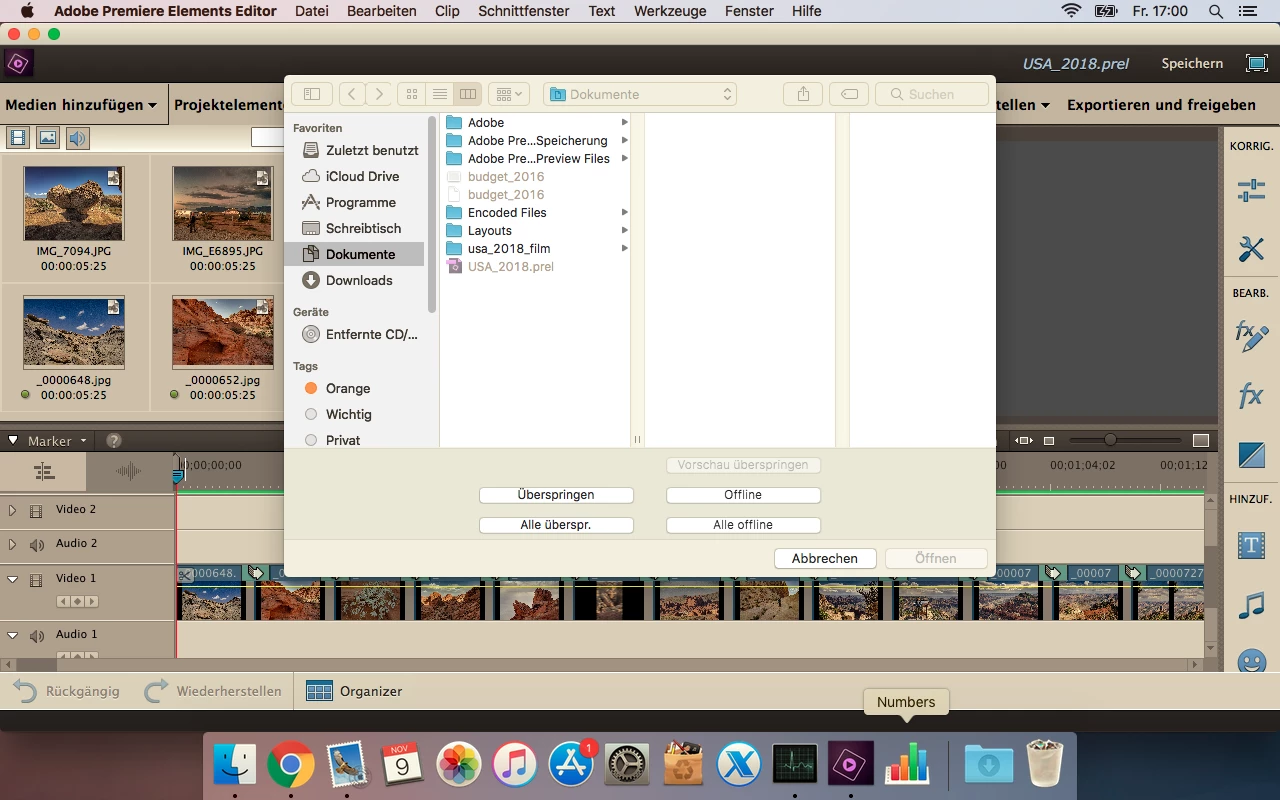
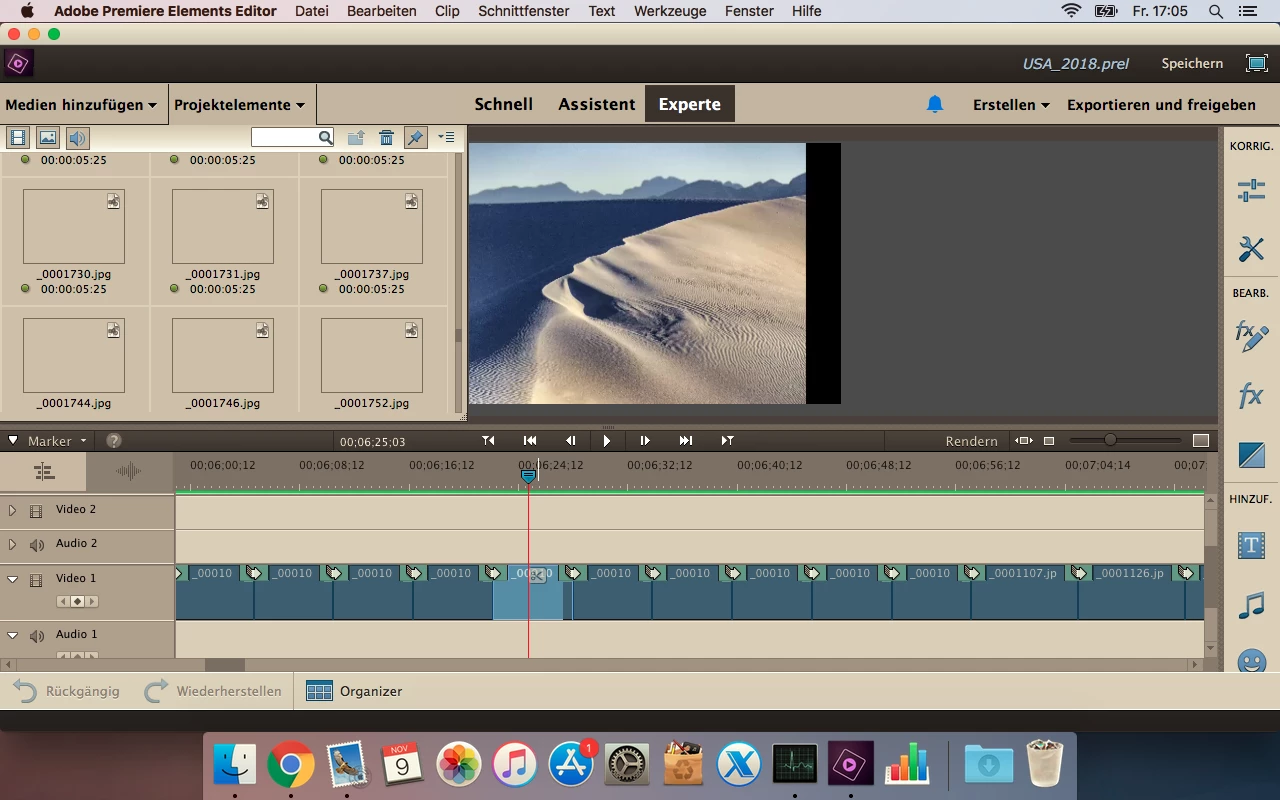
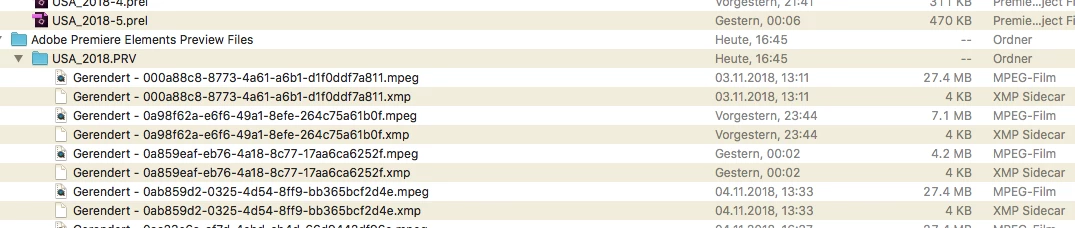
Arbeite mit PE15; Welche Auswahl ist korrekt bei Erscheinen dieses Bildschirms? Bilder sind nicht alle sichtbar sowohl in Projektelementen wie auch Balken. Zudem stürzt Programm laufend ab und muss wieder neu gerendert werden. Was kann ich tun? Die Bilder sind mit gleichem Namen in Dokumenten wie vor restore. Gerenderte files sind auch vorhanden. Danke für die Unterstützung.
    This topic has been closed for replies.

    4 replies

    Legend
    November 13, 2018

    I don't know why your Disc tab would be missing under Export & Share.

    Can you post a screenshot of the Export & Share panel showing this missing tab?

    maxbaselAuthor
    Participating Frequently
    November 13, 2018

    Between Geräte and online had been the bottom disc, which isn’t anymore. First trial, I made a file .mp4 (intention was to burn a blu-ray, but I can’t take it to a stick and forward it to my husband, who has the program needed. This are print screens of my next trial getting it on a disc….

    Am 13.11.2018 um 02:40 schrieb Steve Grisetti <forums_noreply@adobe.com>:

    Datensuche nach restore mac

    created by Steve Grisetti <https://forums.adobe.com/people/Steve+Grisetti> in Premiere Elements - View the full discussion <https://forums.adobe.com/message/10745002#10745002>

    I don't know why your Disc tab would be missing under Export & Share.

    Can you post a screenshot of the Export & Share panel showing this missing tab?

    If the reply above answers your question, please take a moment to mark this answer as correct by visiting: https://forums.adobe.com/message/10745002#10745002 and clicking ‘Correct’ below the answer

    Replies to this message go to everyone subscribed to this thread, not directly to the person who posted the message. To post a reply, either reply to this email or visit the message page:

    Please note that the Adobe Forums do not accept email attachments. If you want to embed an image in your message please visit the thread in the forum and click the camera icon: https://forums.adobe.com/message/10745002#10745002

    To unsubscribe from this thread, please visit the message page at , click "Following" at the top right, & "Stop Following"

    Start a new discussion in Premiere Elements by email <mailto:discussions-community-premiere_elements@adobe-v8.hosted.jivesoftware.com> or at Adobe Community <https://forums.adobe.com/choose-container.jspa?contentType=1&containerType=14&container=3271>

    For more information about maintaining your forum email notifications please go to https://forums.adobe.com/thread/1516624 <https://forums.adobe.com/thread/1516624>.

    This email was sent by Adobe Community because you are a registered user.

    You may unsubscribe <https://forums.adobe.com/unsubscribe.jspa?email=mmheller%40balcab.ch&token=8e941643a41623c866f4bce99e89619dd1f40d141bb680702b04c0b0647ec278> instantly from Adobe Community, or adjust email frequency in your email preferences <https://forums.adobe.com/user-preferences!input.jspa>

    Legend
    November 11, 2018

    On Windows 10, go to the Windows directory folder where you project file has been saved. (By default, Documents/Adobe/Premiere Elements/17.0.)

    Locate and delete the folder called Adobe Premiere Elements Video Previews.

    The next time you start Premiere Elements 2019, those watermarks should be gone.

    maxbaselAuthor
    Participating Frequently
    November 12, 2018

    Hi Steve

    After finishing my project I wanted to burn it on disc and see, that this button is missing. Please explain, how I can do this.

    My .m4v files I could create are not able to even to be opened by quick time player version 10.4?

    Am 11.11.2018 um 14:29 schrieb Steve Grisetti <forums_noreply@adobe.com <mailto:forums_noreply@adobe.com>>:

    Datensuche nach restore mac

    created by Steve Grisetti <https://forums.adobe.com/people/Steve+Grisetti> in Premiere Elements - View the full discussion <https://forums.adobe.com/message/10741758#10741758>

    On Windows 10, go to the Windows directory folder where you project file has been saved. (By default, Documents/Adobe/Premiere Elements/17.0.)

    Locate and delete the folder called Adobe Premiere Elements Video Previews.

    The next time you start Premiere Elements 2019, those watermarks should be gone.

    If the reply above answers your question, please take a moment to mark this answer as correct by visiting: https://forums.adobe.com/message/10741758#10741758 <https://forums.adobe.com/message/10741758#10741758> and clicking ‘Correct’ below the answer

    Replies to this message go to everyone subscribed to this thread, not directly to the person who posted the message. To post a reply, either reply to this email or visit the message page: [https://forums.adobe.com/message/10741758#10741758 <https://forums.adobe.com/message/10741758#10741758>]

    Please note that the Adobe Forums do not accept email attachments. If you want to embed an image in your message please visit the thread in the forum and click the camera icon: https://forums.adobe.com/message/10741758#10741758 <https://forums.adobe.com/message/10741758#10741758>

    To unsubscribe from this thread, please visit the message page at [https://forums.adobe.com/message/10741758#10741758 <https://forums.adobe.com/message/10741758#10741758>], click "Following" at the top right, & "Stop Following"

    Start a new discussion in Premiere Elements by email <mailto:discussions-community-premiere_elements@adobe-v8.hosted.jivesoftware.com> or at Adobe Community <https://forums.adobe.com/choose-container.jspa?contentType=1&containerType=14&container=3271>

    For more information about maintaining your forum email notifications please go to https://forums.adobe.com/thread/1516624 <https://forums.adobe.com/thread/1516624>.

    This email was sent by Adobe Community because you are a registered user.

    You may unsubscribe <https://forums.adobe.com/unsubscribe.jspa?email=mmheller%40balcab.ch&token=8e941643a41623c866f4bce99e89619dd1f40d141bb680702b04c0b0647ec278> instantly from Adobe Community, or adjust email frequency in your email preferences <https://forums.adobe.com/user-preferences!input.jspa>

    Legend
    November 11, 2018

    The watermark text is only on the preview. We can show you how to delete the preview files and it will disappear.

    maxbaselAuthor
    Participating Frequently
    November 11, 2018

    Just bought the update 2019 and would now know, how to get away this watermark on my project. Thanks.

    Am 11.11.2018 um 04:33 schrieb Steve Grisetti <forums_noreply@adobe.com <mailto:forums_noreply@adobe.com>>:

    Datensuche nach restore mac

    created by Steve Grisetti <https://forums.adobe.com/people/Steve+Grisetti> in Premiere Elements - View the full discussion <https://forums.adobe.com/message/10741501#10741501>

    The watermark text is only on the preview. We can show you how to delete the preview files and it will disappear.

    If the reply above answers your question, please take a moment to mark this answer as correct by visiting: https://forums.adobe.com/message/10741501#10741501 <https://forums.adobe.com/message/10741501#10741501> and clicking ‘Correct’ below the answer

    Replies to this message go to everyone subscribed to this thread, not directly to the person who posted the message. To post a reply, either reply to this email or visit the message page: [https://forums.adobe.com/message/10741501#10741501 <https://forums.adobe.com/message/10741501#10741501>]

    Please note that the Adobe Forums do not accept email attachments. If you want to embed an image in your message please visit the thread in the forum and click the camera icon: https://forums.adobe.com/message/10741501#10741501 <https://forums.adobe.com/message/10741501#10741501>

    To unsubscribe from this thread, please visit the message page at [https://forums.adobe.com/message/10741501#10741501 <https://forums.adobe.com/message/10741501#10741501>], click "Following" at the top right, & "Stop Following"

    Start a new discussion in Premiere Elements by email <mailto:discussions-community-premiere_elements@adobe-v8.hosted.jivesoftware.com> or at Adobe Community <https://forums.adobe.com/choose-container.jspa?contentType=1&containerType=14&container=3271>

    For more information about maintaining your forum email notifications please go to https://forums.adobe.com/thread/1516624 <https://forums.adobe.com/thread/1516624>.

    This email was sent by Adobe Community because you are a registered user.

    You may unsubscribe <https://forums.adobe.com/unsubscribe.jspa?email=mmheller%40balcab.ch&token=8e941643a41623c866f4bce99e89619dd1f40d141bb680702b04c0b0647ec278> instantly from Adobe Community, or adjust email frequency in your email preferences <https://forums.adobe.com/user-preferences!input.jspa>

    Legend
    November 9, 2018

    What model of camcorder or camera are these photos and videos from?

    Video and photos from iPhones often uses a compression system that is not supported in Premiere Elements 15.

    Try downloading the free trial of Premiere Elements 2019 and see if it resolves your issues.

    maxbaselAuthor
    Participating Frequently
    November 10, 2018

    thanks steve

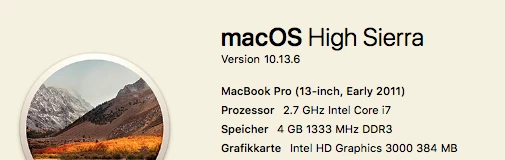
    i use pictures in .jpg and also when i start a new project with about 300 pictures the system always break down, especially when i try to add my own movings... could elements 15 and high sierra be the problem? I don't like to work a lot on trial programs and want to be sure, that it get's better when i would buy the upgrade. is there a special price for this?