


Answered
De-link Tracks and work independently
I'm looking for help for the following case in Premiere Elements 2018:
- I'm using 3 tracks: Video 1 (Main Clips), Video 2 (Title), Music (Music).
- I'm putting the raw clips to video 1, adding a song to music and then I'm working with the video clips to fit the music perfectly
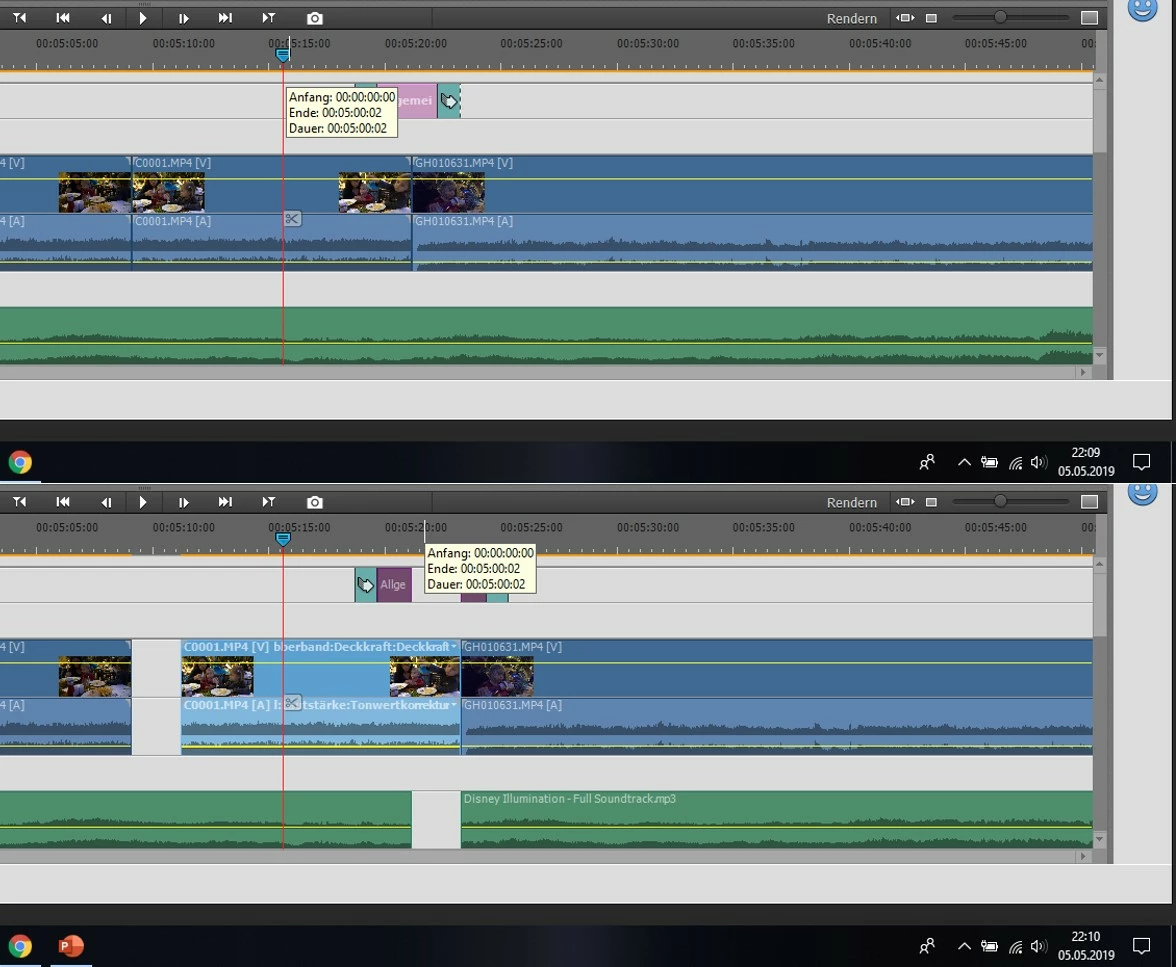
- If I'm moving a clip to the right to get some space in between, the program is cutting the elements in the music and Video 2 track
- It seems that the tracks are linked to each other
How to de-link them that I can work on the clips without impact to the music layer?
Kind regards
Johannes
 AdChoices