
Participating Frequently
Apr 14, 2019 9:22 AM UTC
Answered

Delete and close gap function does not work

Hi

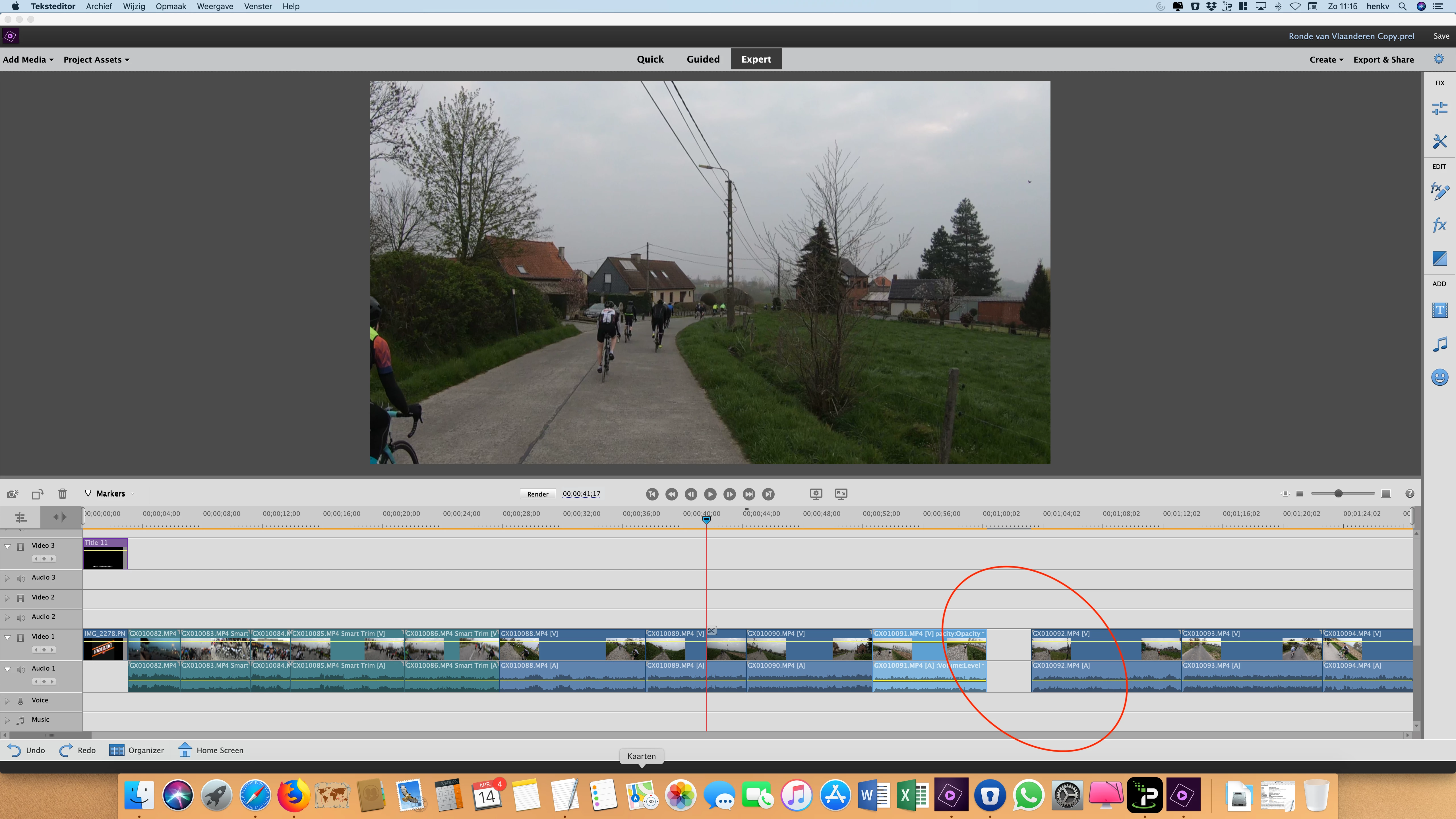
I have a question, the " Delete and close gap function"  does not work.

See below screenshot.

If I right click on the gap then the function is gray.
When I trim a movie, the gap that is created is not filled automatically.
Who knows the solution? (otherwise I have to move all the clips 1 by 1).

Like to hear from you!
    This topic is closed to new replies. Start a new post to keep the conversation going.
    Peru Bob
    Peru BobCorrect answer
    Community Expert
    Apr 14, 2019 6:43 PM UTC

    Is there another clip in that area on a track not visible in the screen capture?

    10 replies

    Legend
    Apr 15, 2019 12:12 PM UTC

    Great find, hv! Please mark this question as correctly answered.

    Translate
    Legend
    Apr 15, 2019 1:30 AM UTC

    I've never seen the timeline behave like it does in his video. Double-clicking on the gap should select the entire gap, not just the audio or video track gap. So maybe it's a Mac thing.

    Translate
    Peru Bob
    Community Expert
    Peru BobCommunity ExpertCorrect answer
    Community Expert
    Apr 14, 2019 6:43 PM UTC

    Is there another clip in that area on a track not visible in the screen capture?

    Translate
    Community Expert
    Apr 14, 2019 7:01 PM UTC

    https://forums.adobe.com/people/Peru+Bob  wrote

    Is there another clip in that area on a track not visible in the screen capture?

    Why didn't I think of that!  That's far more logical than what I came up with!

    Translate
    Legend
    Apr 14, 2019 12:09 PM UTC

    Have you tried double-clicking on the gap to select it and then tried right-clicking and selecting Delete and Close Gap?

    Translate
    Participating Frequently
    Apr 14, 2019 1:11 PM UTC

    Yes, I Tried it.

    But It the when I tried right-clicking (after cubble-clicking) then "delete en close gap"  is grey. See below movie-link (screen cap).

    Translate
    Community Expert
    Apr 14, 2019 2:31 PM UTC

    Delete and Close gap has always worked for me so this is puzzling!

    Can you select the gap and press the Delete key?

    I see the orange render line above you timeline.  What are your project settings and what is the video source?

    Translate
