



Desperately/Urgently need help Premiere Elements 15 not uploading correctly
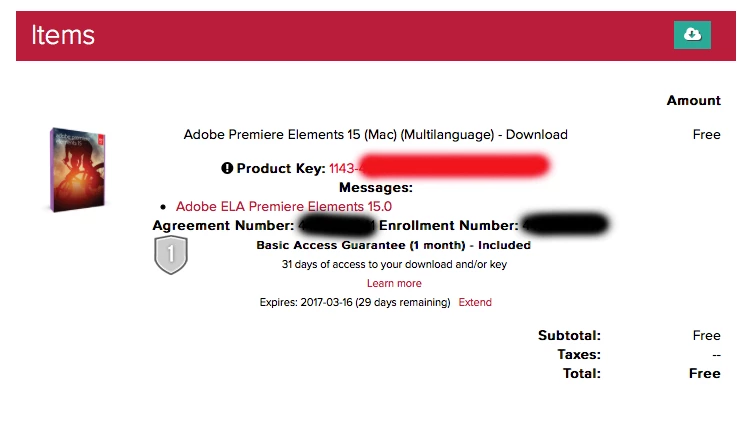
Alright so here in NSW Australia our government got some deals at Adobe and word so students with the government email that ends with education.nsw.gov get the, for free limited to a year or so. One of them is the Premiere Elements 15. Now I got a huge problem here I have a Macbook Pro Model A1278, so go to the website to download the software I need for my Visual Arts Body of Work Premiere Elements 15 - Picture below shows the item, price and download I click download
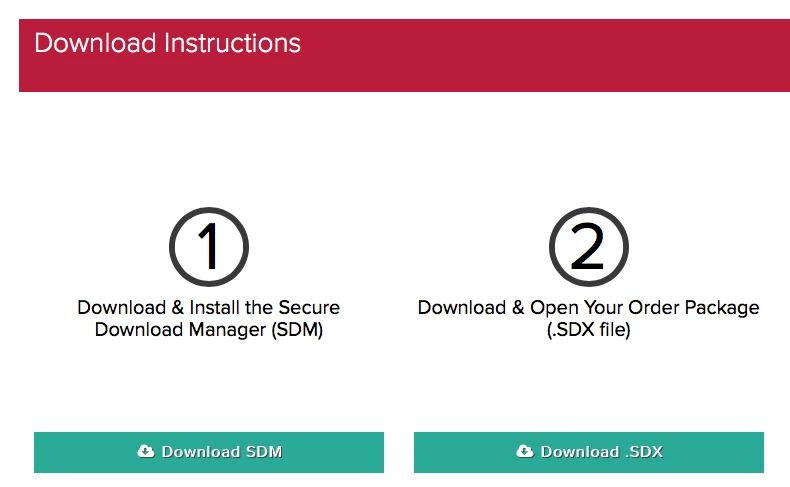
Now I'm sent to this - I successfully complete step one and instal it - But as I click on step two to download the SDX file this is where things get complicated - So I'm sent to a tab which shows the product and a download loading time and bar - when the bar reaches 100% it straight goes back to zero with the caption "unpacking" with the bar at zero % not moving an inch while the software appears in my desktop
But I cant open the software when I click on it a sign comes up saying along the lines of "this application cannot be open with something something try looking at apple store to find an application to open it" I caught a picture of the information of this software - even the picture of the application looks like something out of windows even thought in the first picture you can see I downloaded this application in Mac
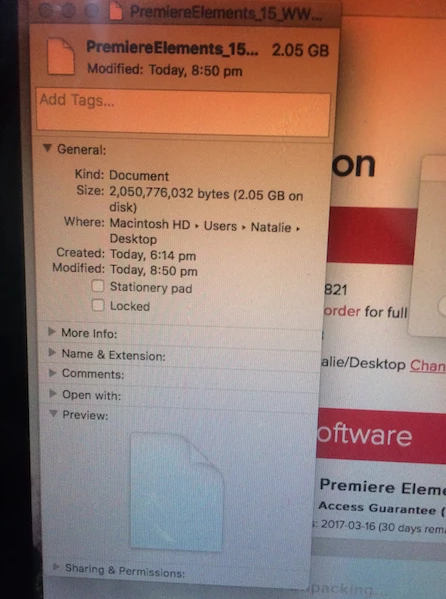
Now I have downloaded this multiple time restart my laptop tons and I have no idea what else I can do someone please help me I need to download this urgently
EDIT [product serial and agreement numbers removed by moderator]
 AdChoices