

Inspiring
August 3, 2026
Answered

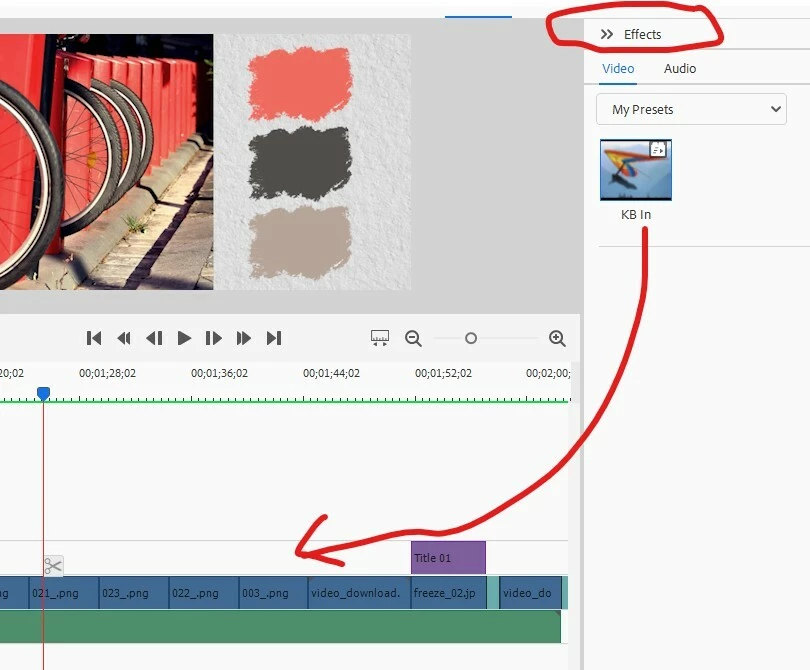
dragging an effect into the timeline

  • August 3, 2026
  • 10 replies
  • 68 views

how to apply to selected videoclips an effect that I have saved ?
 

    Correct answer Ann Bens

    You drag your preset op top of a selected clip not onto an empty space in the timeline.

    10 replies

    Legend
    August 13, 2026

    As an experiment, try lengthening one of the clips on your timeline to about 10 seconds and apply your effect to that. Does that make a difference?


    If not, apply the effect to a clip and then open the Applied Effects panel and Keyframe Controller area. Take a screen shot of the Keyframe Controller area showing your keyframes and share it with us.

    Inspiring
    August 4, 2026

    the effect produces a gradual zoom-in into a still image inserted on the time line

    Ann Bens
    Community Expert
    Community Expert
    August 3, 2026

    What kind of preset is it

    Inspiring
    August 4, 2026

    the effect is a gradual zoom-in into a still image inserted on the time line

    Inspiring
    August 3, 2026


    I dragged with the left button of the mouse the preset onto a selected clip, but the effect is not applied.
    Appeasr a floating icon of operation not allowed.

    Ann Bens
    Community Expert
    Community Expert
    August 4, 2026

    Could you make a screenshot of the error message showing on the timeline

    Inspiring
    August 5, 2026

    No error message appears, only a small floating icon of operation not allowed


    Ann Bens
    Community Expert
    Ann BensCommunity ExpertCorrect answer
    Community Expert
    August 3, 2026

    You drag your preset op top of a selected clip not onto an empty space in the timeline.

    Known Participant
    August 12, 2026

    I certainly dragged the effect on to a selected clip and even reinstallled the program, but to no avail, Also, el Style option on the Title creatior does not work.

