


DSLR pics imported to premiere 14 magnified
im running premiere 14 (i also have photoshop and organizer). i'm uploading pictures from my dslr *see below for picute size" onto my timeline along with hd video. The pictures are zoomed in when i upload them. I'm pretty sure that the pixels are the problem but i'm not entirely sure how to fix the problem so i can see the whole picture instead of only 25% of the picture.
The pictures i'm importing are: dimensions-6000x4000pixels resolution-300dpi bit depth-24
my system specs:
windows 10 home version 1607 64 bit
intel i7-6820hk 2.70GHz
16 Gb Ram
nvidia geforce gtx 1080
i searched the adobe premiere forums and couldn't find anything about this particular issue after searching for several hours. Felt it might be better to just ask here instead. I did ask on reddit and one person said that there is no way for me to use those photos in premiere elements 14.....kind of a bummer since i'm 40 and that's probably the only time i'll go to Disney...
I'll take any ideas...
here is what i'm seeing in premiere 14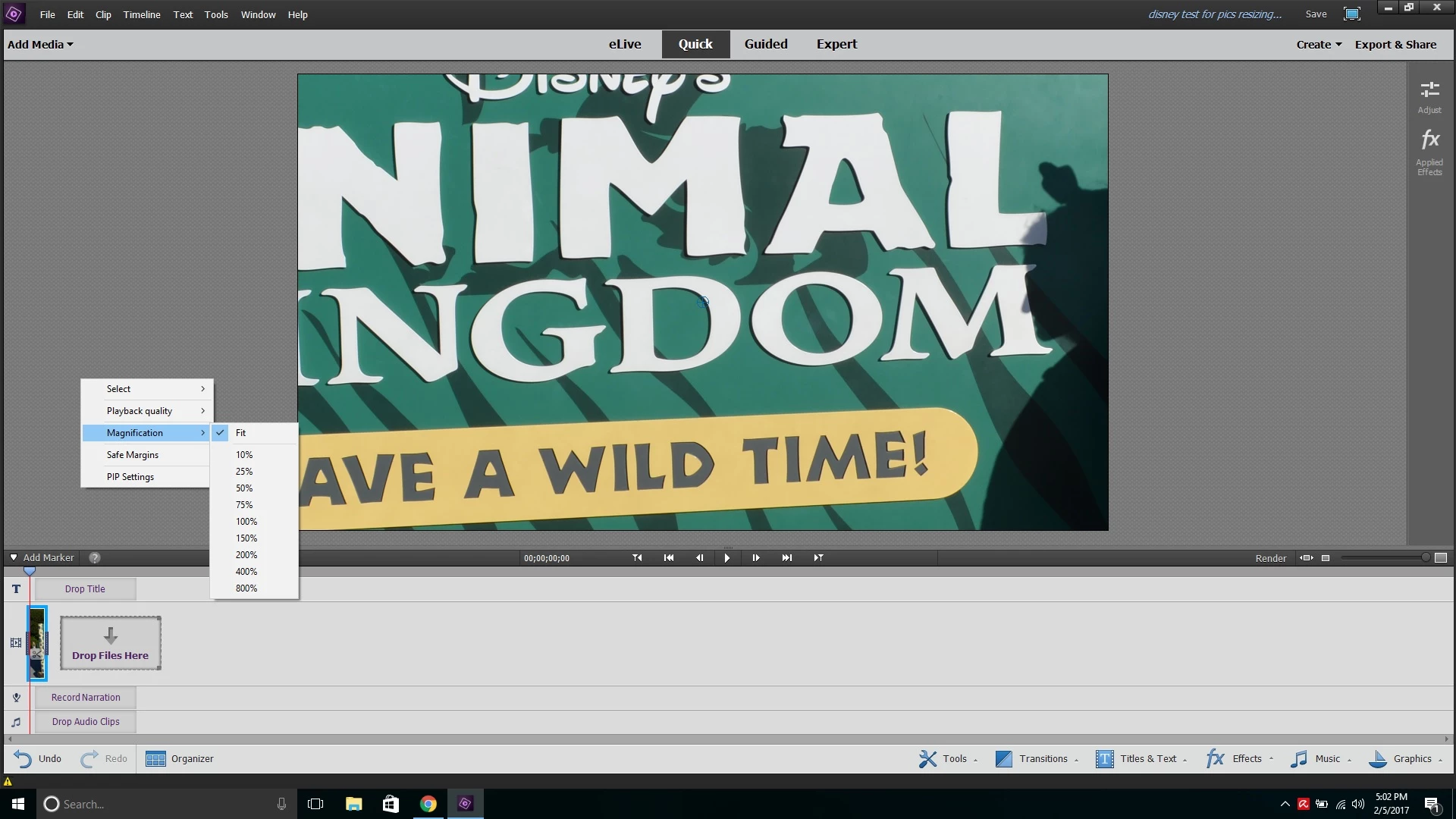
and here is the original picture.....
ThunderPancake
 AdChoices