Participating Frequently
December 8, 2022
Question

Dvd slideshow aspect ratio

  • December 8, 2022
  • 3 replies
  • 490 views

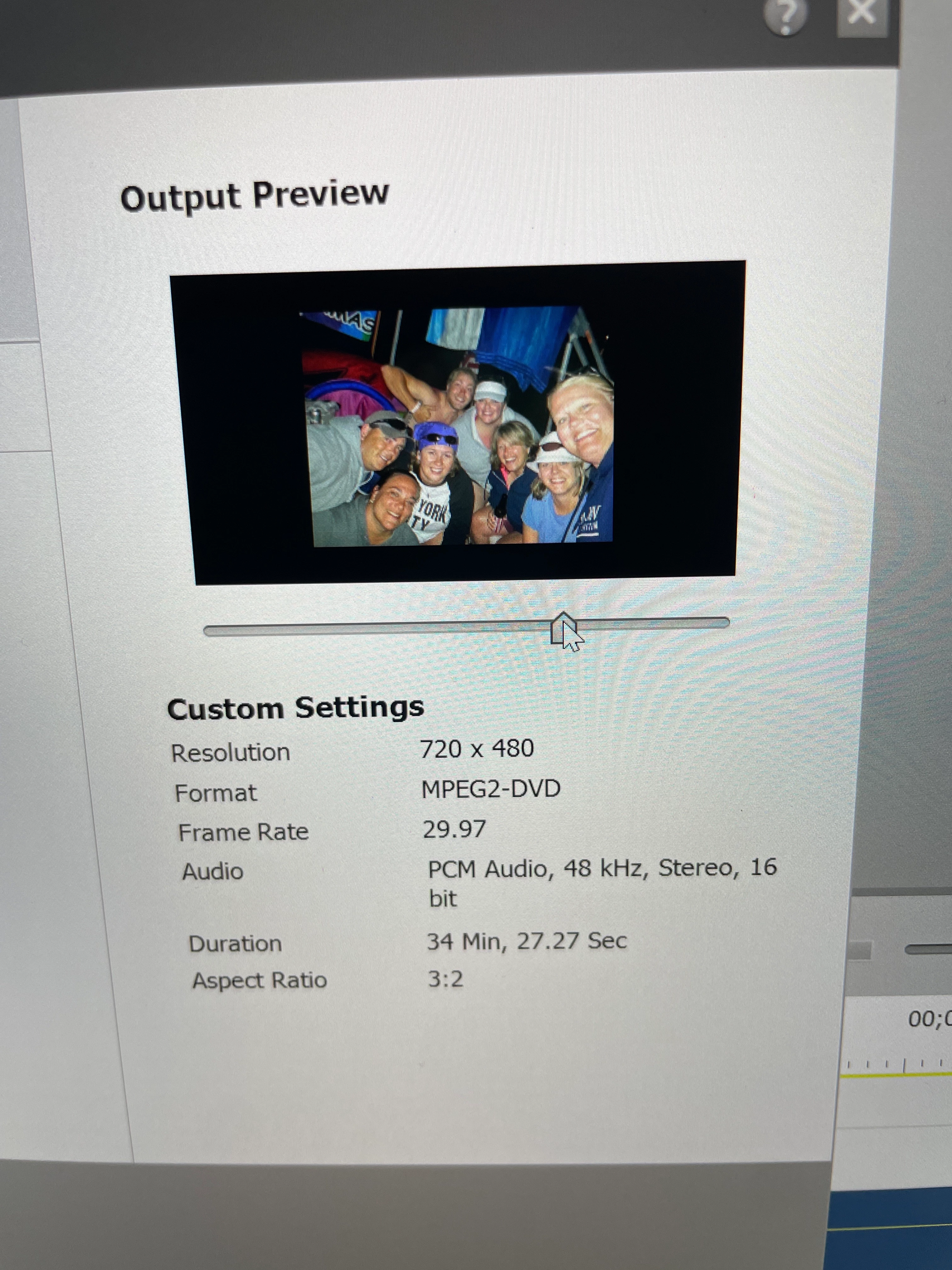
When I make a dvd slideshow, my horizontal pictures do not "fit screen". My vertical pics fit to the top but the others are so small. How can I adjust this?

This topic has been closed for replies.

3 replies

Participating Frequently
December 8, 2022

 this is how it appears on the tv screen then when burned

Ann Bens
Community Expert
Community Expert
December 8, 2022

Your project looks square and DVD looks widescreen. Hence, the differences.

Post screenshot project settings and image properties.

Participating Frequently
December 8, 2022

I know and I don't know why. I'm wondering if anyone knows how I can change that. 

Ann Bens
Community Expert
Community Expert
December 8, 2022

Scale your image up in the timeline so they fit the screen.

Participating Frequently
December 8, 2022

They do fit the screen in the timeline. That's why I'm so confused. It's when I burn it that it doesn't fill the screen as shown in the timeline. 

John T Smith
Community Expert
Community Expert
December 8, 2022

A US DVD specification is 720x480


If you have Photoshop you may do better to adjust the ratio there before bringing the pictures into PreElements

Participating Frequently
December 8, 2022

Yes I created the slideshow with Premiere2022. I did like I always do with the previous slideshows I've made with 2019 but something is set different. It's always "filled the screen"