Participant
September 19, 2022
Question

Elements won't show or play back iPhone .mov videos

  • September 19, 2022
  • 2 replies
  • 745 views

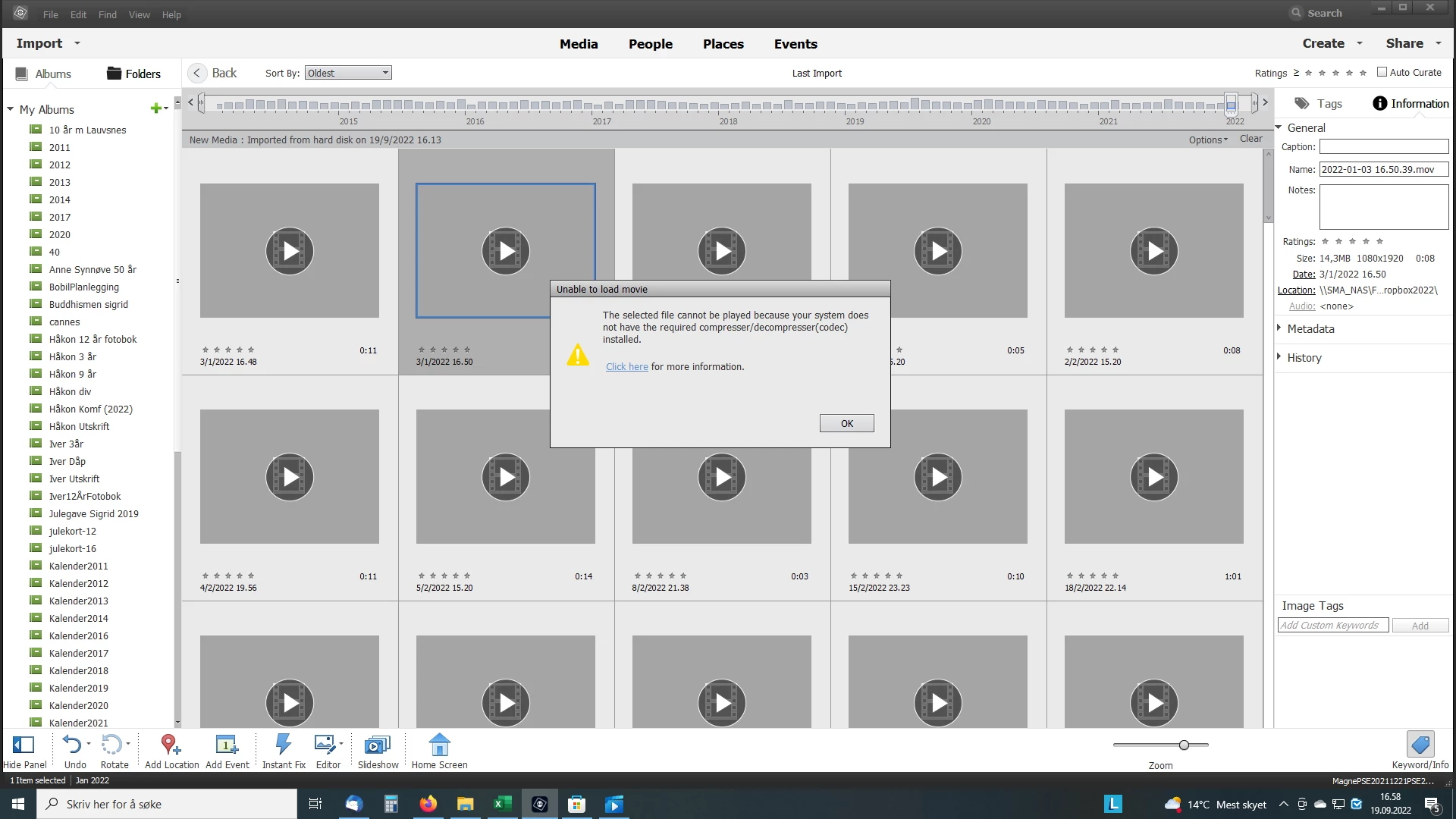
Hi. I am unable to get snapshots and play back videos from my iPhone in PSE v20.0.0. (PSE 2022). See attached jpeg.

Thx, Magne

This topic has been closed for replies.

2 replies

John T Smith
Community Expert
Community Expert
September 27, 2022

>or see them but in grey


Do not count on Windows to be fully up to date when it comes to device drivers
Go to the vendor site to be sure you have an updated driver for your graphic adapter


nVidia Driver Downloads https://www.nvidia.com/Download/index.aspx?lang=en-us
-for all Adobe programs use the STUDIO driver, not the GAMING driver
-To achieve the highest level of reliability, Studio Drivers undergo extensive
-testing against multi-app creator workflows and multiple revisions of the top
-creative applications from Adobe to Autodesk and beyond


If you have a laptop you MAY also need to check for a laptop specific nVidia driver
-SOME laptops require an approved driver from the laptop company, not nVidia


AMD/ATI Driver https://www.amd.com/en/support


Intel https://downloadcenter.intel.com/product/211969/Intel-HD-Graphics-Family


There are also intermittent reports that the newest driver is not always the best driver due to driver bugs or compatibility issues, so you MAY need to try an earlier driver version

Ann Bens
Community Expert
Community Expert
September 19, 2022

Did you click on Click Here for more information?

Did you install the codec?

Participant
September 19, 2022

Hi Ann. Which codec, and from where? The content plays well in both VLC and Windows Mediaplayer.

Community Expert
September 19, 2022

Playing and editing a video file are two entirely different things.


Phones have a choice to record using the "HEVC" codec.  It is also called "H.265".   Adobe does not provide that codec so you have to purchase it from the Microsoft online store.  It costs 99 cents.  Find it, pay for it, download it, install it. 

The other choice is to use the (free) program Handbrake to convert what footage you have from H.265 to H.264 and then set your phone to "most compatible" so it uses H.264.  The quality is as good, but the file sizes will be a little larger.