
Participant
August 30, 2023
Question

error adobe element23

  • August 30, 2023
  • 3 replies
  • 207 views

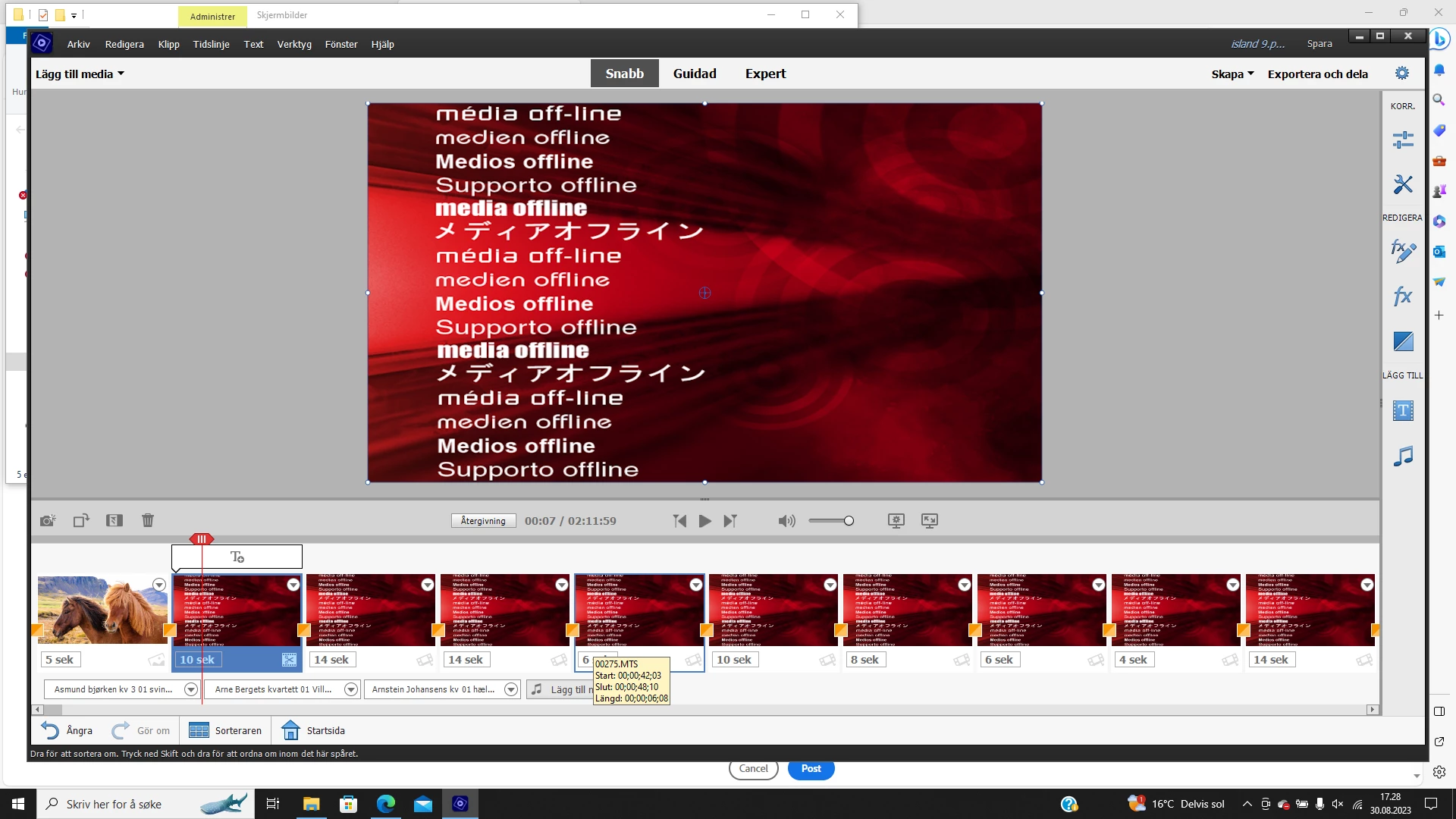
Have a finished video on Adobe element 23, so I can stream to tv. But now all the clips have become promotional clips with the text Media Offline in a variety of languages. The image is red. What can I do to get it away uiten to ruin the video. HillsenToralf Tomren. Epodt

EMAIL ADDRESS REMOVED PER FORUM POLICY - Moderator


This topic has been closed for replies.

3 replies

Ann Bens
Community Expert
Community Expert
September 1, 2023
Peru Bob
Community Expert
Community Expert
August 30, 2023

Premiere Elements doesn't store the source media.  It just uses the clips on the timeline as a "pointer" to the media.

If you deleted them or moved them, Premiere Elements doesn't know where they are and you will have to relink them.

Community Expert
August 31, 2023

The normal expectation is that for "streaming" or playing on a TV or any other device, you would use the "Export and Share" features to create an "MP4" video file. 

John T Smith
Community Expert
Community Expert
August 30, 2023

That message indicates 1 of 2 things

1 - you deleted the files from your computer

2 - you moved the files to a different folder