


Participant
May 7, 2019
Answered

Error when trying to record narration

  • May 7, 2019
  • 1 reply
  • 369 views

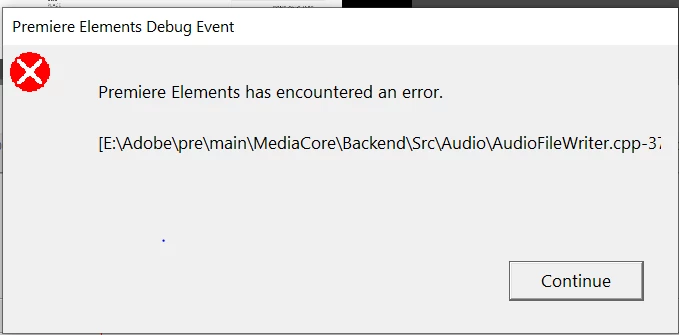
Elements 19  on Windows 10 - When I try to record, I get  this message. I press the continue button but if I try to do anything else I am get the Windows message that elements is not responding  I am using a Microsoft USB headset.  Searching the help screens I hit a roadblock because they apparently haven't been updated to Elements 19. They refer to "Device Menu" which apparently exists only in previous versions.  My alternative mic is a Blue Snowball which is also USB.  I'm grateful for any help.                                                                                       
    This topic has been closed for replies.
    Correct answer maryf40874033

    Thanks for sending me in the right direction. After reading the directions on the appropriate Adobe "user" page for adding narration, and watching the video on Muvipix I was changing the Device Class to ASIO as directed. Your response make me take a closer look at the audio hardware window. It finally dawned on me that since it recognizes and correctly identifies my headset, It  probably also selects the correct Device Class. BINGO!  I left it at MME instead of changing it to ASIO. 

    It works!

    1 reply

    Community Expert
    May 8, 2019

    Under Edit > Preferences find "Audio Hardware".  Try making changes to the "Default Input".

    Do you have Premiere Elements installed on some other drive than C:\?  I'm not sure that works. 

    maryf40874033AuthorCorrect answer
    Participant
    May 8, 2019

    Thanks for sending me in the right direction. After reading the directions on the appropriate Adobe "user" page for adding narration, and watching the video on Muvipix I was changing the Device Class to ASIO as directed. Your response make me take a closer look at the audio hardware window. It finally dawned on me that since it recognizes and correctly identifies my headset, It  probably also selects the correct Device Class. BINGO!  I left it at MME instead of changing it to ASIO. 

    It works!

    Community Expert
    May 8, 2019

    Thanks for replying that you found the solution.  I'm a big short of knowledge on "Device Class" and had to look that up!