Participant
August 20, 2021
Answered

Expert mode, insert image and it puts an empty blank space in the music

  • August 20, 2021
  • 1 reply
  • 515 views

I'm new, and vexed by crazy problem.  My objective is a simple picture slideshow of about 200 pictures, with about five different songs on the music line.  


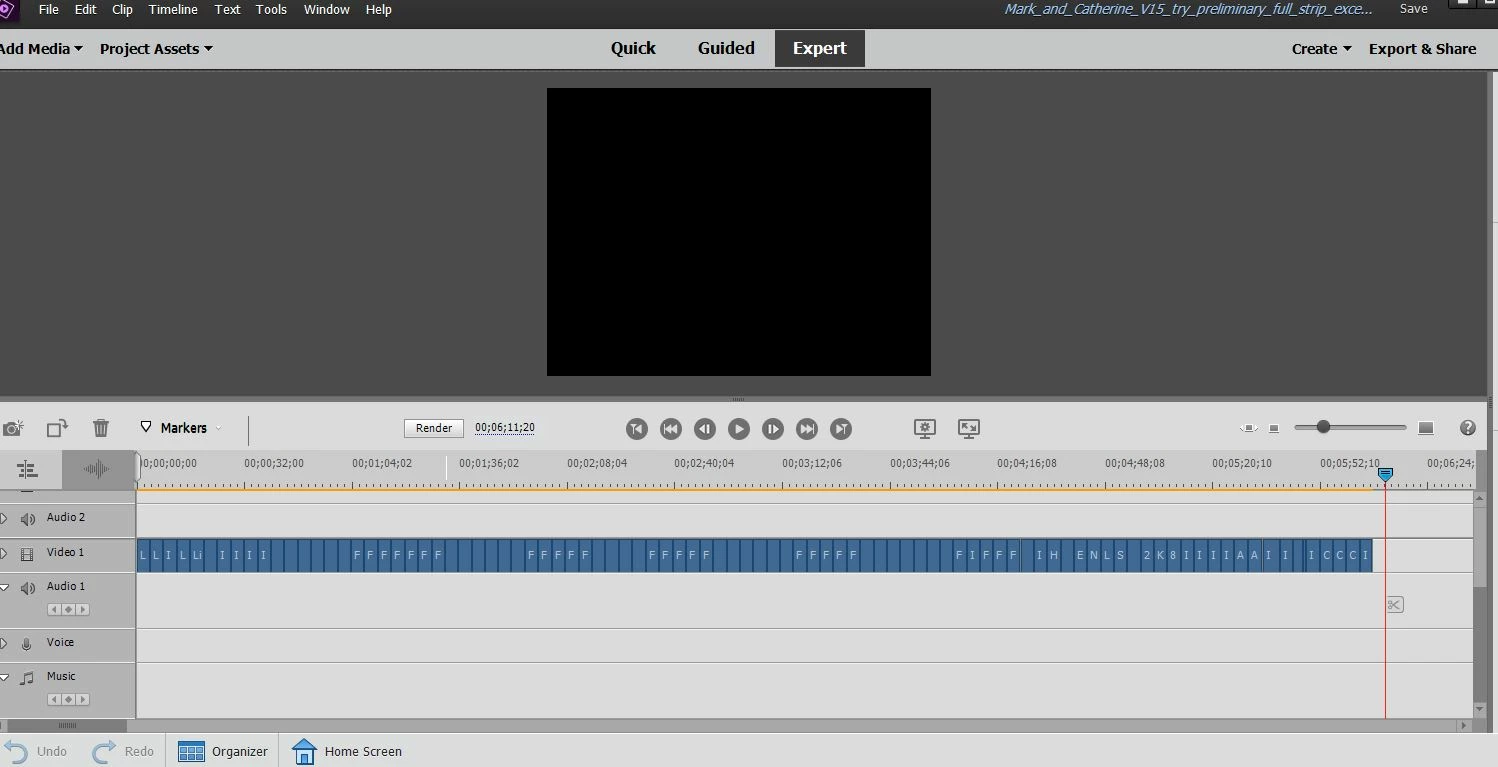
I put the pictures in the desired order on the video timeline.

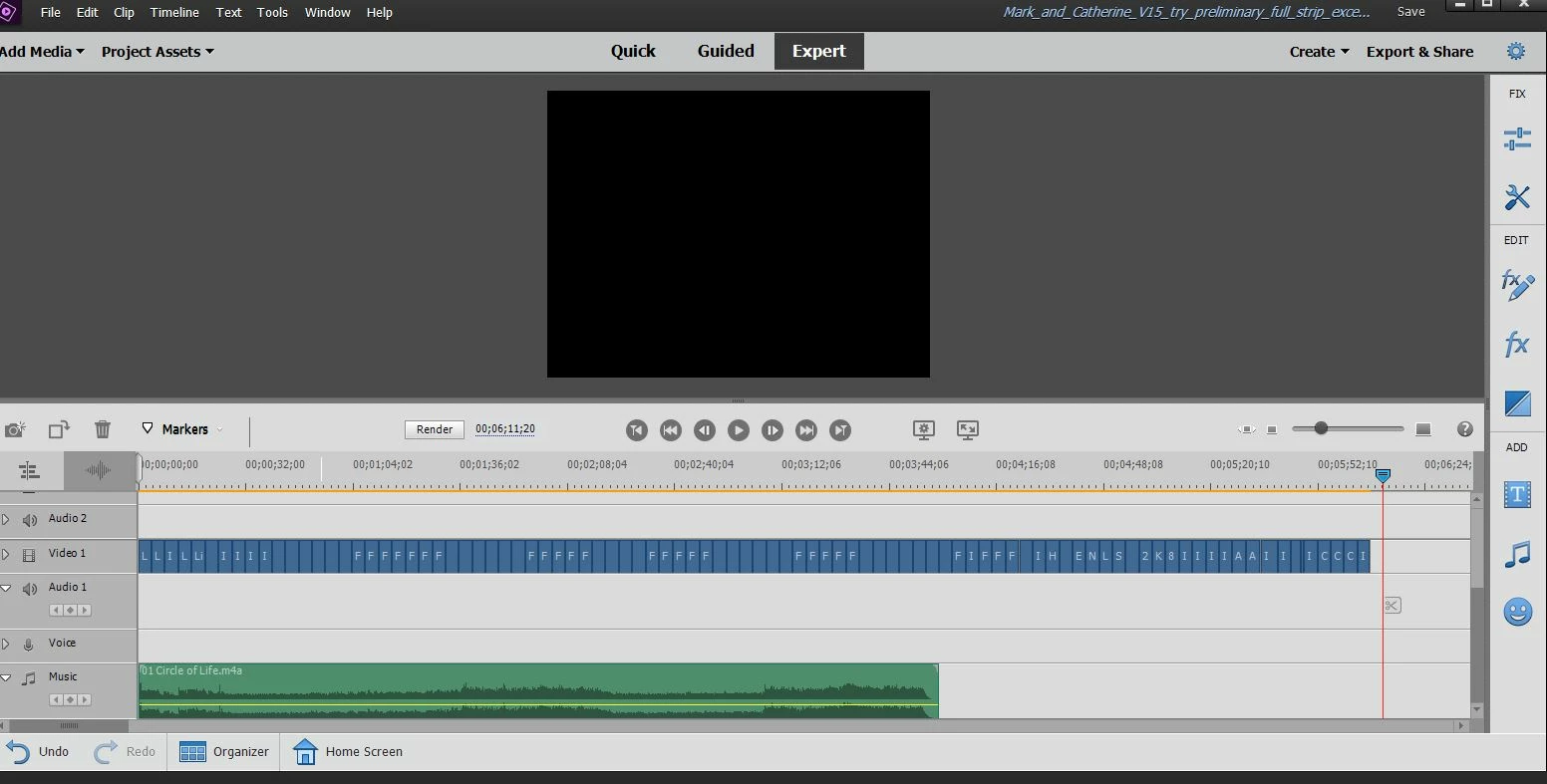
I put the songs on the music timeline.  

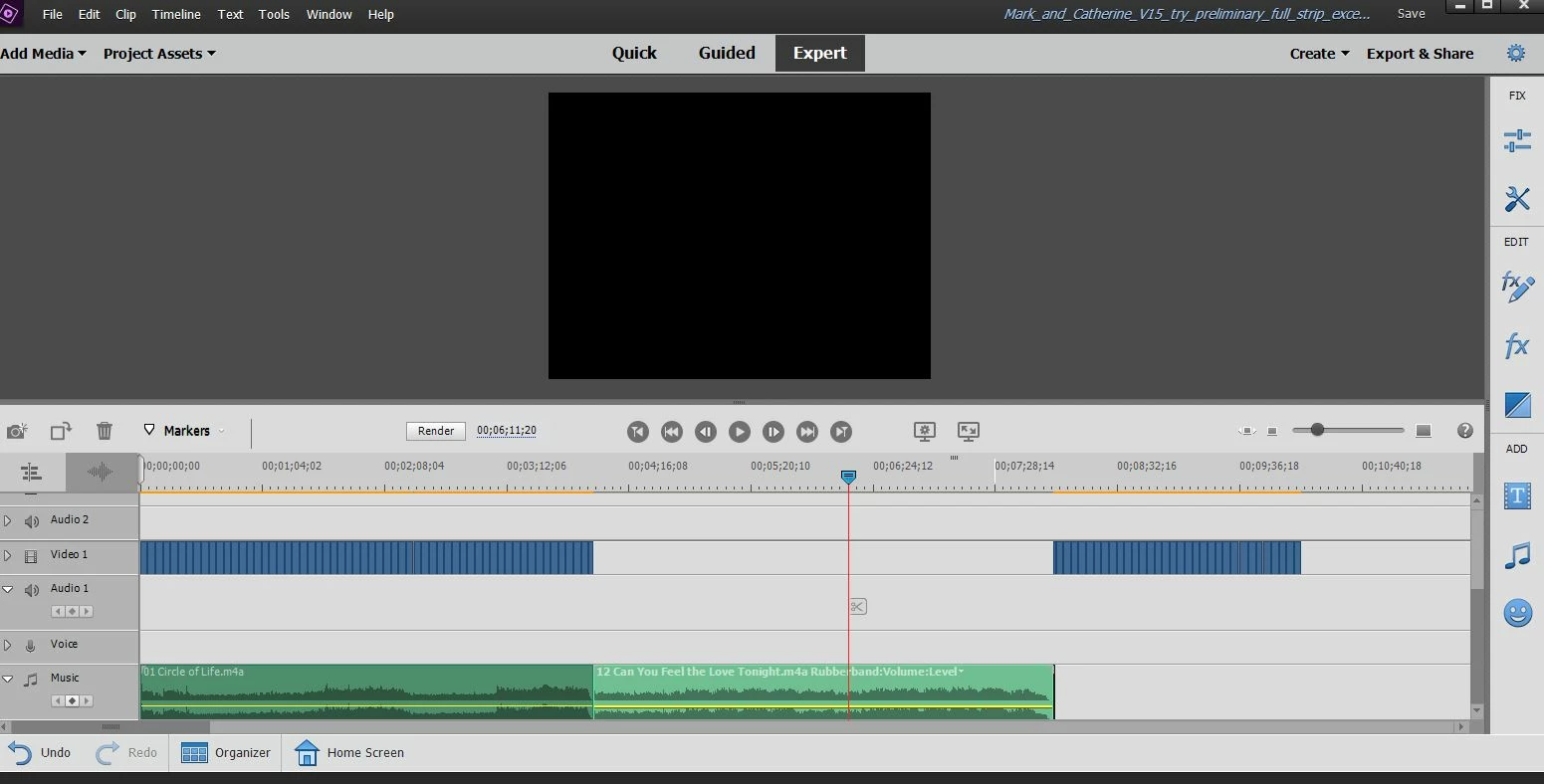
Sometimes the added songs cause the picture sequence to split open with a big gap.

If I add a new image somewhere along the timeline, it often causes a split in the music line.


I'm not understanding this software. There must be a way to stop this.

Photos: Sample1 shows photos lined up on timeline (about 3 seconds each)

              Sample2 shows adding the first song

               Sample 3: after adding a second song, the photo lineup splits.  Then any attempt

                                to move the photos back into place, results in the Music getting split.


Thanks,

Mark


This topic has been closed for replies.
Correct answer Mark_in_NewHampshire

Steve Grisetti, this has saved me!  The perils of diving in without utilizing introductory tutorials, and having a deadline for a party presentation.  I'll be sure to learn more about the ripple feature. It certainly had not occured to me to dig into that, although I saw it in the  menu.  And then to know to override it with "Alt", well, I wouldn't have found it.  Thanks very much. - Mark

1 reply

Legend
August 21, 2021

That's the ripple feature. You can override it by holding down the Alt key (Option on a Mac) as you add a new clip to your timeline.

Mark_in_NewHampshireAuthorCorrect answer
Participant
August 21, 2021

Steve Grisetti, this has saved me!  The perils of diving in without utilizing introductory tutorials, and having a deadline for a party presentation.  I'll be sure to learn more about the ripple feature. It certainly had not occured to me to dig into that, although I saw it in the  menu.  And then to know to override it with "Alt", well, I wouldn't have found it.  Thanks very much. - Mark