


konrad79
Inspiring
September 15, 2024
Question

Export error in Premiere Elements

  • September 15, 2024
  • 1 reply
  • 645 views

If I try to export my current project as 1920x1080 as MP4 with a estimated target size of 1,45GB I get an empty error message:
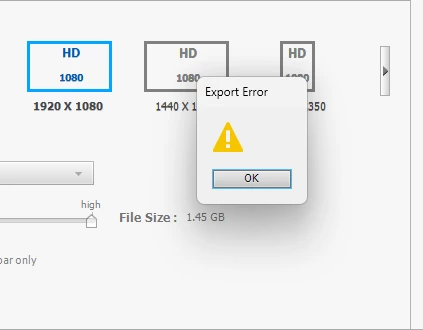


I use Premiere Elements 2022 - Version 20.0 (20220702.Git.main)

Windows 11 - 64bit

The two Scratch disks set in the settings have: 234 GB free and 656 GB fre space


I exported several hundred videos in the past years on this system with no problems.


Why is there no Error Message given and what can the problem be?

This topic has been closed for replies.

1 reply

Legend
September 16, 2024

Assuming the video you're using for your source is from the same device as your previous, successful videos, it could be a bug on the timeline.


Is there a gap on your timeline? Even a small gap cause the program to throw up an error code.


How long is your video? Are you exporting to your C drive or to another drive?

konrad79
konrad79Author
Inspiring
September 16, 2024

The videos are from the same source, yes.

There are no gaps (and there are transitions between the clips).

I try to export it to several drives - all with the error.

Legend
September 16, 2024

How long is the video?

Are the drives that you're exporting to formatted FAT32 or NTSC?
What happens if you export to your C drive?