

Participant
January 7, 2021
Question

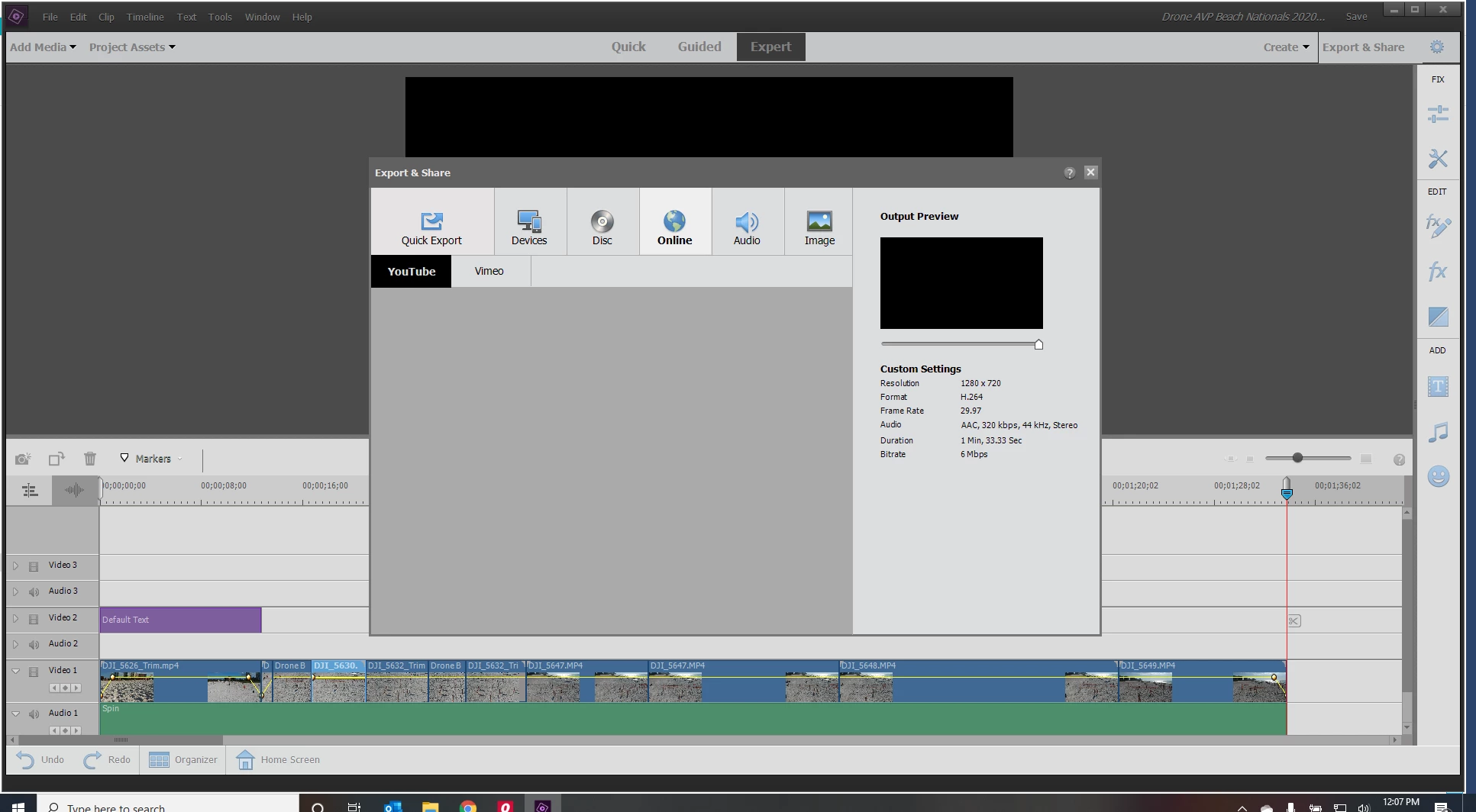
Export to YouTube in Elements 21 not working

  • January 7, 2021
  • 1 reply
  • 229 views

When I go to export my video to YouTube, The log in for YouTube never comes up in the grey box
This topic has been closed for replies.

1 reply

Legend
January 7, 2021

YouTube regularly throws a monkey wrench into the system by changing their upload system. Suddenly no video editors can load directly to it -- until they update their systems.


Meantime, you can just use Export & Share/Devices/Computer to output a 1920x1080 MP4 and then use your web browser to send it to YouTube.

Participating Frequently
January 8, 2021

Ah this is interesting.

I have been using iMovie on my ipad pro for a long while and lost the function to upload direct to youtube at the end of December, hence why I am now trialling PE21.

I am jsut working through things at the moment in the hope I would find this a better option.  I find the process very slow now on my Ipad as I have to save my imovies to photos which then updates in the icloud to send to my windows laptop so I can uplaod to youtube... the whole process for a 7 minute video can take 3-4 hours in uploading through cloud, then to youtube via their platform... I cant even export the video to by USB on my Ipad Pro as it corrupts every time (I though that would be a work round avoiding cloud)... 

Does any one know with the work around as above if I am likely to be able to get videos on youtube any faster?

thanks


Legend
January 8, 2021

Yes. Give it a try and I think you'll see.
