


Participant
December 1, 2019
Question

Exporting Video

  • December 1, 2019
  • 5 replies
  • 516 views

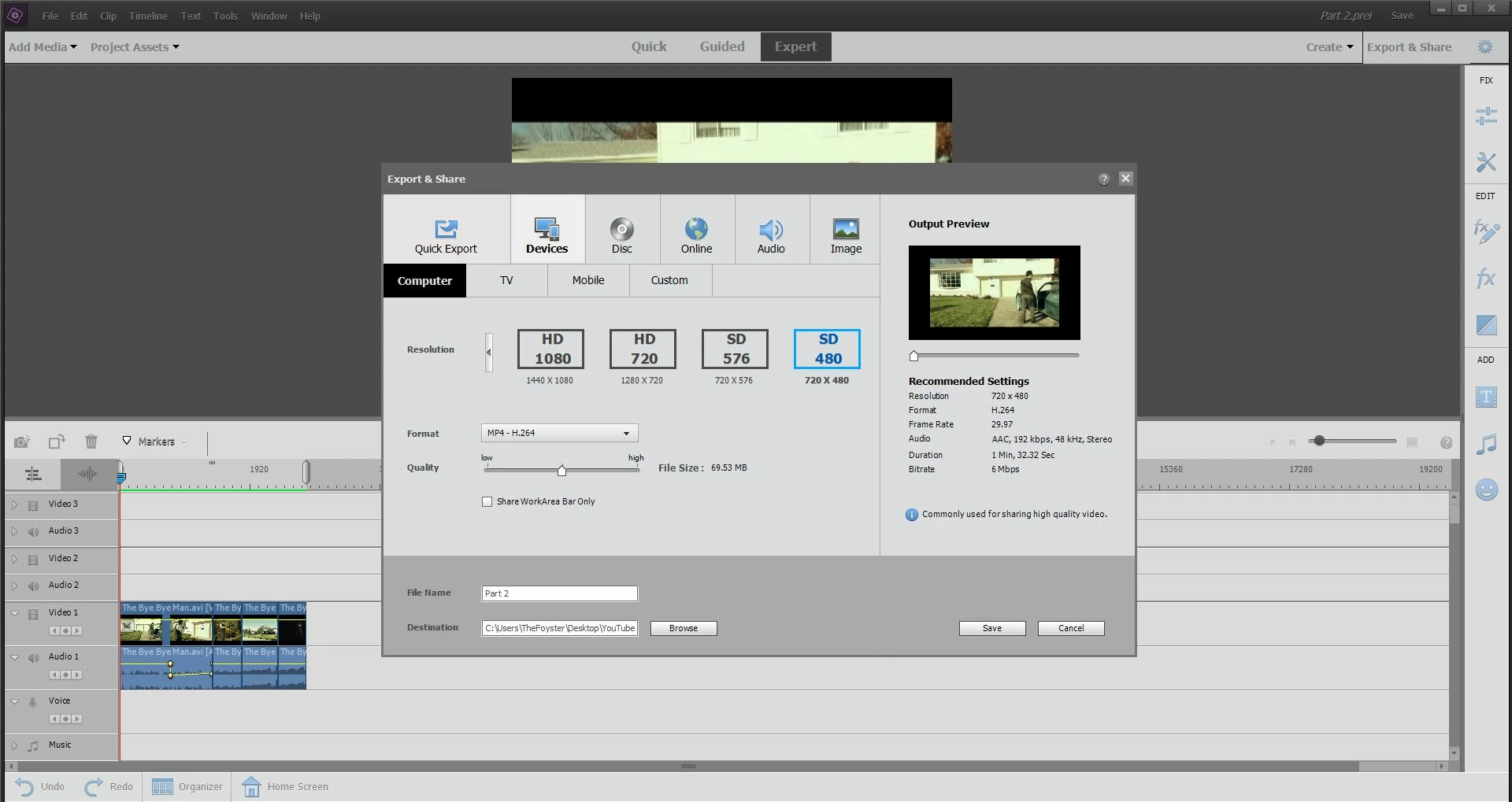
Hi guys, I'm using Adobe Premiere Elements 2019 and there seems to be an odd thing when I go to export the video. On the timeline it shows it has normal widescreen but when I go to export it puts a border on it like a letterbox filter. I've added the pic so you can see. Any chance anyone else has had this problem? Or knows what's causing it? Not sure if this is my computer it is about 3 years old now.
This topic has been closed for replies.

5 replies

Participant
December 10, 2019

Thank you! This is exactly what I was after! not sure why my video was centralising the clip but none of the guides or tips showed me how to fix that problem. I'm only just starting my editing 'career' so I'm glad someone could show me where I was going wrong!

Community Expert
December 2, 2019

"This is not the case. OP has a 4:3 project"  You are right, Ann.  The right way to fix it is to start over with the correct project settings.  But the OP wrote "just widescreen (black bars top and bottom)" might be acceptable.  That's confusing, so I threw out a possibility even though it is not one I would use.  


Bill

Community Expert
December 2, 2019

"Is there any way to change the settings to keep it to just widescreen"

I'm not sure what you want, but try changing the scale slider:  

Ann Bens
Community Expert
Community Expert
December 2, 2019

This is not the case. OP has a 4:3 project with widescreen footage and exporting to widescreen will give a socalled black box. But in fact it is a 4:3 frame (with black bars) in a 16:9 settings.


Ann Bens
Community Expert
Community Expert
December 1, 2019

You timeline shows widescreen in a 4:3 setting (black bars top and assuming at the bottom).

Your project settings do not match the footage used.

Hence the black box on export.

Participant
December 2, 2019

Is there any way to change the settings to keep it to just widescreen (black bars top and bottom)? I've googled it and it seems like no-one else is having this problem. All I want to do is stop the footage looking like it has a black border all the way round.

Ann Bens
Community Expert
Community Expert
December 2, 2019

You need to start over with a widescreen project.

Ann Bens
Community Expert
Community Expert
December 1, 2019

Moved from Premiere Pro to Elements forum.