

Participating Frequently
October 20, 2021
Question

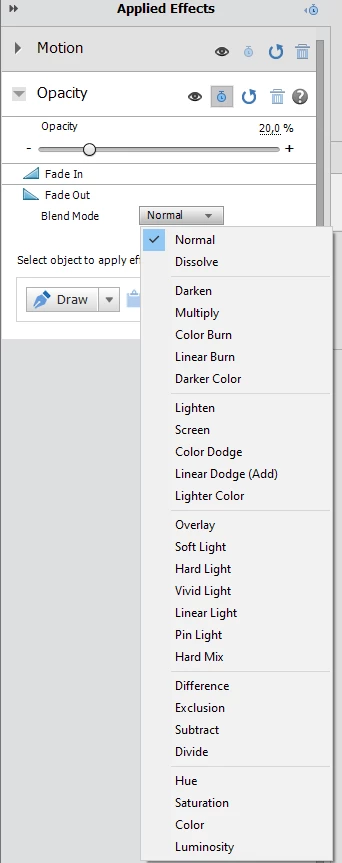
Fade out video clip - blend mode dropdown

  • October 20, 2021
  • 2 replies
  • 336 views

Hi!
For Fade Out there is Blend Mode dropdown with lots of options.

- when set to Normal it fades out to black.

- when set it to any other option - it doesn't fade out at all.
Why?
 

This topic has been closed for replies.

2 replies

Community Expert
October 20, 2021

Building on Bob's reply and never having tried it, I opened a project.  First I slid the primary track to Video 2 and expanded the track.  Then I put a clip below on Video 1.  All the blend modes worked with different effects.   


The reason I've never tried it is that I do fades differently.  I select all the clips I want to fade, right click and pick fade from the pop up menu.  Then I can choose to fade both audio and video.  I can also choose just "in" or "out".  That will set all the keyframes and I can elect to move them with the mouse if I need to.  

Participating Frequently
October 20, 2021

ok could you tell me please how to fade out to _white_?

Ann Bens
Community Expert
Community Expert
October 20, 2021

Blending modes are not for the build-in fades, they serve a different purpose.


There is a transition called Dip to White

or

Make a white color matte.

superimpose

keyframe opacity from 0 to 100

Peru Bob
Community Expert
Community Expert
October 20, 2021

Are there any other clips on tracks below it?


This is for Premiere Pro, but the same basic principles apply:

https://helpx.adobe.com/premiere-pro/using/blending-modes.html
