



Question
FAQ: How to find the exact version of Premiere Elements on your computer?
Many people find it difficult to check which version of Premiere Elements they are running precisely. Here is how you can check the exact build that you're running on your machine:
Mac:
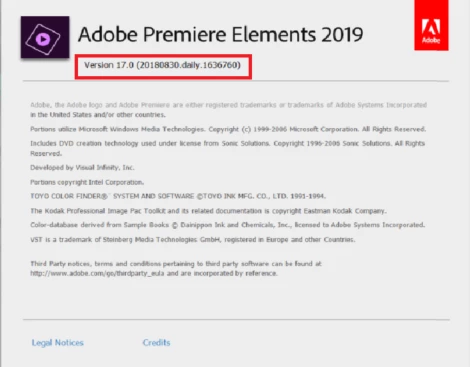
When Premiere Elements is open, click on the Premiere Elements menu at the top left and select About Premiere Elements. In the pop-up window that opens, you'll see Premiere Elements version at the top. It looks like the picture embedded in the end.
Windows:
When in Premiere Elements, click on the Help menu at the top and select About Premiere Elements. You'll see a pop-up window that lists the Premiere Elements version at the top. It looks like this:
 AdChoices