


robink80106804
Participant
December 9, 2018
Question

Fehler bei Transkodierung - Fehler beim Exportieren

  • December 9, 2018
  • 4 replies
  • 711 views

Hallo zusammen,

ich besitze Adobe Premiere Elements 14. Installiert ist dies auf einem PC mit Windows 10 64 Bit.

Hardware:

Intel Core i7 7700k

AMD Radeon R9 390x

16GB RAM

Nun versuche ich seit längerem erfolglos einen Film auf DVD auszugeben. Das Projekt besteht aus 2 Videodateien (VOB). Diese beiden Dateien liegen nacheinander in der Video-Spur.

Beim Export auf DVD will ich dies erst als ISO-Image auf den PC ausgeben. Egal ob mit DVD Menü oder ohne, es kommt beim Klick auf "Brennen" entweder gleich am Anfang oder bei 98% die Meldung "Fehler bei Transkodierung":
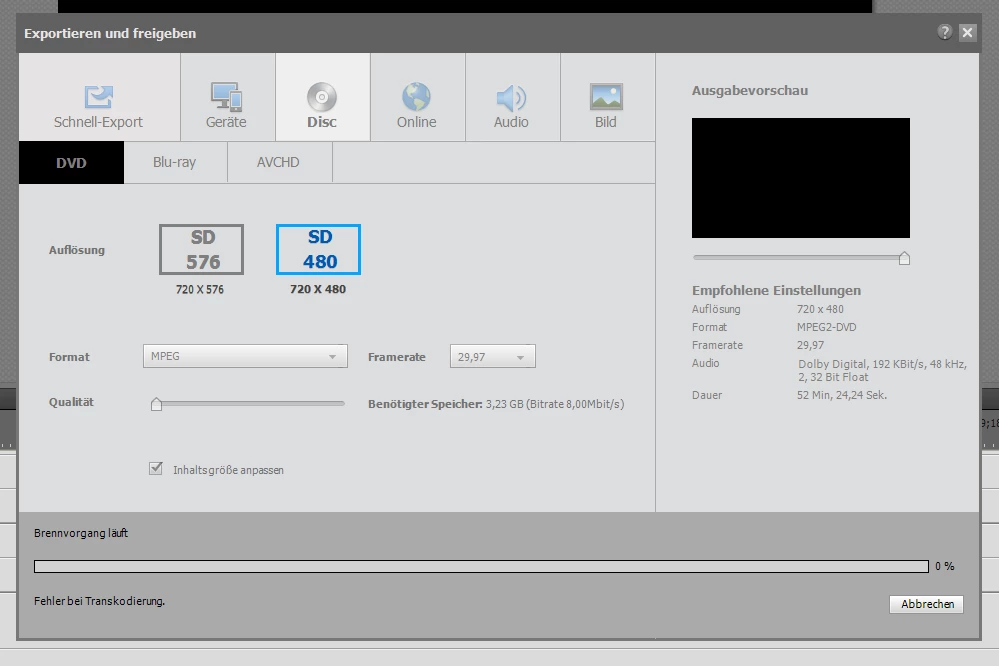
Ich habe auch schon eine der beiden Video-Dateien aus der Video-Spur gelöscht, aber auch erfolglos.

Bei der Ausgabe als MP4 mit H.264 Codec erscheint folgende Meldung:
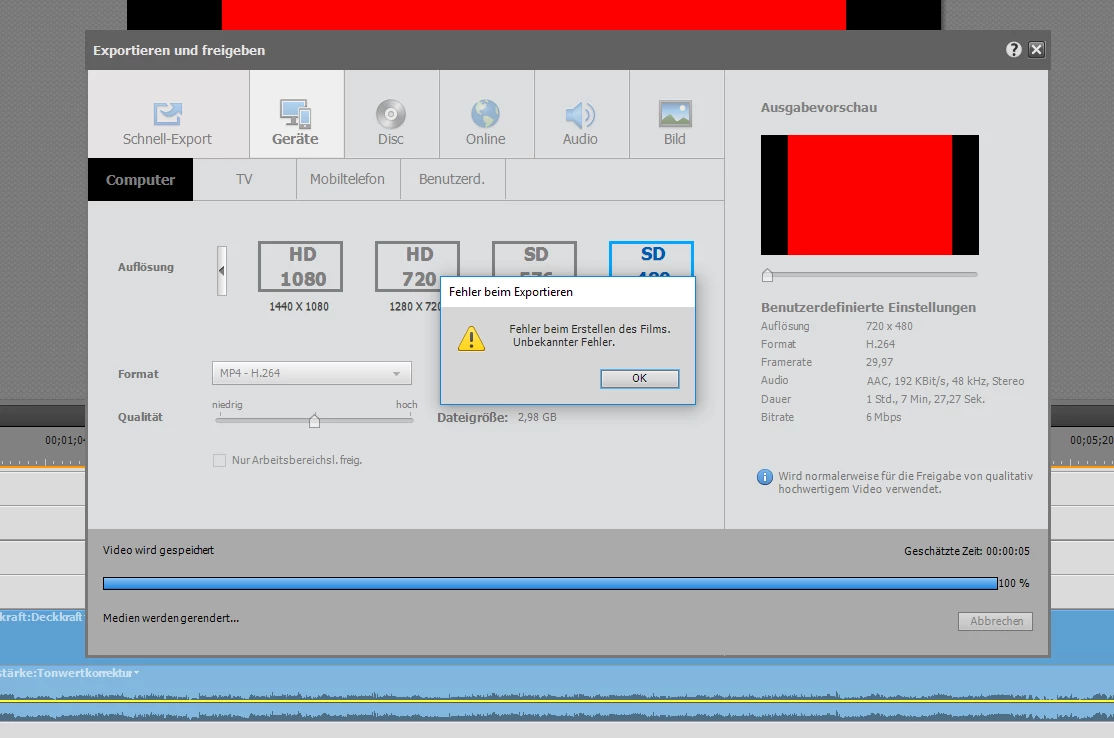
Ich habe auch schon Premiere Elements 2019 als Testversion ausprobiert, aber es kommt der gleiche Fehler.

Was mache ich falsch?

This topic has been closed for replies.

4 replies

robink80106804
Participant
December 23, 2018

I have tried several things, also disabeling hardware accelertion, cleaning cache etc...I cannot solve the problem. I think Premiere has a problem with the source files comming from a Panasonic DMR-EX98V where I have copied my private videos from VHS to DVD.

I tried to convert other videos from my iPhone to DVD and this is working without any issue. So to solve my issue with the vob files I have a workaround. I convert the vob files with HandBrake to H.264 mp4 files. Afterwards I convert the to a DVD with Premiere Elements including DVD menu.

Ann Bens
Community Expert
Community Expert
December 9, 2018

Disable H.264 hardware acceleration in preferences and clear all media cache.

Legend
December 9, 2018

There is nothing in your image that would cause a problem, so I am not sure what is causing your transcoding error.

It could be your computer. How much defragmented free space is on your hard drive?

It could also be the length of your movie. What if you cut the movie in half? Can you output half of your movie as an MP4?

Legend
December 9, 2018

Can you post a screen capture of your movie's entire timeline?

robink80106804
Participant
December 9, 2018

Yes of course:

As mentioned, I removed the second clip and tried to export only the first one, with the same error.

Some minutes ago, I could  export an mp4 movie to dvd without any problems.