



Freeze during editing
I have an extremely weird problem. I’ve been using Elements 15 with Windows for 8 years with no real issues but recently a significant one has arisen…
I do heavy editing with my clips – re-framing, speed changes and multiple freeze-frame screenshots. Recently I’ve discovered that after editing for an amount of time (which seems to be getting shorter), the clips start playing jerkily and too fast, at least double the normal speed, and then Elements freezes. So I exit but Elements won’t allow me to re-enter; the splash screen appears but freezes.
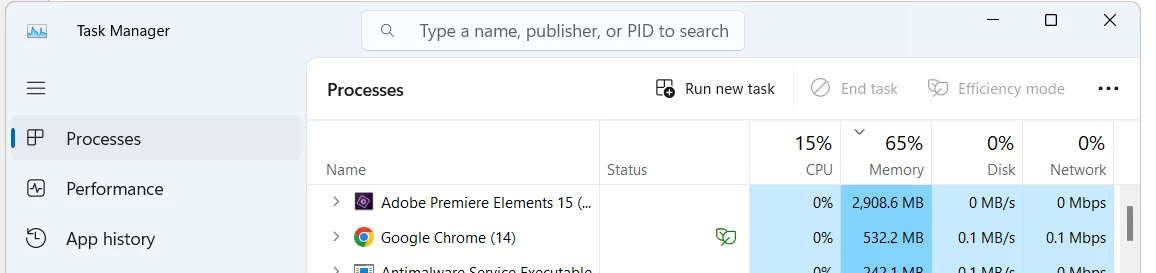
I’ve then opened Task Manager to check on Memory Use and sure enough, it shows 3 to 7000(!)mb. If I click “End task” for Premiere, it disappears from Task Manager… but still won’t allow me to re-enter. The only way to continue is to re-boot. After re-booting I begin editing again and the same thing happens after a few minutes.
In preparing this post, I checked the memory use right after opening Premiere, and it showed almost 3000mb… without my having done anything! (See image.)
I’ve tried making a video of the double-speed playback but once Premiere freezes, I can’t record. And for some reason Task Manager no longer shows Premiere after I’ve exited so I can’t send a screenshot of the post-exit memory use, which is usually substantial.
I've uninstalled/reinstalled Premiere and the problem's still there.
I have a Dell XPS 13 9315 and I use Windows 11. Any idea what’s going on?
 AdChoices