


Participating Frequently
December 21, 2018
Question

Fullscreen playback issue

  • December 21, 2018
  • 4 replies
  • 579 views

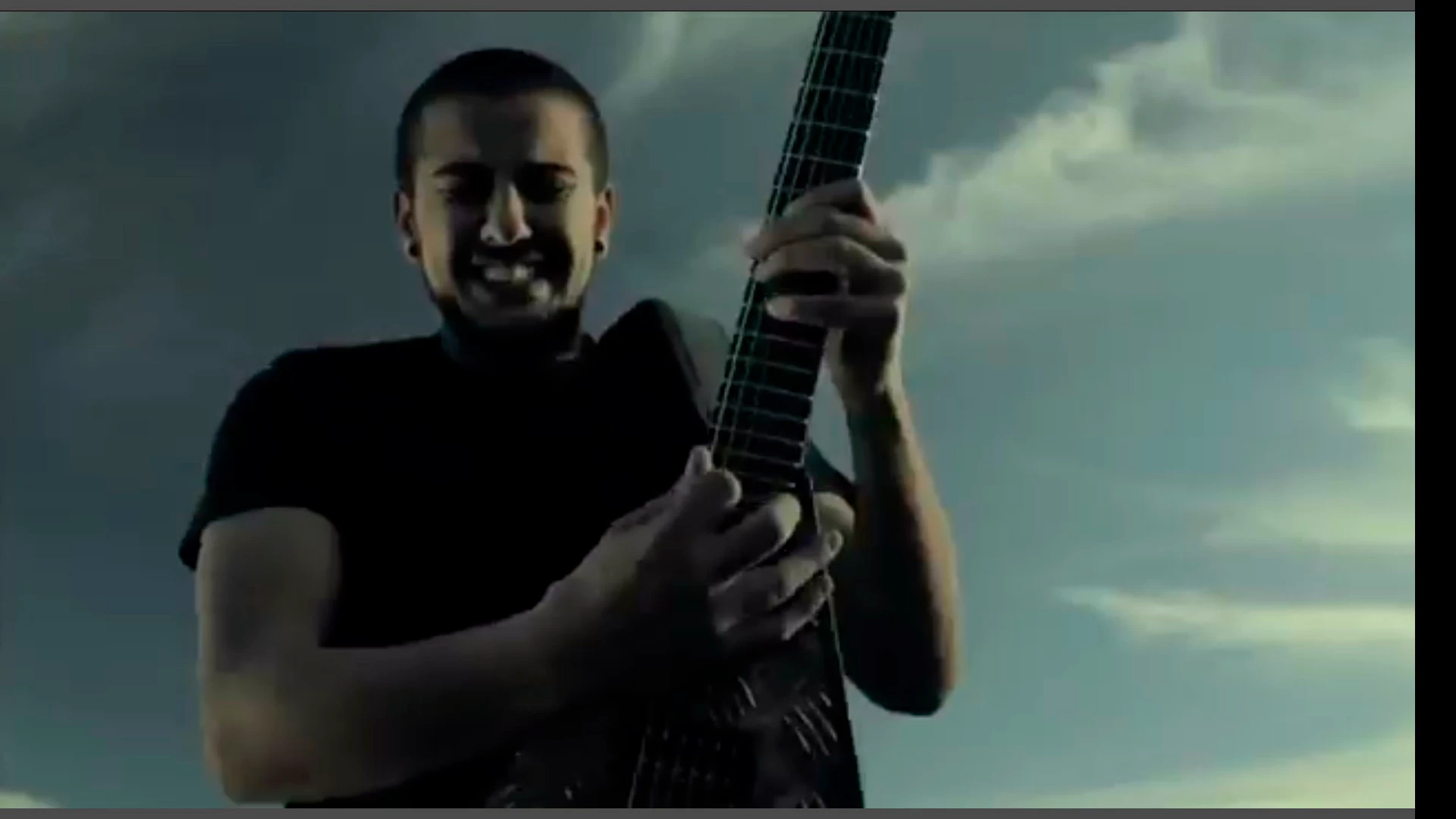
Hi. Using Premiere Elements 15.  It has developed this full screen playback issue.

It seems to be shifted to the left (as you can see by the black bar on right side and 2 small grey bars top & bottom ( as shown in the screenshot)

If i save the video and play it through say windows media player it seems ok.

It's not a monitor issue, just seems to be PE issue.

Any ideas?

Thanks
    This topic has been closed for replies.

    4 replies

    Legend
    December 23, 2018

    About the only other thing I'd suggest is to go to the Preferences (under the Edit menu on a PC) and, on the General page, uncheck hardware acceleration (which, ironically, often DECREASES playback performance).

    Beyond that I can see nothing that would cause the issues you're describing. You've got plenty of power and your project is set up for optimal performance.

    stivblikAuthor
    Participating Frequently
    December 24, 2018

    Tried that Steve. No fix.

    I uninstalled and reinstalled. Problem is still there.

    I updated my vid card drivers. Problem still there. No idea.

    It's such a random problem.

    Unless it's a monitor issue. I don't have another one to test. I'll just learn to live with it.

    Thanks for your help.

    Legend
    December 22, 2018

    What operating system do you have?

    Which processor do you have with how much RAM?

    If you see no render line, project settings are matched to your video specs and you should get very smooth operation on a decently powered machine.

    stivblikAuthor
    Participating Frequently
    December 23, 2018

    CPU i7-5820 3.3ghz

    16Gb ram

    Win 7 - 64bit

    Everything runs smooth on my system.

    I have been editing on this machine for a couple of years now with no dramas.

    If you're not sure of a solution I think I might just uninstall and reinstall

    Thanks for your help though !

    Legend
    December 22, 2018

    When you first add your video clips to your timeline, do you see a yellow orange "render" line above them on the timeline?

    A render line indicates a mismatch between project settings and video specs.

    stivblikAuthor
    Participating Frequently
    December 22, 2018

    No render line steve. 

    Maybe it's some random glitch that has no solution.

    I might reinstall the software. See how that goes.???

    Legend
    December 21, 2018

    Look under the Edit menu. What is listed on the General page under Project Settings?

    You don't say what model of camcorder your video is coming from or what format and resolution it is. But the more information we have about the video specs, the more likely we can help you.

    Open a sample of your source video in the free download MediaInfo. In MediaInfo, set View to Text and then copy the text it displays and paste it to this forum.

    stivblikAuthor
    Participating Frequently
    December 22, 2018

    Hi Steve. Sorry for lack of info.

    I am importing footage from Nikon D7500

    The project is PAL - DSLR 1080p24  OR  PAL DV Widescreen 48Khz

    It seems to be a problem on both these settings.

    I also downloaded MediaInfo and ran the vid through it.

    This is the results.... hope this helps

    thanks for your help!

    Steve

    ------------------------

    General

    Complete name                            : E:\VIDEO\RDANI\Skilled Migration\TEST\DSC_7863.MOV

    Format                                   : MPEG-4

    Format profile                           : QuickTime

    Codec ID                                 : qt   2007.09 (qt  /niko)

    File size                                : 30.9 MiB

    Duration                                 : 12 s 638 ms

    Overall bit rate                         : 20.5 Mb/s

    Encoded date                             : UTC 2017-12-20 09:00:09

    Tagged date                              : UTC 2017-12-20 09:00:09

    NCDT                                     : NCTG

    Video

    ID                                       : 1

    Format                                   : AVC

    Format/Info                              : Advanced Video Codec

    Format profile                           : High@L4

    Format settings                          : CABAC / 2 Ref Frames

    Format settings, CABAC                   : Yes

    Format settings, RefFrames               : 2 frames

    Format settings, GOP                     : M=3, N=12

    Codec ID                                 : avc1

    Codec ID/Info                            : Advanced Video Coding

    Duration                                 : 12 s 638 ms

    Bit rate                                 : 18.8 Mb/s

    Width                                    : 1 920 pixels

    Height                                   : 1 080 pixels

    Display aspect ratio                     : 16:9

    Frame rate mode                          : Constant

    Frame rate                               : 23.976 (24000/1001) FPS

    Color space                              : YUV

    Chroma subsampling                       : 4:2:0

    Bit depth                                : 8 bits

    Scan type                                : Progressive

    Bits/(Pixel*Frame)                       : 0.378

    Stream size                              : 28.3 MiB (92%)

    Language                                 : English

    Encoded date                             : UTC 2017-12-20 09:00:09

    Tagged date                              : UTC 2017-12-20 09:00:09

    Color range                              : Full

    Transfer characteristics                 : BT.470 System M

    Matrix coefficients                      : BT.470 System B/G

    Codec configuration box                  : avcC

    Audio

    ID                                       : 2

    Format                                   : PCM

    Format settings                          : Little / Signed

    Codec ID                                 : sowt

    Duration                                 : 12 s 638 ms

    Bit rate mode                            : Constant

    Bit rate                                 : 1 536 kb/s

    Channel(s)                               : 2 channels

    Channel layout                           : L R

    Sampling rate                            : 48.0 kHz

    Bit depth                                : 16 bits

    Stream size                              : 2.31 MiB (7%)

    Language                                 : English

    Encoded date                             : UTC 2017-12-20 09:00:09

    Tagged date                              : UTC 2017-12-20 09:00:09

    -----------------------