


Known Participant
October 11, 2019
Question

GoPro 7 Black 4K/60 issue

  • October 11, 2019
  • 6 replies
  • 408 views

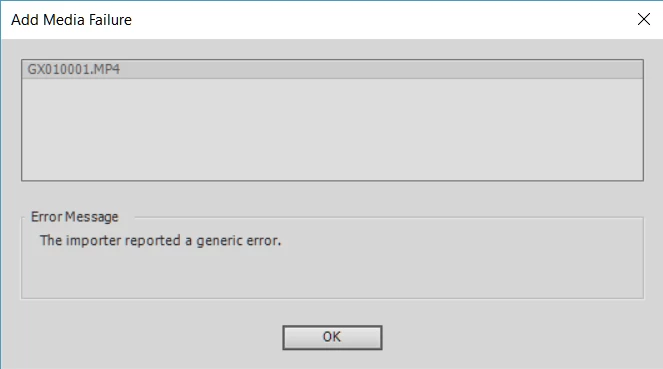
I shot a 4K/60 video on my GoPro 7 black and I am trying to load it in my Adobe Premier Elements 14 I am getting this error. Video is good, it plays just fine in all players. Whats going on?


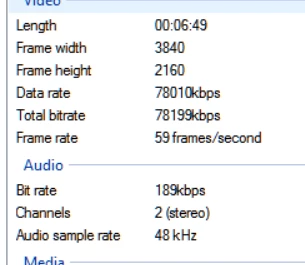
These are the details of my clip
Thanks

    This topic has been closed for replies.

    6 replies

    Known Participant
    October 12, 2019

    Just so you know I have a YI 4K+ camera as well and it shoots 4K/60 too and i can edit those in APE 14 just fine.

    Known Participant
    October 12, 2019

    Tried H265 as well and that too didn't work. 

    Known Participant
    October 12, 2019

    No these are H264 but I can try H265 (HEVC)

    Ann Bens
    Community Expert
    Community Expert
    October 12, 2019

    Not all 4K files are the same (codec, bitrate)

    If they play in  a player that does not mean you can edit them in  Elements which is not a player but and editing program (NLE)

    Are these files H.265?


    Known Participant
    October 12, 2019

    Tried 4K/30 and 4K/60 vidoes and it looks like Adobe doesn't support 4K/60 anymore. 4K/30 works fine.

    Nancy OShea
    Community Expert
    Community Expert
    October 11, 2019

    I'm moving this question to Premier Elements where it belongs.

    The 2015 version could handle 4K video but I'm not sure about the 2014 version. 

    https://www.adobe.com/products/premiere-elements/buying-guide.html

    Nancy O'Shea— Product User & Community Expert
    Known Participant
    October 11, 2019
    I have been editing 4K/60 videos in the 2014 version for a long time now and it definitely worked till now.