


Participant
June 6, 2021
Answered

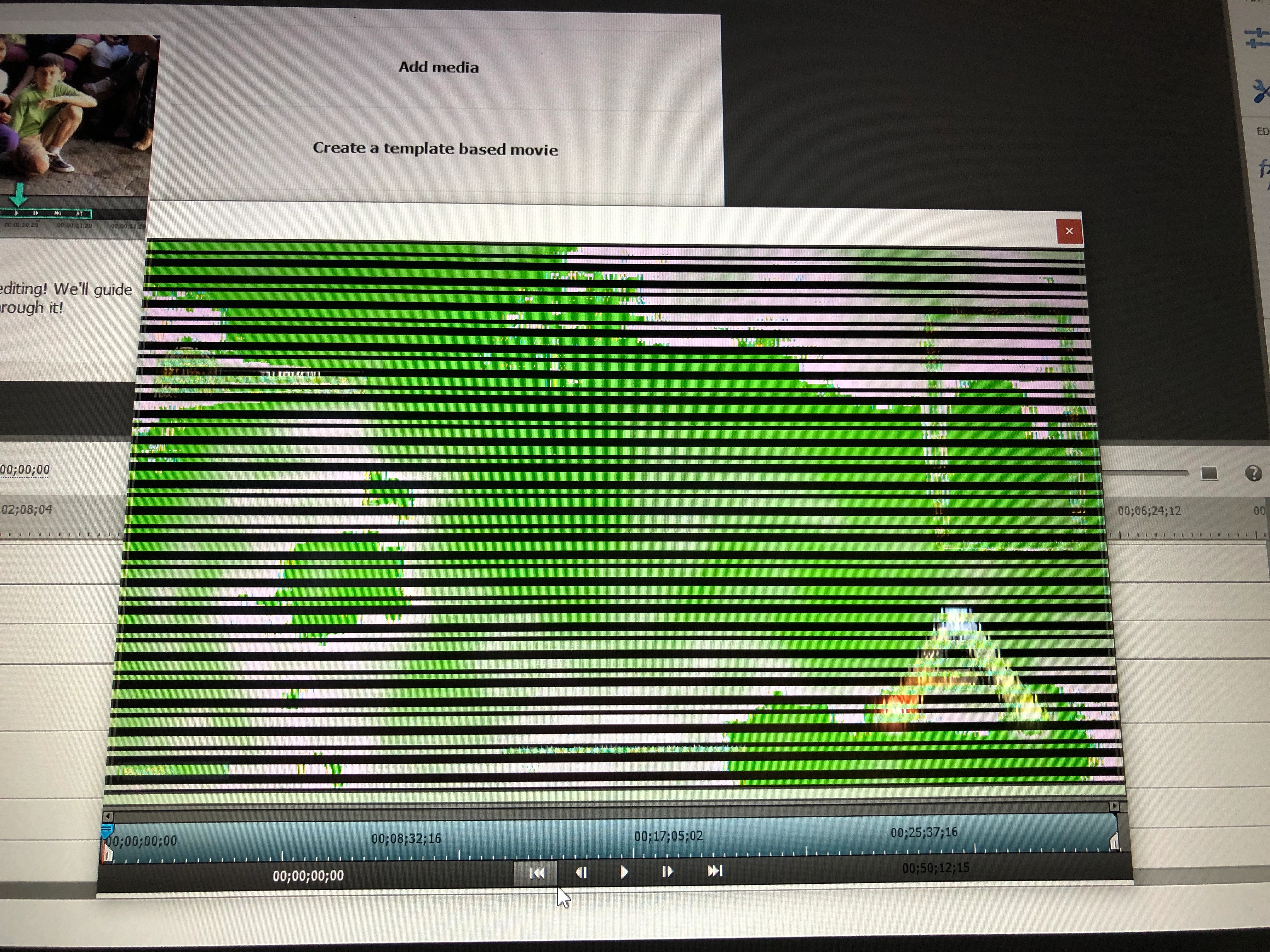
Green line Adobe premiere element 2021

  • June 6, 2021
  • 3 replies
  • 300 views

So I bought because I like the old Adobe program I had. It it didn't work on my new computer. Got this program already had issues with the set but figured it out. Now trying to edit my videos and all I get is the green line. I read some of the other post follewed the links download the driver went to nvidia it's self download the driver restarted computer check for updates and reinstalled. Still the same problem it play fine on video and the windows edit but can't get past it here. Any help would be appreciated.
This topic has been closed for replies.
Correct answer default0vhst8engt47

Update so I talk to them and had them take over the computer something I notice that now one said was to also check the intel drivers as well some reason my program doesnt use the Nvidia one but the intel so I updated both and its works.

3 replies

default0vhst8engt47AuthorCorrect answer
Participant
June 7, 2021

Update so I talk to them and had them take over the computer something I notice that now one said was to also check the intel drivers as well some reason my program doesnt use the Nvidia one but the intel so I updated both and its works.

Ann Bens
Community Expert
Community Expert
June 6, 2021

If this is a mp4 change the extension to mpg and try again.

Participant
June 7, 2021

How do i do that?

Peru Bob
Community Expert
Community Expert
June 7, 2021

Change the name of the file in Windows explorer from filename.mp4 to filename.mpg and then import the newly renamed file and replace the file on the timeline with the newly renamed file.

John T Smith
Community Expert
Community Expert
June 6, 2021

•nVidia Driver Downloads http://www.nvidia.com/Download/index.aspx?lang=en-us
••for Premiere Pro and MAYBE Premiere Elements use the STUDIO driver, not the GAMING driver
•••such as (MAY not be the latest) https://www.nvidia.com/en-us/drivers/results/170344/

There are also intermittent reports that the newest driver is not always the best driver due to driver bugs or compatibility issues, so you MAY need to try an earlier driver version

Participant
June 7, 2021

Also I have upate and changed drivers to many times to count and still nothing has changed.