

Participant
January 21, 2019
Question

green screens and black bars

  • January 21, 2019
  • 4 replies
  • 474 views

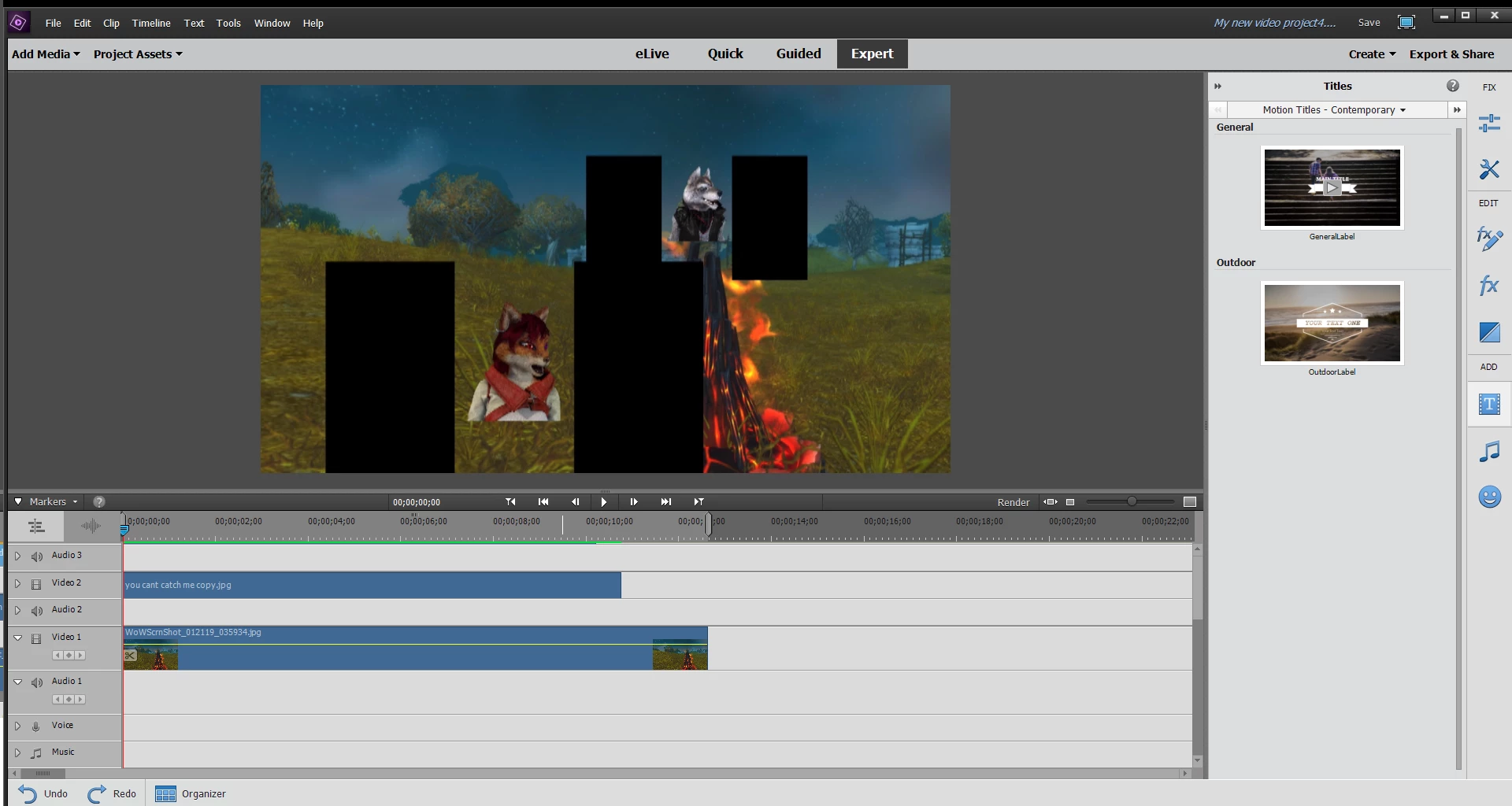
i am trying to put an image onto my video project but for some reason the program adds 2 black bars on the side of the image any advise on how to get rid of it?

This topic has been closed for replies.

4 replies

gupta shivangi
Legend
January 31, 2019

Hi mattg,

Thanks for reaching out. Are you still facing this issue?

Thanks,

Shivangi

Mohammad Tahseen
Adobe Employee
Adobe Employee
January 22, 2019

This happens when dimension of image/video (on which Videomerge/green key is applied) is not proportional to the dimensions of the Project Settings. There are couple of workarounds to git rid of those unwanted black portions. First is to apply Crop effect on that clip and move Left and right sliders under parameters. Other method is you can apply 4-point garbage matte effect and adjust the corners to completely get rid of those portions.

Participant
January 22, 2019

it is a jpeg file

Peru Bob
Community Expert
Community Expert
January 21, 2019

Are the images jpegs?

Can you show a screenshot of the image opened in Photoshop Elements?