



Answered
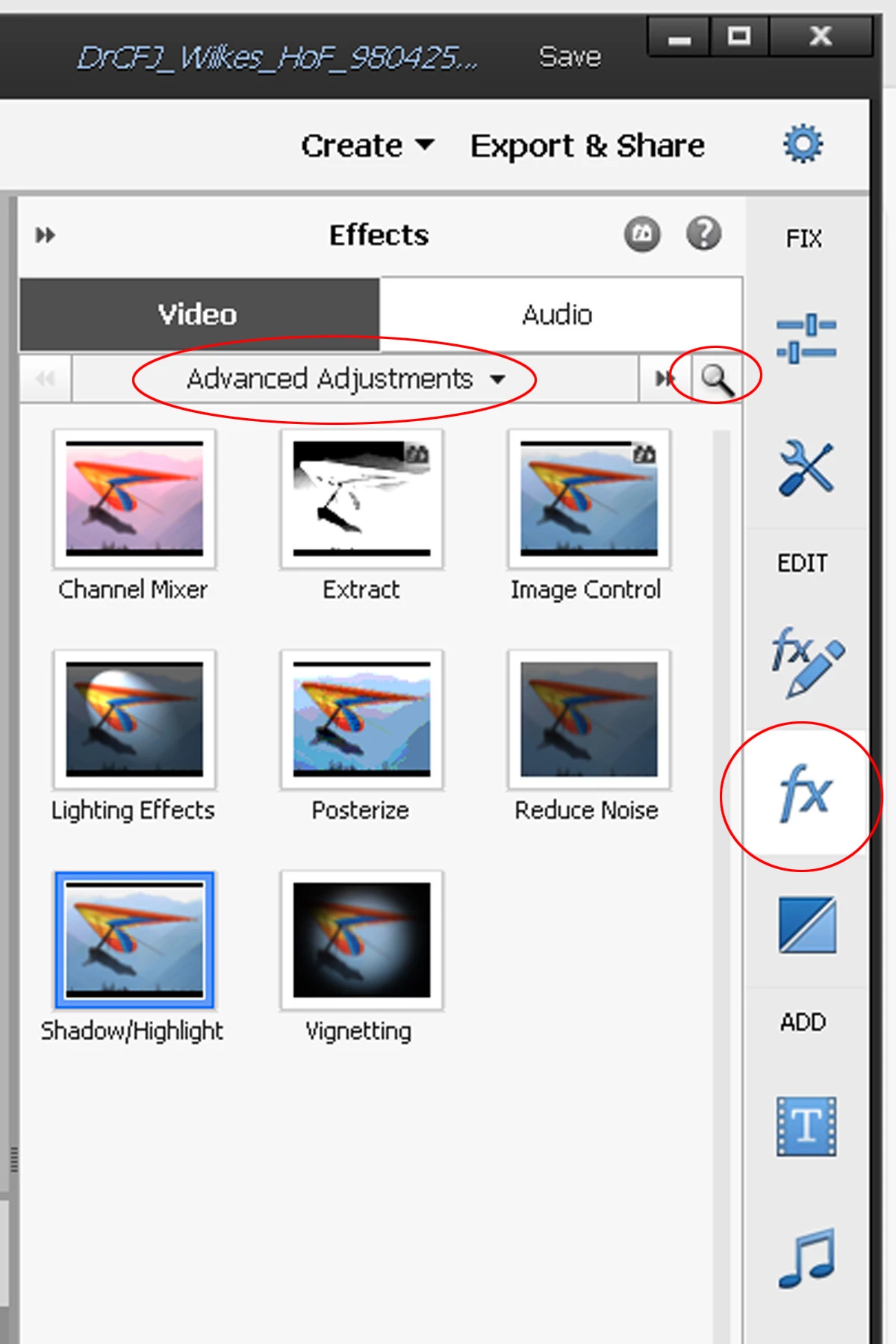
Haze removal missing from Advanced Adjustments Effects
Note below that the "Haze Removal" icon does not appear under "Advanced Adjustments" in my Photoshop Elements 20 Video Editor, nor does it anywhere under "Show All", nor when typing in "Haze" in the optional search bar.. I had actually used it some weeks ago when editing another video, but it seems to have disappeared. I also tried uninstalling and then reinstalling Premiere Elements 20, but it still does NOT appear. Can anyone explain how this might have happened and/or offer advice to restore the "Haze Removal" feature under "Advanced Adjustments" editing effects?

 AdChoices