


Question
HDR Videos don't look right in Premiere Elements
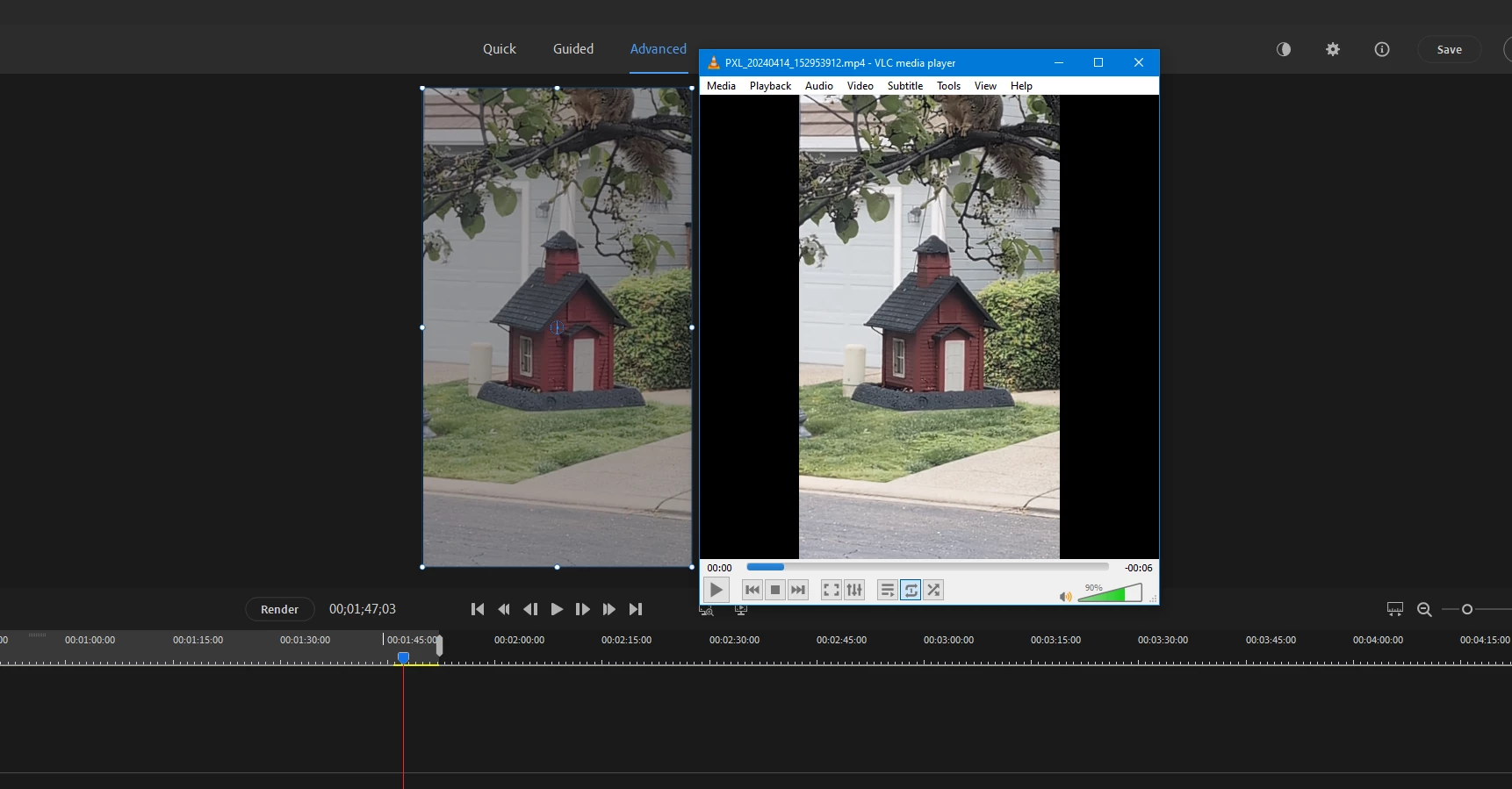
In my case, HDR videos (from my Pixel 😎 import and seem ok until you realize that they're really dim looking compared to how they should look.
My workaround is to strip the hdr metadata via ffmpeg:
ffmpeg -i input.mp4 -vf sidedata=delete output_nohdr.mp4
Though it seems really silly that Premiere Elements can't natively handle them properly. Am I doing something wrong? See the screenshot for how it looks in VLC (correct) vs Premiere Elements 2024.
I can give the original video if someone knows how to strip the exif location from it 🙂
 AdChoices