


Community Expert
October 4, 2019
Question

HEVC not Working in PrE 2020

  • October 4, 2019
  • 3 replies
  • 1343 views

When I "Add Media" with a HEVC/H.265 clip I get an error:
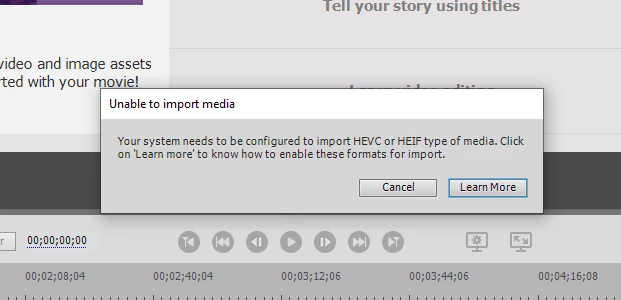


When I click on "Learn More" I get:  


I think I have the Windows HEVC Codec from Microsoft on my computer, but can't figure out how to verify that.  

What should I try next?  Thanks.

Bill


    This topic has been closed for replies.

    3 replies

    Shivangi_Gupta
    Community Manager
    Community Manager
    February 28, 2020

    Hey Bill,

    Greetings!

    Sorry for the delay. Here's the article with the steps to fix the HEVC import failure issue: https://community.adobe.com/t5/premiere-elements/faq-what-should-i-do-if-premiere-elements-2020-fails-to-import-hevc-media-files-in-windows-10/m-p/10953097/thread-id/28265?page=1


    Thanks,

    Shivangi

    Participating Frequently
    October 24, 2019

    I have some new info. I tried to install PE on my Surface Go, and on that one it actually works. It imports all the HEVC files just fine into PE 2020. 
    I am in contact with Adobe support about this, and they have been very helpful so far but nothing yet on why. The only thing I can think of is that Microsoft removed the support for HEVC files from Windows 10 1709 and you have to download it from the Store. My Surface Go is older so probably that one has a codec that is older and that works. My new computer has never had anything older than 1709 and maybe that has something to do with it.
    I will post here if I find out something more. 

    Participating Frequently
    October 23, 2019

    I get the same thing, I actually paid for a package from Microsoft Store that would get the HEVC support (I can view the movie clips in the ordinary viewer so the codec is there). Probably back to handbrake again 😞